1
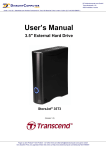
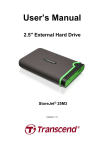
Introduction︱ Thank you for purchasing Transcend’s StoreJet 35T3. This stylish, versatile, high-speed USB storage device is the perfect data management system for uploading, downloading, storing and transferring your vital data and information. With its One Touch Auto-Backup button and real-world transfer speeds up to 3X faster than USB 2.0 (in USB 3.0 mode), the compact StoreJet 35T3 is quick and easy way to store and back-up essential files, folders, documents, photos, music and videos. In addition, the StoreJet 35T3 comes with very useful software* that can increase your storage productivity and security. This User’s Manual is designed to help you get the most from your new device, please read both in detail before using the StoreJet 35T3. Note: 1. The StoreJet 35T3 comes bundled with Transcend Elite, which enables the StoreJet’s One Touch Auto-Backup button (available on select StoreJet models only). See the Elite Software User’s Manual for details. The Transcend Elite software is also available for download at http://www.transcend-info.com/Support/Software-1/. 2. The StoreJetToolBox only works in Windows—Please see the “Formatting the Hard Drive” section of this manual for more information. The StoreJetToolBox software is also available for download at http://www.transcend-info.com/support/cate-4’. 3. To use the Mac OSX Time Machine function, please format the StoreJet drive to HFS+ first — (see “Formatting the Hard Drive – Mac OS”) 1