Transcript
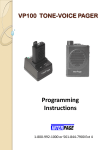
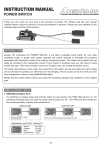
VP-100 USER’S GUIDE
Paging Operation
When a page is received in the ON mode, the pager emits an alert
tone followed by a voice message. When the voice message is
complete, press and release the RESET switch. The pager is now in
a standby condition ready to receive the next page. If the pager is
not reset, all message and channel noise will continue to be heard.
Introduction
The VP100 is a high performance and reliability; Two Tone Sequential
Coding Tone and Voice Pager. This pager has been designed for easy of
use.
Battery Installation
Install your battery as follows
1. Slide the battery door look switch to “Unlock”.
2. Follow by
then
to open the battery door. (See Figure 2)
3. Observing the correct polarities, install the battery ( AA) into the
battery compartment.
4. Close the battery door, push down into place, then slide the battery
door to close, slide the “Battery door lock switch” to “Lock”.
Your pager comes with the follow standard features:
Automatic Listen / Manual Reset: A voice message will
immediately follow the alert tone. After the voice message, the
pager monitors the channel unless the RESET switch is pressed and
released.
Battery Level Check and Monitor:
Each time the pager is turned on, or the RESET switch is pressed
and released, the battery level is checked (refer to Battery Test in
table 1). If the battery voltage drops below a minimum level
(approximately 1.1 volts), an automatic low battery warring will be
heard, which is a 1-second fast pulsating beep. If you hear this alert,
you should replace the AA size alkaline battery. If you use the
rechargeable battery, you should be recharged.
Note
If a NiHm battery installed. You may need to recharge the battery first to
ensure optimum battery capacity and performance. Please use the desk
charger for VP100. (See Figure 1)
Unread Message Indicator
The red LED turns on if there are any unread message.
Battery door
lock SW
Unlock
(-)
Lock
(+)
Battery
Door
Figure 1
Stored Voice Model Features and Controls
The alert monitor with stored voice stores up to 2 minutes of voice
message. Messages are stored according to their length. (See
Option)
OPTIONS
External Speaker Jack: When a pager is used in a high noise
environment, an optional speaker or earpiece can be connected to
the external accessory jack located on the top control panel. The
jack is fitted with a protective plug.
Figure 2
Turn the pager on
1.On mode:
Sliding the 3-position switch in an
upward direction “two notches”
will place the pager in the ON
mode. Refer to figure 3.
2.Silent mode:
Sliding the 3-position switch in an
upward direction “one notches”
will place the pager in the Silent
mode. Refer to figure 3.
Reminder Alert
The paging device generates a reminder alert approximately every
two minutes when an unread message exists.
Volume
Control
Lamp
External
Speaker
Jack
Reset SW
ON/OFF
SWITCH
Note
To prevent entry of dust and moisture, the protective plug should be
used whenever the external speaker jack is not being used.
Fix Alert / Audio-Only Volume Control: When this option is
installed, the alert tone volume is factory preset (non-adjustable) at
the maximum volume level. Turning the volume control will only
the voice-message volume level. Note: if you are using the
earphone, we are not recommended with this option.
Push-To-Listen: When this option, the voice message following
the alert tone will not be heard unless the operator immediately
holds the RESET button.
Battery Condition Check
Immediately after the pager is
placed in the ON or Silent mode,
the pager will automatically test
the condition of the battery.
Figure 3
ON mode: A good battery is indicated by a power-up alert (doubleinterrupted 8-beep tone). A lamp on top of the pager will flash along
with any alert tones as additional indicator.
A low battery is indicated by a fast pulsating beep and flashing lamp (1second duration) immediately follow the power up alert.
Silent mode: A good battery is indicated by a double-interrupted
flashing light (2 second duration). If equipped with the Vibration
mode, a good battery is indicate by continuous vibration and a doubleinterrupted flashing light (2 second duration).
A low battery is indicated by a fast pulsating beep and flashing lamp (1
second duration) immediately following the power up lamp or
vibration.
Volume Check and Adjustment
In the ON mode, adjust the volume control for a comfortable listening
level during the 2 second power-up alert. To check volume at a time
other than power up, press the reset switch. This will result in channel
communication noise which verifies volume setting or allows
adjustment to a more comfortable listening level if required Channel
audio will not be heard when equipped with the Private Message Only
Option. Instead a short beep tone will allow you to verify and adjust the
volume setting.
Private Message Only: Pagers with this option installed are
capable of receiving only those messages intended for the
individual user. The RESET button will not allow channel
monitoring, and the pager will automatically reset to the standby
mode after a message is received. If the RESET button is pushed
before the end of a message, the radio returns to standby and the rest
of the message is lost.
Group Call: With this option, the pager will emit either the
standard alert tone (interrupted tone) or an additional group-call
alert (continuous tone). The group-call alert indicates that the
paging message is intended for all members of a particular group.
Stored Voice Model Features and Controls
The alert monitor with stored voice stores up to 2 minutes of voice
message. Messages are stored according to their length. If prefreed, the alert monitor can be programmed for stored voice fixed
message length of 30, 60, 120 second. Message can be deleted by
either incoming new message replacing older messages or by
turning the receiver off.