1
TROUBLE SHOOTING
Potential Effect of
Failure
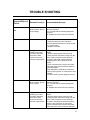
Lamp does not turn
ON
FAN does not work
Potential Cause(s)
Recommended Action(s)
Electronic Control
does not work. Due to
Over Voltage
a) Pressing any key the LCD lights up and
icons are in place?
Yes, Proceed with the following diagnostic
sequence
No, Replace the control and user interface.
Non functional lamp
1) Remove the lamp.
2) Verify the lamp to be non functional
reviewing that the filament is not burned and
be in correct place.
3) Replace if needed.
During the hood
cleaning, the motor
connector has been
loose and a false
contact in the main
harness is performed.
1) Open the control box removing the
screws.
2) Remove power supply from the hood.
3) Verify that the connector coming from the
motor is well connected to the connector
mounted in the plastic verifying that the
locking system in the connectors is well
locked.
4) If the connectors are not well connected:
- Hold and press main connectors attached
in the white plastic.
- Push inwards the motor/lamp connectors
until the locking system on connectors is well
attached.
5) Connect hood to power supply and verify.
Electronic Control
does not work. Due to
Over Voltage
a) Pressing any key the LCD lights up and
Icons are in place?
Yes, Proceed with the following diagnostic
sequence
No, Replace the control and user interface.
During the hood
cleaning, the motor
connector has been
loose and a false
contact in the main
harness is performed.
1) Open the control box removing the
screws.
2) Remove power supply from the hood.
3) Verify that the connector coming from the
motor is well connected to the connector
mounted in the plastic and that the locking
system in the connectors is well locked.
4) If the connectors are not well connected:
- Hold and press main connectors attached
17