1
3.3
3.3.1
Building a mesh
Triangulations
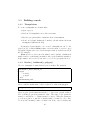
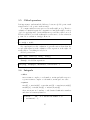
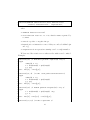
To create a triangulation you must either
• Open a project
• Read an old triangulation stored in text format
• Execute a program which contains the keyword buildmesh
• Create one by hand drawing the boundary of Ω and activate the menu
Triangulate (Macintosh only).
In integrated environments, once created, triangulations can be displayed, stored on disk in Gfem format or in text format or even a zoom of
its graphic display can be stored in Postscript format (to include it in a TeX
file for example).
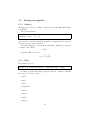
Gfem stores for each vertex its number and boundary identification
number and for each triangle its number and region identification number.
Edges number are not stored, but can be recovered by program if needed.
3.3.2
Border(), buildmesh(), polygon()
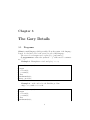
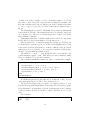
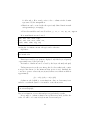
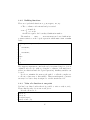
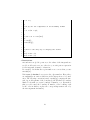
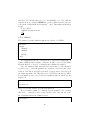
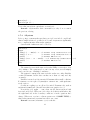
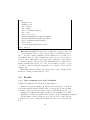
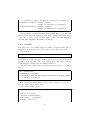
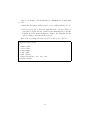
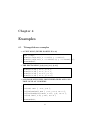
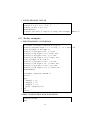
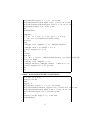
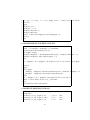
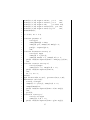
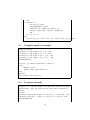
Use it to triangulate domain defined by its boundary. The syntax is
1
2
3
4
5
6
border(ib,t_min,t_max,nb_t)
begin
...x:=f(t);
...y:=g(t)...
end;
buildmesh(nb_max);
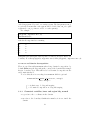
where each line with border could be replaced by a line with polygon
1
polygon(ib,’file_name’[,nb_t]);
where f,g are generic functions and the [...] denotes an optional addition.
The boundary is given in parametric form. The name of the parameter
must be t and the two coordinates must be x and y . When the parameter
goes from t_min to t_max the boundary must be scanned so as to have
Ω on its left, meaning counter clockwise if it is the outer boundary and
10