1
SOHOSpeed ADSL Ethernet/Wireless Gateway User’s Manual
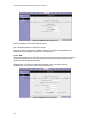
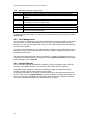
4.7.7 LAN Isolation
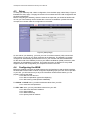
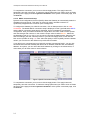
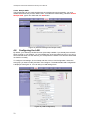
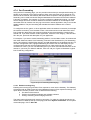
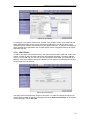
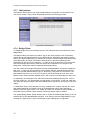
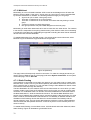
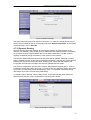
LAN Isolation feature allows you to block traffic between LAN groups. To block traffic from
one LAN to another, simply check the Disable checkbox and click Apply button.
Figure 29 (LAN Isolation)
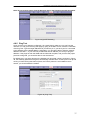
4.7.8 Bridge Filters
To enable Bridge Filters, from the Main screen, click Advanced and under Advanced, select
Bridge Filters.
The Bridge Filtering mechanism provides a way for the users to define rules to allow/deny
frames through the bridge based on source MAC address, destination MAC address and/or
frame type. When bridge filtering is enabled, each frame is examined against the defined filter
rules sequentially, and when a matched is determined, the appropriate filtering action
(determined by the access type selected ... i.e. allow or deny) is performed. The user should
note that the bridge filter will only examined frames from interfaces which are part of the
bridge itself. Twenty filter rules are supported with bridge filtering.
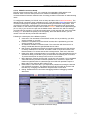
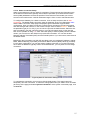
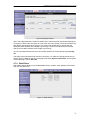
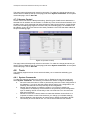
The User Interface for Bridge Filter allows the user to add/edit/delete, as well as, enables the
filter rules. To add rules, simply define the source MAC address, destination MAC address
and frame type with desired filtering type (i.e. allow/deny), and press the “Add” button. The
MAC address must be in xx-xx-xx-xx-xx-xx format, with 00-00-00-00-00-00 as “don’t care”.
Blanks can be used in the MAC address space, and would be considered also as “don’t care”.
To edit/modify an existing filter rule, select the desired rule created previously from “Add” in
the “Edit” select box. The selected filter rule will appear on top section, as with the “Add” filter
rule. Make the desired change to the MAC address, frame type and/or access type, and press
“Apply”.
To delete filter rule(s), select the filter rule entry to delete in the “Delete” selection box. Note
that multiple deletions are possible. Once all the desired filter rule(s) is/are selected for
deletion, press the “Apply” button. The “Select All” select box can also be used to delete the
entire filter rule. It provides a quick method of selecting all filter rules for deletion.
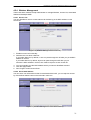
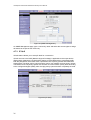
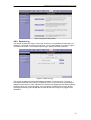
The “Enable Bridge Filters” button allow the user to enable or disable bridge filtering. It can be
set/unset during any add/edit/delete operation. It can also be set/unset independently by just
pressing the “Apply” button. Figure 30 illustrates a typical Bridge filter configuration.
30