1
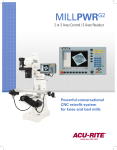
EASTERN TOOL INC. MILLPWR G2 2 or 3 Axes Control / 3 Axes Readout Powerful conversational CNC retrofit system for knee and bed mills Boosting productivity is now "POWERFUL EASY" Make the MILLPWRG2 your go-to choice for CNC retrofits. Faster set-ups, shorter run times and a major boost in productivity are just one “powerful easy” retrofit away. The new ACU-RITE MILLPWRG2 control and retrofit kits can turn just about any knee mill into a powerhouse money-maker. USB and Ethernet compatible, the new G2 features a bright 12.1” high resolution display, 1 GHz processor and plenty of programming capabilities – estimated runtimes, expanded tool/datum offsets, enhanced tool paths, a dxf converter – plus much, much more. The MILLPWRG2 is a contouring control that enables you to program conventional machining operations right at the machine in an easy-to-use conversational programming language. It is designed for both knee mills and bed mills with up to 3 axes. MILLPWRG2 was developed specifically for machinists where manual and automated operation are both useful and needed. It’s designed to maximize throughput by significantly reducing set-up time, scrap, and other non-productive operations, thereby increasing your efficiency, productivity and profitability. “The bright display and 3D graphics make it very easy to use. Production has increased due to the streamlined navigation and faster set-ups, thanks to user-friendly programming and expanded tool/datum offsets.” – John Reynolds, Plant Manager A closed-looped system with positioning feedback provided by ACU-RITE precision linear encoders (1µm/0.00005” resolution), MILLPWRG2 also includes Position-Trac™, an advanced, unique feature that enables you to easily, quickly and accurately re-establish work piece zero after shutting down, or power loss. MILLPWRG2 Retrofit Kit CNC system for knee mills and bed mills. Kit Includes: • Remote stop/go switch • Ball screws • (1um/0.00005” resolution) precision linear encoders • Servo drives and motors • Motor mounting castings and hardware • Handwheels • Console and encoder mounting hardware • Machine specific bracketry Plus the G2 CNC control itself. Easy-to-master programming improves efficiency, profitability Standardized menus make it easy to program common features like lines, arcs, custom pockets, bolt hole patterns, and islands. To add a feature to your program, simply press a function key and then follow the prompts. MILLPWRG2 also includes an “engrave” option for engraving alphanumeric characters vertically, horizontally, diagonally or along an arc. TOOL RECT CIRCLE HOLES TOOL - Program tools by diameter, length offset, type direction and speed Common machining features are now as simple as press and go. POS POSITION/DRILL - Drill, bore and position RECTANGLES - Pocket, frame, face, and slot LINE LINES/DIAGONALS - Defined by from and to points or by angles CIRCLES - Pocket, frame, ring and helix ARC ARCS - Defined by from and to points, or by sweep, center and 3-point arcs HOLE PATTERNS - Bolt hole patterns; full & partial circles, linear row/column, rectangular frame and array BLEND BLENDS - Insert a corner radius between two lines, two arcs, or a line and an arc USB Connectivity - Front & Back Loading and off-loading programs, importing data via USB is now a plug-and-play convenience, with USB ports located on both the front and the back of the new G2 control. MILLPWRG2 – Specifications DRO Mode Multiple Datums (Fixture Offset) 99 Skew Yes Zero Reset Yes Near Zero Warning Yes PGM Mode Estimated Machining Time Graphic View Yes 2D Line / 3D Line / 3D Solid Block Form Yes, w/ User Override Custom Pocket & Islands Yes, Ramp Feed & Optimized Path Replication (Repeat, Rotate, Mirror) Yes Engrave (Line / Arc) Yes Program Manager Navigation Tree w/ Program Type Filter Long Program Names Yes Program Preview Listing & Graphic w/ Estimated Machining Time Internal Storage 2.5 GB Flash (User) Explode Step Hole Patterns & Repeat / Rotate / Mirror Reverse (Step / Path) Yes Shift Steps Yes Auto Save (Program) Yes Program Size Limit (MPT only) 9999 Steps DXF File Import Yes G-code Program Yes, w/ Graphics Support On-Screen Help User Manual Viewer (Text & Graphics) Parts Counter & Clock Yes Manual / Auto Z Control Yes, 3 Axes Optional Stop (G-code Only) Feed Override Yes Potentiometer Error Compensation Linear & Bidirectional Non-linear Hardware 1 GHz Celeron® M Processor 12.1” 1024 x 768 TFT LCD Display Yes Remote Pendant (Stop / Go) Housing Connections Die Cast Metal (Bezel & Back) Ethernet, USB (x2), RS-232 3D graphics system improves programming efficiency and accuracy Programming cycles use a simple, easy-to-understand set of machinist language prompts, accompanied by contentspecific “help” graphics. Here is a step-by-step look at the new G2 graphical interface, as a simple bolt hole circle and pocket are entered: Intuitive navigation menus eliminate the need for multiple screens. STEP 1 – All programs begin with the tool. Parameters are entered in the middle column and are graphically supported in the right column for each field. STEP 2 – Select a cycle to be created. In this case, a circular bolt hole pattern. STEP 3 – Once the circular bolt hole pattern data has been entered into the form press the USE hard key and a graphic of the program is displayed. STEP 4 – Create a second cycle. Adding a circular pocket that is mapped in real time within the help graphic screen. STEP 5 – Tool paths are also displayed in 3D graphics that can be rotated and manipulated. The program is ready to run. Simply press “GO.” Options Accessories Offline Software Knee Scale for Coupling Z (Quill) and W (Knee) G2 Electronic Edge Finder or Touch Probe This option provides the machine operator positional feedback on the control when the knee is manual moved. The stylus is deflected when it contacts the workpiece, and the edge finder sends a triggering signal over the connecting cable. This allows you to create programs on a Windows compatibile PC and permits those programs to be loaded into the MILLPWRG2 via USB or ethernet. Upgrade Upgrading from an old MILLPWRII to MILLPWRG2 only requires the new G2 console and mounting arm. The edge finder allows you to set datums quickly and easily, without leaving marks on the workpiece.