1
Route-Control – NMEA Connection
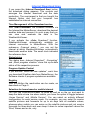
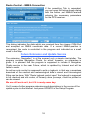
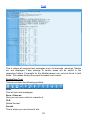
If the presetting Tab is expanded,
you can open the below shown dialog
with the button ‚set NMEA-Para'and
entering the necessary parameters
for the GPS-receiver.
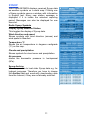
This dialog indicates the data which are received from the chosen COM-Port
and accepted as NMEA coordinate data. If a correct NMEA-position is
recognized, the route is controlled in the program and indicated as a small
cross in the Map.
Future Extension and Update Service
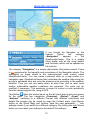
The extension „Navigation” is at the moment only a simple chart-plotter. The
program contains Navigation Charts, for which, however, no guarantee is
given. It is planned that the program is supposed to include a Navigation
Charts service in the near Future, which is updated by Internet and will be
liable to costs.
An active route control is supposed to write a logbook, in that way a seamless
download of the nautical and meteorological data’s correct and chronological
fitting can be done. With "Route logbook control open" the logbook is supposed
to be checked and old routes, of formerly done journeys, could be printed or
can be viewed.
We are still work on it, but if it is ready some day:
You'll receive further program extensions and descriptions in the course of the
update cycle via the Internet. Just press UPDATE in the Setup Program.
18