1
SKIN
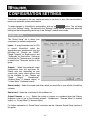
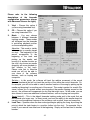
VirtualVinyl allows you to choose between
several different “skins”.
VirtualVinyl:Basic – a simple, basic skin.
VirtualVinyl:Full – a skin which features
full VirtualVinyl controls.
VirtualVinyl:FullVideo – a skin featuring
full VirtualVinyl controls plus a video
section in the middle.
VirtualVinyl:InternalMixer – a skin
featuring full VirtualVinyl controls plus an
audio mixer in the middle.
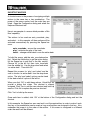
KEYBOARD SHORTCUTS
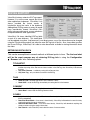
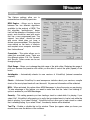
VirtualVinyl provides quick access to all
of its parameters through assigning
keyboard shortcuts to a wide assortment
of VirtualVinyl actions.
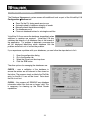
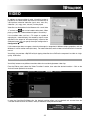
From the “Keyboard Shortcuts” tab,
VirtualVinyl provides a ‘default’ preset
collection of shortcuts assigned to the
keyboard.
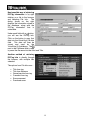
Shortcuts can be added, changed, or
deleted using the respective buttons.
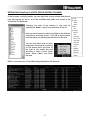
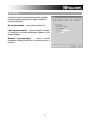
Changes to the ‘default’ presets can be
saved as a new preset collection by
using the “Save” option.
Custom preset collections can
loaded for use by selecting “Load”.
be
“Merge” provides the ability to merge multiple preset collections together.
35