1
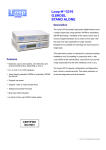
High performance access device NSG-200/B
“qBRIDGE”
User’s Manual
qBRIDGE-206
Moscow 2006
2
NSG–200/B-206 “qBRIDGE-206 User’s manual v.4
Contents
Revision history .......................................................................................................................................................... 3
1. Introduction............................................................................................................................................................. 4
1.1. Purpose and area of application ......................................................................................................................... 4
1.2. Advantages....................................................................................................................................................... 6
1.3. Features ............................................................................................................................................................ 6
1.4. Connectors, LED indicators and DIP-switches................................................................................................... 7
2. Device Configuration............................................................................................................................................... 7
2.1. Powerup ........................................................................................................................................................... 7
2.2. G.SHDSL.bis interface: mode and speed selection............................................................................................. 8
Appendix A. Connector pin-outs.................................................................................................................................. 9
Appendix B. Checking in the box ................................................................................................................................ 9
«NSGate»
NSG–200/B-206 “qBRIDGE-206 User’s manual v.4
Revision history
•
26.04.2006 First release of this document
•
17.08.2006 Added information about 4-wire operation
«NSGate»
3
4
NSG–200/B-206 “qBRIDGE-206 User’s manual v.4
1. Introduction
1.1. Purpose and area of application
qBRIDGE – is a series of low cost and high performance access devices (modems / converters) functioning
in “Bridge connection” mode. They are meant for connecting together distant segments of Ethernet
10/100Base-TX LANs using different technologies of data transmission over copper or fiber lines. qBRIDGE is
a high performance bridge that encapsulates Ethernet frames into HDLC frames and visa versa. The “Bridge
connection” mode provides transport for any protocol including TCP/IP, IPX and so on. qBRIDGE supports
transparent transmission of “long” Ethernet frames with VLAN tag.
All qBRIDGE modifications can be used for point to point connection of distant LAN segments. Moreover
it’s possible to use some modifications for point-multipoint connection for example to connect remote users to
ISP. qBRIDGE-105 [sdsl] can be used as a CPE for 8-port mini-DSLAM NSG-800/maxS-8. qBRIDGE-106
[g.shdsl] can be used as a CPE for 24-port Ethernet-based mini-DSLAM NSG-800/maxS-24.
qBRIDGE series include modifications listed below:
qBRIDGE-100 : Bridge with one port 10/100M Ethernet & one port G.703 (E1 Unframed)
qBRIDGE-101 : Bridge with one port 10/100M Ethernet & one port E1 (E1 Framed/ Unframed)
qBRIDGE-201 : Bridge with one port 10/100M Ethernet & two ports E1 (E1 Framed/ Unframed)
qBRIDGE-102 : Bridge with one port 10/100M Ethernet & one port E2
qBRIDGE-103 : Bridge with one port 10/100M Ethernet & one port E3
qBRIDGE-105 : Bridge with one port 10/100M Ethernet & one port SDSL
qBRIDGE-106 : Bridge with one port 10/100M Ethernet & one port G.SHDSL
qBRIDGE-206 : Bridge with one port 10/100M Ethernet & one/two/four ports G.SHDSL.bis
qBRIDGE-206 is a G.SHDSL.bis modem that provides low cost solution for the “last mile”. It’s suitable for
connecting users to ISP and for joining distant Ethernet 10/100Base-TX segments using dedicated lines.
qBRIDGE-206 is a high performance bridge that encapsulates Ethernet frames into HDLC frames and visa
versa. Depending on modification it has one or four Ethernet 10/100Base-TX ports with auto-negotiation &
auto-MDIX and one/two/four G.SHDSL.bis WAN ports. The device has 5 DIP-switches for basic setup and
HTTP interface for detailed configuration. qBRIDGE-206 is transparent for Ethernet frames with WLAN tag,
VPN and so on and is used for point to point connection to unite distant LANs.
All qBRIDGE-206 modifications are listed in table below.
Ordering Code
qBRIDGE-206
qBRIDGE-206F
qBRIDGE-206S
qBRIDGE-206E
(NSG-200/B-206)
(NSG-200/B-206F)
(NSG-200/B-206S)
(NSG-200/B-206E)
Part number
G.991.2 support
36BLM206
36BLF206
36BLS206
36BLE206
Annex F&G / A&B, TC PAM-32/16
Annex F&G, TC PAM-32
Annex F&G / A&B, TC PAM-32/16
Annex F&G / A&B, TC PAM-32/16
Copper
wires
(Max speed)
2 (11,4 Mbps)
2 (11,4 Mbps)
1 (5,7 Mbps)
4 (22,8 Mbps)
qBRIDGE-206 provides symmetric full duplex data transmission over one, two or four twisted pairs
(depending on device modification). The speed range for each pair is 768-5696 Kbps (TCPAM-32) and 1923840 Kbps (TCPAM-16).
ANNEX
F&G
A&B
TC-PAM
32
16
16
Line speed (Kbps) 2Wire
5696 -768
3840 - 192
2304 - 192
«NSGate»
Line speed (Kbps) 4Wire
11392 -1536
7680 - 384
4608 - 384
Line speed (Kbps) 8Wire
22784 -3072
15360 - 768
9216 - 768
5
NSG–200/B-206 “qBRIDGE-206 User’s manual v.4
The figure below represents maximum line reach depending on line speed for one pair 26 AWG line. For
comparison purpose the same dependence for G.SHDSL device is represented too.
`
26AWG
«NSGate»
6
NSG–200/B-206 “qBRIDGE-206 User’s manual v.4
1.2. Advantages
•
•
•
•
•
Symmetric full duplex data transmission with speed up to 22784 Kbps
Simple configuring using DIP-switches or HTTP interface
One/four Ethernet 10/100Base-TX with auto-negotiation & auto-MDIX
VLAN tag pass-through
Small-size metal case
1.3. Features
LAN
•
•
•
•
•
•
•
IEEE 802.3/802.3u; IEEE 802.3x flow control l
Half / Full duplex: 10/100Mbps - Half Duplex / 20/200Mbps - Full duplex
Auto-negotiation 10/100 Mbps & auto-MDIX
Transparent MAC Bridging, Fast Aging, LAN/WAN Link Interlock
IEEE 802.1q VLAN pass-through
VPN (PPTP, L2TP, IPSec) pass-through
Connector: RJ-45
G.SHDSL.bis
•
•
•
•
•
•
ITU-T G.991.2 annex A,B,F,G (G.SHDSL.bis)
Line speed: 192 - 22784 Kbps (full duplex)
Line coding: TCPAM-16, TCPAM-32
Line: single, two or four-pair 135-ohm twisted copper cable
Encapsulation of Ethernet frames into HDLC frames
Connector: RJ-45
Other features
•
•
•
•
•
•
•
•
Remote SNMP and WEB management
LED indicators
Basic configuration is done using DIP-switches
Dimensions: 142 x 159 x 30 mm, 0,6 kg
Power source: external adapter 5V / 2А
Power consumption: 6,5 W
Temperature: 0 – 45 ºC
Humidity: 0 - 95% without condensation
«NSGate»
NSG–200/B-206 “qBRIDGE-206 User’s manual v.4
7
1.4. Connectors, LED indicators and DIP-switches
Front Panel: LED indicators show state of qBRIDGE.
LEDs description:
Pwr:
LAN Lnk:
LAN 100M:
WAN S0:
ON when power is applied to the device
ON when LAN cable is connected. Blinking when data is transmitted through LAN port
ON when LAN port is in 100 Mbps mode
ON when link is established on line 0. Blinking when device is establishing link through
line 0 (all modifications)
ON when link is established on line 1. Blinking when device is establishing link through
line 1 (all modifications except qBRIDGE-206S) For qBRIDGE-206S this indicator is
always OFF.
ON when data is transmitted through WAN (G.SHDSL.bis) port
ON when data is received from WAN (G.SHDSL.bis) port
WAN S1:
WAN Tx:
WAN Rx:
Rear Panel:
DC5V:
LAN:
Configuration:
DSL:
Device has LAN connector (RJ-45), DSL (WAN) connector (RJ-45), 5V DC power
connector and DIP-switches (Configuration) on the rear panel.
5 V DC power supply. Use only power adapter supplied with the device
Ethernet 10/100BaseT (RJ–45 connector)
DIP-switches for basic device configuration (SW1 – SW5)
G.SHDSL.bis (WAN) port (RJ–45 connector)
2. Device Configuration
2.1. Powerup
1. Place your qBRIDGE-206 to suitable location with enough space to connect all required cables.
2. Connect LAN port of the device to HUB/Switch or to a PC using a Patch Cord. Device supports auto-MDIX
therefore Patch Cords cable may be any type (cross or straight).
3. Connect WAN port (connector with “DSL” mark) to copper leased line. Use a cable with RJ–45 connector.
4. Make basic device setup using DIP-switches on rear panel. qBRIDGE-206 is used for point to point
connection of distant LAN segments. One device must be configured as COE and the other must be
configured as CPE. Both devices (local and remote) must be configured for working over the same amount
«NSGate»
8
NSG–200/B-206 “qBRIDGE-206 User’s manual v.4
of copper pairs. If you want to make detailed setup configure both devices to work in HTTP mode and then
use WEB browser to setup the device settings.
5. Connect power adapter (DC 5 V) to the connector with “5V DC” mark.
6. Inspect LED indicators of the device. Pwr indicator must be ON after connecting the power adapter. LAN
Lnk indicator must be ON after Ethernet cable was properly connected. WAN S0/S1 indicators must be ON
after establishing link with remote device. If WAN S0/S1 indicators are ON modems are ready to transmit
data.
You must turn off the power of the device before making any DIP-switch configuration
changes. When configuration is completed turn the power on again.
In order to avoid device overheating do not stack qBRIDGE-206 devices
ATTENTION!
ATTENTION!
2.2. G.SHDSL.bis interface: mode and speed selection.
When two qBRIDGE-206 are working in point to point mode one device must be in COE mode and the other
must be in CPE mode. It’s possible to setup COE/CPE mode and line speed manually using DIP-switches.
qBRIDGE-206 and qBRIDGE-206F modifications support DIP-switch SW5 that is used to select
2-wire or
4-wire mode. When SW5 is ON device is in 2-wire, when OFF - in 4-wire mode. Both devices (local and
remote) must be configured for working over the same amount of copper pairs.
To avoid unstable link when working in 4-wire mode connect twisted pair with higher
quality to pins 4,5 and pair with lower quality to pins 1,2 of the DSL connector.
ATTENTION!
You must setup line speed only for COE device. Device in CPE mode selects the line speed automatically
according to line speed of remote COE device. When configuration is done using DIP-switches Annex F&G
and TC PAM-32 line coding is used by default.
For detailed setup qBRIDGE-206 supports HTTP interface. The default IP address is 192.168.1.254. When
entering HTTP interface left user name field empty and type “password” in password field.
Using HTTP interface you can setup line coding (TC PAM-32 or TC PAM-16), G.991.2 Annex (Annex
F&G or Annex A&B). It’s also possible to select line speed more precisely than using DIP-switches. Moreover
HTTP mode allows to setup SNMP settings, enable or disable IEEE 802.3x flow control, LAN/WAN Link
Interlock and Fast Aging function. LAN/WAN interlock let STP equipment connected to qBRIDGE-206 to
recognize link status of qBRIDGE-206 whether it is up or down. Aging time is related to MAC entry refreshing
that can make STP equipment malfunction. In this case, normal aging time which is 300 sec can make STP
malfunction so the fast aging is necessary in which MAC entry is refreshed every 800 us.
CPE
mode
HTTP
Mode
COE
mode
1
2
ON
ON
ON
ON
CFG: DIP-switches (SW1 – SW4)
3
4
Line speed (Kbps)
ON
ON
AUTO
ON
ON
OFF
HTTP Mode
ON
OFF
ON
HTTP Mode
ON
ON
OFF
OFF
Reserved
ON
OFF
ON
ON
ON
OFF
ON
OFF
ON
OFF
OFF
ON
ON
OFF
OFF
OFF
OFF
ON
ON
ON
OFF
ON
ON
OFF
OFF
ON
OFF
ON
OFF
ON
OFF
OFF
OFF
OFF
ON
ON
OFF
OFF
ON
OFF
OFF
OFF
OFF
ON
OFF
OFF
OFF
OFF
768
1024
1536
2048
2304
2560
3072
3804
4096
4608
5056
5696
«NSGate»
Comment
CPE Mode
Restore factory default settings
COE Mode
9
NSG–200/B-206 “qBRIDGE-206 User’s manual v.4
ON 1
DC5V
LAN
2
3
4
5
CFG
DSL
ON
1
2
3
4
5
Factory default DIP-switches settings.
Appendix A. Connector pin-outs
Pin-out of DSL RJ-45 connector (qBRIDGE-206 и qBRIDGE-206F)
Pin number
4,5
1,2
Description
Tip0, Ring0
Tip1, Ring1
Pin-out of DSL RJ-45 connector (qBRIDGE-206S)
Pin number
4,5
Description
Tip0, Ring0
Appendix B. Checking in the box
Device NSG-200/B-206
P/N: 36BLM206 (qBRIDGE-206)
P/N: 36BLF206 (qBRIDGE-206F)
P/N: 36BLS206 (qBRIDGE-206S)
P/N: 36BLE206 (qBRIDGE-206E)
Power adapter (AC Adapter 5V; 2A)
Certificate of guarantee
User’s manual
Patch Cord cable “Straight RJ-45” or “Crossover RJ-45”
Line cable RJ–45
«NSGate»
1 (according to the order)
1 (according to the order)
1 (according to the order)
1 (according to the order)
1
1
1
for two devices
1
1