1
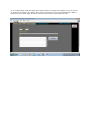
Once the program has been downloaded then monitor and debug the program using the MONITOR
page and pressing the MON ON button. Before leaving the page, kindly ensure that the MONITOR
mode is switched OFF using the MON OFF button. Pressing EXIT will exit the Easy PLC Programmer
software.
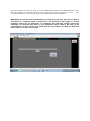
Easy PLC micro can be put in RUN mode or STOP mode and can be RESET using the buttons
provided for the purpose. DATAWORD values can also be changed using the controls provided for
the purpose. To RUN, STOP and RESET the PLC the Monitoring mode must be ON. The MONitor
mode ON is indicated by a green lamp named MON as shown in the image below. RESET PLC
works only when the PLC is in STOP mode. To RESET PLC first press STOP button once and then
press the RESET button once. PLC can then be put in RUN mode. The FIRST_SCAN flag (Flag 253)
is ON after this software RESET.