1
MANUAL
Sms CRYPTECH®
Intellectual property rights owned by of Casper Technology s.r.l. – all the cited registered trademarks are the properties of the owner.–
Operational head office and sales office: Via Cardinal Massaia 83, 10147 Torino, Italy
Web: http://www.caspertech.com – Email: [email protected] – Tel.: +390112303634; Fax: +390112303632
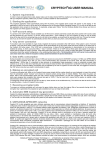
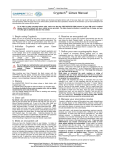
User password setting
On starting the application the entry of the authentication password is requested.
Application start
SMS Cryptech® immediately starts up on the switching on of the device. Select “start”
and click on the SMS Cryptech® icon for access to the application.
Automatic key generation
For the automatic generation of a key and relative contact in the coded index book,
simply make a coded phone call.
Manual key generation
On those devices without voice coding, combine the code key with a new contact
entering it in the space in the figure.
Creation and sending of coded SMS
Enter the number to be called under the “Contact” section and the desired text under
the heading “Text”.
Decide whether to send the coded SMS with a manual key or with key combined with
contact.
Select “ SMS Flash” if one does not want the receiver to save the message after
reading.
Manual key use.
In the event of the sending of an SMS that is coded to a number that is not present in
the protected address book, enter the key in the dedicated window.
Use of automatic key.
By selecting the contact inside the coded address book, it will be combined to a
coding key.
SMS receipt
When using the automatic key simply enter the message by pressing the heading
“Read”.
Address book
The generation of a coded contact and the relative key is automatically undertaken
by calling through the voice coding software.
To send multiple SMS create coded groups. When an SMS is sent to a coded group,
each contact in the group will receive the same protected message with the
password assigned to him in the coded address book.
Folders
The messages are saved in files that are divided according to category and which are
all coded with an authentication password.
Transparent SMS filter
Plain SMS
The transparent SMS function acts to save the messages sent and received by
selected contacts in a transparent manner. They are transparent in that they will not
appear in the usual files of the Windows Mobile platform.
To read the same simply access the SMS Cryptech® software.
Options
Option handling interface.
User Password
The user authentication password controls access to the Cryptech® sms. To modify
the same select Menu>Options>Password User.
Timeout
Thanks to the “time-out” function it is possible to set the time limit after which the
authentication password will be requested.
Settings
Cryptech® SMS software settings.
Sim change notification
Enter the list of numbers of the Crypto Mobile for which notification of sim card
replacement is required.
Remote control
The “ remote control” function makes it possible to have a list of authorized Crypto
contacts to locate or cancel the content of another Crypto Mobile. Before use make a
coded call with the Crypto Mobile to be enabled for this function.
Hard reset
The “hard reset” control acts to cancel the memory of the Crypto Mobile and of the
eventual memory card. Remember to enter the numbers of the Crypto Mobile
authorized in the “ hard reset ” procedure right from the first use. The hard reset
procedure is irreversible; it involves the cancellation of the entire contents of the
Crypto Mobile, including the coding software.
Localization
Only enabled users can detect another Crypto Mobile.
Following the sending of the detection command a Cryptech® SMS will be received
with the relative coordinates.
To visualize the point on a map digit Menu> Google Maps.
Backup
The “Backup” operation must be undertaken in order to save the data and settings of
Cryptech® SMS on the phone.