1
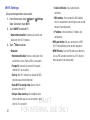
• Voice control: Set the camera to take photos with
voice commands.
• Contextual filename: Set the camera to display
contextual tags. Activate this to use Tag Buddy in
Gallery and Story Album.
• Save as flipped: Invert the image to create a mirrorimage of the original scene.
• Storage: Select the memory location for storage.
• Shutter sound: Select On or Off for a the shutter
sound when a photo is taken.
• Reset: Reset the camera settings.
Shortcuts
Chrome
Use Chrome to browse the Internet and bring your tabs and
bookmarks from your computer to your tablet.
Touch
Chrome.
Contacts
Store contact information for your friends, family, and
colleagues, to quickly access information or to send a
message.
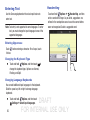
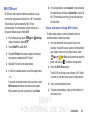
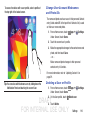
Reorganize shortcuts for easy access to the camera’s various
options.
1. Touch
4. Touch Reset to reset the quick settings layout to the
default settings.
Touch
Contacts.
For more information, refer to “Contacts” on page 28.
5. Select a file to open it with an appropriate application.
Options.
2. Touch and hold a shortcut icon to display all shortcuts.
3. Touch and hold an option and drag it to a slot at the top
of the screen. The other icons can be moved within the
list by touching and dragging them.
57
DRAFT
FOR INTERNAL USE ONLY