1
Instant BroadbandTM Series
Table of Contents
Chapter 1: Introduction
The Instant BroadbandTM Cable Modem with USB
and Ethernet Connection
Features
Package Contents
System Requirements
Chapter 1: Introduction
1
1
1
2
2
Chapter 2: Getting to Know the USB Cable Modem 3
Overview
3
The Back Panel
4
The USB Icon
5
The Front Panel
6
Chapter 3: Connecting the Cable Modem
to Your PC
Connecting Using the Ethernet Port
Connecting Using the USB Port
Installing the USB Driver for Windows 98
Installing the USB Driver for Windows Millennium
Installing the USB Driver for Windows 2000
Installing the USB Driver for Windows XP
7
7
8
9
12
14
14
Appendix A: Troubleshooting
Common Problems and Solutions
19
19
Appendix B: Installing the TCP/IP Protocol
20
Appendix C: Renewing Your PC’s IP Address
EtherFast® Cable Modem with USB and Ethernet Connection
23
Appendix D: Specifications
Environmental
26
26
Appendix E: Warranty Information
27
Appendix F: Contact Information
28
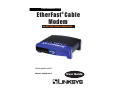
The Instant BroadbandTM Cable Modem with USB and
Ethernet Connection
Congratulations on the purchase of your new Instant BroadbandTM Cable
Modem with USB and Ethernet Connection. With cable’s high-speed Internet
access, now you can enjoy the full potential of Internet applications.
Now you can make the most of the Internet and cruise the Web at speeds you never
imagined possible. Cable Internet service means no more waiting for lagging
downloads—even the most graphic-intensive Web pages load in seconds.
And if you’re looking for convenience and affordability, the LinksysCable Modem
really delivers! Installation is quick and easy. The Plug-and-Play EtherFast® Cable
Modem with USB and Ethernet Connection connects directly to any USB-ready
PC—just plug it in and you’re ready to surf the Internet. Or connect it to your LAN
using a Linksys router and share that speed with everyone on your network.
So if you’re ready to enjoy broadband Internet speed, then you’re ready for the
EtherFast® Cable Modem with USB and Ethernet Connection from Linksys. It’s the
easiest and most affordable way to harness the full potential of the Internet.
Features
• Ethernet or USB Interface for Easy Installation
• Up to 42.88 Mbps Downstream and Up to 10.24 Mbps Upstream, Two-way
Cable Modem
• Clear LED Display
• Free Technical Support—24 Hours a Day, 7 Days a Week for North
America Only
• 1-Year Limited Warranty
Package Contents
1