1
VIZIO VW37L HDTV10A User Manual
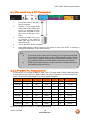
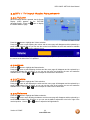
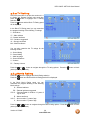
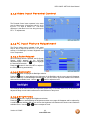
4.4.4 Time Zone
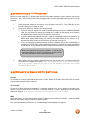
Setting the correct Time Zone for your area will
ensure that the correct program times are shown
after pressing the GUIDE button on the remote
control.
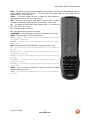
Press the
button to highlight the Auto Search
selection.
Press the
button to select your area.
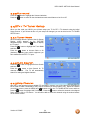
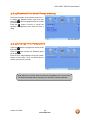
4.4.5 Daylight Saving
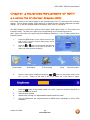
As for Time Zone, setting the daylight saving time
for your area will ensure that the correct program
times are shown after pressing the GUIDE button on the remote control. Press the
the Daylight Saving selection. Press the
button to select On or Off.
button to highlight
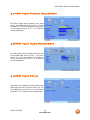
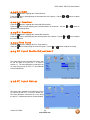
4.5 DTV / TV Input Setup
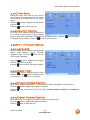
4.5.1 Language
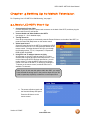
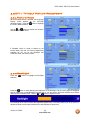
When the MENU button is pressed, the On Screen
Display (OSD) appears on the PICTURE
adjustment page. Press the
button until the
SETUP page is displayed.
Press the
button to highlight the Language
selection. The default is English.
Press the
button to select Français or Español.
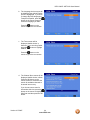
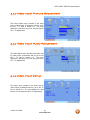
4.5.2 Sleep Timer
Press the
button to highlight the Sleep Timer
selection. Press the
button to select the timer
to turn-off the TV in 30, 60, 90 or 120 minutes.
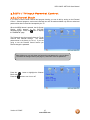
4.5.3 Analog Closed Caption
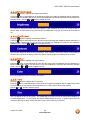
When watching regular analog (NTSC) TV, the Analog CC feature is available in the Setup menu.
Press the
button to highlight the Analog CC selection.
Press the
button to select CC1, CC2, CC3 or CC4. Closed Caption for regular TV is usually CC1
or CC2.
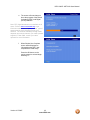
4.5.4 Digital Closed Caption
When watching DTV, the Digital CC feature is available in the Setup menu.
Press the
button to highlight the Digital CC selection.
Press the
button to select Service 1.
Version 4/17/2007
35
www.VIZIO.com