1
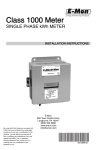
Class 1000 Meter
SINGLE PHASE kWh METER
INSTALLATION INSTRUCTIONS
E-Mon
850 Town Center Drive
Langhorne, PA 19047
(800) 334-3666
www.emon.com
[email protected]
62-0388-01
CLASS 1000 METER
Dear Valued Customer,
We are pleased that you chose to buy one of our products, and want you to be just as
pleased with owning it. Before installing your new E-Mon product, please read the
information on the following pages carefully.
We believe that you will find the E-Mon D-Mon meters easy to install and to use for
monitoring and evaluating your electrical usage.
To be sure that you are 100% satisfied with your products, we provide toll-free
technical and sales support Monday through Friday, 8:00 am to 7:30 pm, EST:
(800) 334-3666. You may also reach us via email at [email protected].
If you have questions, we can handle them quickly and effectively with a telephone call.
Please let us try to help you BEFORE you remove your meter. And to help us help you,
we ask that you have all relevant information on hand when you call (model or part
numbers, nature of difficulty, etc.)
Be sure to forward this manual to the owner after installation is complete, so that they
may use it as a reference guide when reading the E-Mon D-Mon meter.
Thank you.
62-0388-01
2
CLASS 1000 METER
TABLE OF CONTENTS
Section 1.0
Section 1.1
Pre-Installation Information
Internal Electronic Assemblies
4
5
Section 1.2
Main Power Board
6
Section 1.3
Display Board
6
Section 2.0
Safety Label Definitions and Information
6
Section 3.0
Precautionary and Safety Information
7
Section 4.0
Meter Installation
8
Section 4.1
Mounting the Meter
8
Section 4.2
Main Power Board Connections
8
Section 4.3
Current Sensor Installation & Wiring
11
Section 4.4
Installing the Split-Core Current Sensor Assembly
12
Section 4.5
Installing the Solid Core Current Sensor Assembly
13
Section 4.6
Current Sensor Wiring
14
Section 4.7
MAINS Line Voltage & Current Sensor Wiring Diagrams 15
Section 4.8
Line Voltage/Current Sensor Diagnostic
16
Section 4.9
Final Main Board Checks
17
Section 5.0
Monitoring Multiple Loads with One Meter
18
Section 6.0
KWh Meter Features & Functions
20
Section 6.1
KWh Meter Display Functions
20
Section 6.2
How to Read the kWh Meter
21
Section 6.3
Section 7.0
KWh Meter Hardware Functions
22
Preventative/Scheduled Maintenance
24
Section 8.0
Troubleshooting Guide
25
Section 9.0
Frequently Asked Questions
26
Section 10.0
Meter Technical Specifications
28
Section 11.0
Meter Limited Warranty
30
3
62-0388-01
CLASS 1000 METER
1.0 Pre-Installation Information
The E-Mon D-Mon® Class 1000 kWh meter is a 2-element meter used to monitor
electric power usage of individual loads after the utility meter. Installation must only be
performed by qualified personnel and in accordance with these instructions and all
applicable local and national electrical codes. E-Mon or its representatives assume no
responsibility for damages or injury resulting from the improper installation of this
meter.
Meters are supplied in a UL Type 1 steel enclosure appropriate for indoor installation
where it will not be affected by the elements, such as moisture and extreme
temperatures.
Units designated by the “R” suffix on the model number have an extended
environmental operating range and are enclosed in a NEMA 4X enclosure to
accommodate outdoor environments.
Verify the input voltage rating and configuration on the meter label to ensure it is
suitable for the intended electrical services. Class 1000 meters labeled for 120/208V
service MUST NOT be installed on service feeds of 277 and vice versa.
Verify the current sensors are sized suitably for the load to be monitored. Compare the
color of the arrows on the current sensors to the chart below to confirm the correct
current sensor is being used.
Sensor Arrow Color Code
Sensor Rating
Blue
25 Amp
Black
50 Amp
Brown
100 Amp
Red
200 Amp
Internal circuit card components are extremely sensitive to electrostatic discharge.
Prior to handling or touching internal circuitry, discharge any static buildup on your
person. To discharge yourself, touch a grounded metal object such as conduit or an
earth grounded+ metal enclosure.
WARNING
Use of this instrument, Class 1000, in a manner inconsistent with this manual
or not specified by the manufacturer in writing, can cause permanent damage
to the unit and/or serious injury to the operator. The protection and safety
features provided by this equipment may become impaired or otherwise
compromised.
NOTE: If any trouble arises during installation or functional verification operations, do
not immediately remove unit. Before removing the unit, contact E-Mon’s technical support department at (800) 334-3666. E-Mon’s technical department
will assist you in detailed troubleshooting of the Class 1000 installation.
62-0388-01
4
CLASS 1000 METER
1.1. Internal Electronic Assemblies
DISPLAY AND
KEYBOARD
MAIN POWER
BOARD
M33177
Fig. 1. Main Power Supply Board & Display Board
The unit is comprised of a Main Power Board and Display and Keyboard. All
component cards are mounted inside a UL Type 1 (standard) or NEMA 4X (optional)
enclosure.
NOTE: Units are supplied in a UL Type 1 metal enclosure suitable for indoor applications only. Units supplied in the optional NEMA 4X fiberglass enclosure are
suitable for either indoor or outdoor applications, within the defined specifications. Refer to Section 12.0 for a definition of suitable environmental conditions for indoor and outdoor units.
5
62-0388-01
CLASS 1000 METER
1.2 Main Power Board
Connections to this board include the MAINS Input Voltage, Current Sensors, external
IDR interface and Isolated Pulse Output. The MAINS input terminals are covered with
a protective shield for safety purposes. The current sensor assemblies interface to
three header connectors labeled A, B, and C along with conductor color indication.
Each header connector input corresponds to an input voltage phase, so care must be
taken to ensure each current sensor is connected to the correct input header. TB4 is
not to be used as an input on the Class 1000 meter.
TB2
TB1
TB3
TB4
M33178
Fig. 2. Standard Configuration
1.3 Display Board
The display board connects to the main power board via a flex-ribbon cable and the
board is mounted on the inside of the enclosure door. The display board LCD readout
indicates the cumulative kWh and instantaneous kW value.
2.0 SAFETY LABEL DEFINITIONS AND
INFORMATION
The Green Class meter may contain one or more of the following labels. Operator(s)
should familiarize themselves with the meaning of each label to minimize risk.
The presence of this label is a cautionary indicator identifying a
danger risk. The manual should be consulted prior to proceeding.
The presence of this label indicates an electrical shock hazard exists
in the location or area where the label is placed. Prior to proceeding,
the MAINS power must be disconnected and the manual consulted for
safety information.
62-0388-01
6
CLASS 1000 METER
3.0 PRECAUTIONARY AND SAFETY
INFORMATION
CAUTION
Internal circuit card components are extremely sensitive to electrostatic
discharge. Be careful not to touch internal circuitry prior to discharging any
static buildup on your person. To discharge yourself, touch a grounded metal
object such as conduit or an earth-grounded metal enclosure.
WARNING
High voltages present on main PCB terminal block screw terminals. Risk of
serious injury and/or electrical shock exists. Prior to performing any wiring
operations, review all contents of the user manual and de-energize the MAINS
power switch. Only qualified personnel should perform installation wiring.
Installation wiring must comply with all local and national electrical codes.
WARNING
Failure to ground the enclosure creates a possible shock hazard. Do not
operate the Class 1000 meter without a protective earth wire attached securely
to the PE terminal screw. After installing protective earth wiring, secure the
screw tightly (7 in-lbs torque.)
WARNING
NEVER open front panel of unit while unit has MAINS power applied. Failure to
comply can increase the risk of serious injury and/or electrical shock.
7
62-0388-01
CLASS 1000 METER
4.0 METER INSTALLATION
4.1 Mounting the Meter
STEP 1: Using the appropriate sized mounting hardware, fasten the Class 1000 meter
enclosure to the selected mounting surface. The four mounting holes are centered
6.75” H x 4” W. The mounting hole spacing is identical for either the UL Type 1 or
NEMA 4X enclosure.
NOTE: Only the NEMA 4X enclosed unit is suitable for outdoor environmental conditions. Units housed in UL Type 1 enclosures must only be installed in indoor
environments where it will not be affected by the elements, such as moisture
and extreme temperatures.
4.2 Main Power Board Connections
STEP 1: Install a temporary ground for ESD (Electrostatic Discharge) protection. With
all circuits de-energized, connect a temporary protective earth ground connection for
ESD protection. Prior to performing any unit wiring, be sure to discharge any static on
your person.
STEP 2: Install the Class 1000 Protective Earth Ground. Connect an earth ground wire
to the Class 1000 protective earth ground terminal screw located on the right side of
the line voltage terminal block. After installing the protective earth ground wire,
securely fasten the protective earth ground screw.
62-0388-01
8
CLASS 1000 METER
WARNING
Failure to attach the protective earth ground wire securely to the enclosure
creates a potential shock hazard. Do not operate the Class 1000 meter without
a protective earth ground connection securely installed
STEP 3: Wire Entry: Two openings exist on the unit enclosure, one for 1/2” conduit and
one for 3/4” conduit. The 3/4” conduit opening located on the bottom of the enclosure
is used to bring in MAINS Power (voltage lines to power meter) and current sensor
wiring. The 1/2” conduit opening located on the top of the enclosure is used to
interface low voltage signals, such as the IDR interface and isolated pulse output.
(Outdoor enclosures equipped with one 3/4” conduit opening on bottom of enclosure
only.)
Route the appropriate cabling to and through the respective enclosure opening. The
conduit and fittings interfacing the enclosure entrances must be UL listed and properly
sized to the enclosure port diameter, The interfacing fitting must use a gasketed seal
ring to interface between the conduit fitting and the enclosure entry point. After
installing the conduit fitting and conduit, verify that the conduit fittings are aligned
properly to their respective enclosure entrance ports and tightened securely to prevent
moisture entry. VERIFY that each conduit slip nut is securely tightened to its respective
conduit fitting.
Outdoor applications require the use of the optional NEMA 4X enclosure. The same
principles outlined for indoor meter installations as defined in the above paragraph
carry over and apply to outdoor installations with one exception. This exception is that
the conduit and fittings for outdoor installations require an outdoor material rating and
UL approval for 4X applications
STEP 4: Unit MAINS Wiring (Voltage Wiring Connections): Remove the shield located
over phase A, B and C screw terminals on the main power board. This shield can be
removed by pulling back on the latch on the right side of the shield and lifting up on the
front. Wire each connection to the terminal block with stranded wire 14-12 AWG, rated
at 600 VAC.
Strip back all wire insulation to expose between 1/4”to 3/8” of the copper conductors.
Gently twist each wire to prevent fraying. Insert the conductors into their respective
terminal block position and tighten down the terminal block screw to 7 in-lb of torque.
The terminal block is clearly labeled PHASE A, PHASE B, PHASE C and NEUTRAL.
Phase C is not used on single phase circuits.
Connect the NEUTRAL wire to the appropriate terminal block position.
Connect the AC mains power wires (Phase A and Phase B) to their respective
positions as labeled on the terminal block. Also connect the neutral wire.
9
62-0388-01
CLASS 1000 METER
After all conductors are connected to their respective terminal block positions and
tightened down, verify that each terminal block screw is securely fastened by gently
tugging on each conductor. Verify that no conductor wires are frayed or are shorting to
adjacent terminal block positions.
STEP 5: External Switch Mechanism/In-Line Fuse Installation.
To ensure a safe installation, the Class 1000 meter requires an external switch
mechanism, such as a circuit breaker, be installed on the Class 1000 MAINS input
wiring. The switch mechanism must be installed in close proximity to the meter and
easily reachable for the operator. This device must also be marked as the
disconnecting device for the Class 1000 meter.
Install 1/10 Amp Slow Activation in line fuses with the suitable voltage rating for each
conductor phase at the MAINS input to the meter. The fuses must be labeled to
indicate voltage and current rating as well as element characteristics. The fuse
element must be slow activating type.
STEP 6: Once the MAINS wiring is complete, replace the clear lexan protective shield
over terminal block TB1 and close the enclosure front panel. Secure the enclosure
cover using the locking mechanism. Activate the external circuit breaker or equivalent
switch to apply AC MAINS power to the unit.
The Class 1000 meter display should turn on and indicate total kWh accumulation
reading and KW load. The display will cycle between the two readings.
STEP 7: Using an AC Voltmeter, verify the input voltage readings are within the limits
specified below.
NOTE: Single Phase systems, the voltages are measured Phase to Neutral.
Meter Input Voltage
Configuration
Nominal Voltage
Limits (+/- 10%)
120/208V, 2 Ph, 3 Wire
120 VAC
108 to 132 VAC
120/240V, 2 Ph, 3 Wire
120 VAC
108 to 132 VAC
277V, 1 Ph, 2 Wire
277 VAC
250 to 304 VAC
Step 8: Remove power from the unit by de-energizing the external switch.
62-0388-01
10
CLASS 1000 METER
4.3 Current Sensor Installation & Wiring
Once the AC voltages have been confirmed to be within acceptable limits, you are
ready to install the current sensors. The MAIN power board contains three header
connectors located at the bottom right of the board. The connectors are labeled A, B,
and C along with conductor color indication. This format must be followed in order for
the meter to function correctly. (Phase C is not used)
The Class 1000 meter will be used with one of two basic types of current sensors:
a. Split-Core Current Sensor: This sensor opens so that it can be attached
around the circuit conductor being monitored without interrupting power.
Unless otherwise specified, all Class 1000 meters are supplied with this sensor type.
b. Solid-Core Current Sensor: This sensor does not open and requires the
monitored conductor be removed from the circuit to install the current sensor.
This type is only supplied when specified at time of order.
NOTE: The unit serial label specifies if the unit is set up for split or solid core current
sensors.
Both types of current sensors output a 0-2 VAC signal proportional to the current being
measured.
11
62-0388-01
CLASS 1000 METER
4.4 Installing the Split-Core Current Sensor Assembly
STEP 1: Each phase being monitored will require one two-piece current sensor
assembly. Therefore, a three-phase meter will require three (3) assemblies. Open the
two-piece current sensor assembly by releasing the nylon clamp using a flat head
screwdriver.
Fig. 3. Split-Core Current Sensor
STEP 2: Reassemble the current sensor assembly around the conductor(s) to be
monitored. Ensure the current sensor halves marked “Load” are both facing the load
side of the conductor. The colored arrow will be on the source side of the conductor
being monitored and MUST be pointed in a clockwise direction around the conductor
being monitored. Tighten the nylon clamp to complete the assembly.
LOAD
SOURCE
M33213
Fig. 4. Colored Arrow Will Be On The Source Side
IMPORTANT:
When looking from the source side of the conductor(s) being monitored, you
should see the arrow on the current sensor assembly. The arrow should be
pointing in a clockwise direction around the conductor(s) being monitored. If
the arrow is not positioned on the source side, inaccurate readings will result.
62-0388-01
12
CLASS 1000 METER
4.5 Installing the Solid-Core Current Sensor Assembly
The optional solid-core current sensors can be installed in the same applications as
the standard split-core units, however, the conductors that they are monitoring must
first be disconnected.
NOTE: Under no circumstances is this operation to take place without shutting off the
power to the conductor(s) being monitored.
With the power off, disconnect the conductor from its breaker or terminal. Slide the
solid-core current sensor over the conductor, making sure that the indicator on the
sensor is pointing in the direction of the load. After this is done, reconnect the
conductor and verify that it is properly installed.
Run the black and white wires from the solid-core current sensors and install them
according to the standard installation diagram. When this is completed, the power to
the monitored conductor can be turned back on.
Fig. 5. Solid Core Sensor Assembly
13
62-0388-01
CLASS 1000 METER
4.6 Current Sensor Wiring
Once all the current sensors are installed on their appropriate phase conductors, you
can begin terminating the current sensors on to the Class 1000 main power board.
The current sensor leads can be extended up to 2,000 feet (using #14-22 AWG wire)
for remote monitoring applications. Consult your local electrical codes for proper wire
sizing (#22 AWG twisted pair wire with a black and white conductor, rated for 600 VAC
recommended.)
The current sensor connection points are located on the bottom right of the main
power board. Three removable plugs exist, one for each current sensor phase input.
The header portions of the connectors are labeled A, B, and C. Text on the plastic
cover of each of the connectors instruct you which terminal of the plug is for the white
conductor and which terminal is wired to the black conductor. Once each current
sensor is wired to its respective plug, insert each plug into the appropriate header.
Input C is not used with the Class 1000 meter.
4.7 MAINS Line Voltage & Current Sensor Wiring
Diagrams
SINGLE-PHASE, 2-WIRE CONNECTION
120 or 277-VOLT SINGLE-PHASE
LINE VOLTAGE
∅A ∅B ∅C
N
PE
CURRENT SENSOR
∅A
WB
1
∅A
LOAD
SOURCE
N
NOTES:
LINE VOLTAGE CONNECTION: #14 AWG
SENSOR CONNECTION: B = BLACK W = WHITE
SHORTING LINK MUST BE INSTALLED ON B- AND C-PHASE CURRENT SENSOR TERMINALS.
1
1/10-AMP INLINE FUSES RECOMMENDED.
M33179
Fig. 6. Single-Phase, 2-Wire Connection 120/240 Volt Single-Phase
62-0388-01
14
CLASS 1000 METER
SINGLE-PHASE, 3-WIRE CONNECTION
120/240-VOLT SINGLE-PHASE
LINE VOLTAGE
∅A ∅B ∅C
1
N
PE
CURRENT SENSORS
∅A
∅B
WB
WB
1
∅A
∅B
LOAD
SOURCE
N
NOTES:
LINE VOLTAGE CONNECTION: #14 AWG
SENSOR CONNECTION: B = BLACK
W = WHITE
IMPORTANT: LINE VOLTAGE MUST BE PRESENT AT THE A- AND B-PHASE VOLTAGE TERMINALS.
SHORTING LINK MUST BE INSTALLED ON C-PHASE CURRENT SENSOR TERMINALS.
1
1/10-AMP INLINE FUSES RECOMMENDED.
M33180
Fig. 7. Single-Phase, 3-Wire Connection 120/240-Volt Single-Phase
15
62-0388-01
CLASS 1000 METER
4.8 Line Voltage/Current Sensor Diagnostics
M33181
Fig. 8. Main Board Configuration
If the meter is not correctly wired, the “ERROR” indicator will be on.
Verify that the AC MAINS voltage wires are all connected to the correct positions on
the terminal block. Inspect the MAINS input wiring to verify each conductor is
terminated at the correct terminal block position. Using an AC voltmeter, measure the
AC voltage for each Phase to Neutral terminal and to the Frame ground point.
Verify each current sensor by running at least 1% of the full scale rated current through
the conductor being monitored by each phase. (e.g. 2 amp load required for each
phase to perform sensor diagnostic procedures.)
62-0388-01
16
CLASS 1000 METER
Verify that the current sensor white and black conductors are installed in the correct
header positions.
Verify that the current sensors are installed in the correct direction on the conductor
being monitored.
Verify that the current sensor plugs are terminated in the correct header on the Main
power board.
If the error LED still hasn’t been cleared, measure the AC voltage inputs across the
plug terminals of each current sensor, individually. Set the AC voltmeter to the 20 Volt
scale. If a reading of zero volts is indicated on the voltmeter, check for an open circuit.
An open connection could exist at the plug terminals or at a splicing junction. Also
verify a tight connection exists between the core halves.
If error message is still appearing, contact E-Mon technical support at (800) 334-3666
for further assistance.
4.9 Final Main Board Checks
Once the wiring error has been corrected, the Main Power Board error LED should
extinguish.
17
62-0388-01
CLASS 1000 METER
5.0 MONITORING MULTIPLE LOADS WITH
ONE METER
The Class 1000 meter provides extreme flexibility by allowing additional sets of current
sensors to be used in parallel so that multiple load locations can be monitored by one
meter. This feature allows a totalized display readout from two or more load circuits.
You may use parallel sensors to monitor specific breakers from one panel, specific
breakers from more than one panel, two or more complete panels, etc.
When paralleling current sensors, the following rules must be followed for accurate
readings:
Rule 1: Current sensors must be installed in complete sets of two, with a maximum of
three sensors installed in parallel per phase.
Rule 2: All sensors used in parallel must be of the same amperage rating (i.e. 100
amp, 200 amp, etc.) The rating is determined by the current rating (amperage) of the
Class 1000 meter. For example, a 200 amp meter must use extra sets of 200 amp
current sensors.
Rule 3: All locations being monitored must have the same power source. A 277 volt
meter cannot monitor a 208 volt load nor can a meter monitor two 277 or 208 volt loads
if they are from different originating power sources or from different transformers.
Rule 4: The display readings must be multiplied by the number of sets of current
sensors installed. E.g. meter reading of 5 kWh with 2 sets of current sensors....5 x 2 =
10 kWh (actual usage.)
NOTE: One set of current sensors equates to three sensors, one per phase. The
multiplier only applies when extra sets of current sensors are installed on one
meter. Therefore, if you are using only one set of two sensors (one per
phase) the multiplier is not required.
62-0388-01
18
CLASS 1000 METER
CURRENT SENSORS
ØA ØB ØC
ØAØB ØC N PE W B W B W B
LINE VOLTAGE
ØA
ØB
LOAD
SOURCE
LOAD A
N
ØA
ØB
LOAD
SOURCE
LOAD B
N
M33204
Fig. 9. Multiple Load Locations Can Be Monitored By One Meter.
19
62-0388-01
CLASS 1000 METER
6.0 KWH METER FEATURES & FUNCTIONS
6.1 KWh Meter Display Functions
Fig. 10. Normal Mode (kWh Reading)
The Class 1000 kWh meter display requires no multiplier and shows kilowatt hours
consumed. See section 6.2 for information on calculating cost based on kWh usage.
Fig. 11. KW Load Mode (Current Load in kW)
The Class 1000 LOAD display shows the present circuit load in kilowatts.
Fig. 12. Start Up Mode
When initially powered on, the Class 1000 meter will display the startup screen.
This screen indicates the meter voltage, amps, and service configuration. It will remain
on for approximately five seconds before switching to the normal operating mode.
62-0388-01
20
CLASS 1000 METER
6.2 How To Read The kWh Meter
Fig. 13. The Class 1000 kWh meter displays readings in whole numbers,
there are no decimals.
To find the dollar cost for the power used by the load(s) being monitored, you must first
find out what the cost per kWh is in your area (this cost can be found on your utility
electric bill, or call your local utility and ask for their cost per kilowatt hour.) Simply
multiply the cost per kWh by the kWh reading from the E-Mon D-Mon meter. The
resultant figure is the dollar cost for power used by the load(s) being monitored by this
meter.
Example:
8-digit display reading 00000017
Cost per kWh from utility $0.12100
17 x $0.121 = $2.06
THE FOLLOWING ONLY APPLIES TO METERS USING MORE THAN ONE SET OF
CURRENT SENSORS. For meters using parallel current sensors you must multiply the
kWh display reading by the number of sets of current sensors installed.
Example:
250 (meter display reading) x 2 (sets of sensors in parallel) = 500 kWh
500 kWh x $0.121 (utility cost per kWh) = $60.50
21
62-0388-01
CLASS 1000 METER
6.3 KWh Meter Hardware Functions
IDR Jack
8-pin RJ-45-used to connect kWh meter to the EMon Energy automatic meter reading system.
Calibration Jack
Connector J11 is for factory calibration only, and is
not a user accessible port. Silicon plug is not to be
removed.
Error LED
When lit, indicates that the current sensor is
backwards or on the incorrect phase.
Meter Pulse LED
Blinks to show the meter load. Blink rate increases
with load.
Power On LED
When lit, indicates power to meter is on.
Pulse Output
Optically isolated output pulse for connection to
BAS or peripheral equipment.
The Main circuit board is located inside the meter enclosure.
PULSE OUTPUT
IDR JACK
CALIBRATION
JACK
SEE
DESCRIPTION
ABOVE
POWER
ON LED
METER
PULSE LED
ERROR
LED
MAIN
POWER
TERMINAL
BLOCK
HEADER
CONNECTOR
CURRENT
SENSORS
Fig. 14. Hardware Functions
62-0388-01
22
M33212
CLASS 1000 METER
MENU
DOWN
UP
SELECT
M33183
Fig. 15. Hardware Functions
23
62-0388-01
CLASS 1000 METER
7.0 PREVENTATIVE/SCHEDULED
MAINTENANCE
The Class 1000 kWh/single phase meter is shipped in calibrated, tested and fully
functional condition.
- No field adjustments are required.
- No preventative or scheduled maintenance is required.
- No cleaning or decontamination procedures are required for this instrument.
62-0388-01
24
CLASS 1000 METER
8.0 TROUBLESHOOTING GUIDE
The Class 1000 kWh/single phase meter is calibrated and tested at the factory before
being packaged and shipped. If installed properly and in accordance with these
installation instructions, your Class 1000 meter should provide years of trouble free
service. If the meter should not function, the following guide will assist in
troubleshooting the installation.
Problem Procedure to follow:
1.
Display window is blank.
a. Check wiring to voltage terminals.
b. Check circuit breakers or fuses.
c. Verify that the power is turned on.
d. Test source for correct voltage.
2.
Display reading all zeros (00000000).
a. Determine if load is sufficient to update the display.
b. Check RESET button to ensure there are no wires or other objects pressing
against it when the door is closed.
c. Check the current sensors for installation and polarity.
d. Be sure the current and voltage inputs have the proper phase relationship.
e. Check wiring to voltage terminals.
f. Check circuit breaker or fuses.
g. Test source for correct voltage.
3.
Display reads only a fraction of consumption.
a. Check the supply voltage to be sure consumption that it is on continuously
24 hrs/day.
b. Check the current sensors for installation and polarity.
c. Check sensor wiring to the terminal strip in meter (color coding B & W.)
NOTE: If you still need assistance after performing the above troubleshooting procedures, do not remove the unit. Before removing the unit, contact E-Mon’s
technical support department at (800) 334-3666, our support experts will
assist you in detailed troubleshooting of the meter installation and assist you
in getting the unit operating correctly
25
62-0388-01
CLASS 1000 METER
9.0 FREQUENTLY ASKED QUESTIONS
Q. When providing line voltage to the meter, can I tap off of the same breaker I am
monitoring?
A. Yes, the voltage can be pulled from the same breaker being monitored.
Q. Can the meter’s line voltage wires be run in the same conduit as the sensor leads?
A. Yes, there will be no effect on the meter if the sensor leads and line voltage wires
are run in the same conduit.
Q. Can the meter communication wires and line voltage wires be run in the same
conduit?
A. It is NOT recommended to run these wires together due to noise concerns and their
effects on the communications signal integrity. Communication wires can be routed
separately using the 1/2” conduit port.
Q. How do I find the cost for kWh and kW to bill my tenants?
A. Your local utility bill should list the cost per kWh and kW. If not, simply call your utility
and ask them to provide you with the cost per kWh and kW.
Q. What size wire do I use for the line voltage leads?
A. These wires are normally #14 AWG, but be sure to consult your local electrical
codes for proper sizing requirements.
Q. What size wire should I use to extend the current sensor leads?
A. These wires are normally sized at #14-22 AWG, twisted pair arrangement. Consult
your local electrical codes for proper sizing requirements.
62-0388-01
26
CLASS 1000 METER
Q. The load I need to monitor has parallel feeds. How do I install the current sensors
for this application?
A. There are two ways you can monitor parallel feeds. One method is to clamp the
sensors around all feed wires for each phase (no additional reading multiplier
required). The second way to monitor parallel feeds is to clamp the sensor around one
of the feed wires for each phase, and when you read the kWh meter the final reading
must be multiplied by the number of feed wires for each phase.
Q. I have two subpanels I would like to monitor with one meter. These subpanels are
fed by different transformers in the building. Can I parallel sensors and monitor both
panels with one meter?
A. No. These panels cannot be monitored by one meter because they are different
power sources. When you parallel current sensors, all loads must be from the same
voltage source.
Q. I have 5 breakers in one subpanel I would like to monitor with one meter. Can this
be done without having to parallel current sensors?
A. Yes. Simply run all the breaker wires through one set of current sensors. Make sure
all A phase circuits are run through the A phase sensor, and the same for B & C
phases. The meter should be sized by the highest amount of current being monitored
by one sensor.
Q. I’ve gone through the troubleshooting guides and I still can’t get my meter to work.
What should I do?
A. Before removing the unit, contact E-Mon’s technical support department at (800)
334-3666. Our technical support experts will assist you in detailed troubleshooting of
the meter installation and assist you in getting the meter functional without having to
remove and return the unit.
27
62-0388-01
CLASS 1000 METER
10.0 METER TECHNICAL SPECIFICATIONS
Ordering Information: Define brand, class, input voltage, current sensor amperage,
enclosure type, and sensor type in the format A-B-CC-DDD-EEE-F-GGG where:
A = Brand: E for E-Mon, H for Honeywell
B = 10 for Class 1000
CCC = Numbers of conductors (including common/neutral): 2 or 3
DDD = Input Voltage: 120, 208, or 277
EEE = Amperage: 25,50,100 or 200
F = Enclosure Type: J = standard metal, R= 4X raintite, M = MMU
GGG = sensor type: KIT = split-core, SCS = solid core, ““blank” = none supplied
EXAMPLE:
E
10
3
208
100
E-MON
CLASS 1000 METER
NUMBER OF CONDUCTORS
INPUT VOLTAGE (208V)
AMPERAGE
ENCLOSURE TYPE (STANDARD METAL)
3 SENSORS INCLUDED (SPLIT-CORE)
Input Voltage
Configuration
3-wire or 2-wire single phase
Mains Voltage Input
Up To 277 VAC RMS Available
Input Power
2 VA Maximum Rating
Current Sensor
Rating
Up To 200 Amps RMS AC Available
Power Factor
0.5 Leading Or Lagging
Line Frequency
50-60 Hz
Metering Accuracy
Certified To ANSI C12.20
Voltage Operating
Range
+/-10% Of Rated Load
Temperature Range
(Standard indoor enclosure): -20C To +50C
Temperature Range
(NEMA 4X outdoor enclosure):-20C To +70C
Relative Humidity
Range
0-95% Non-condensing
62-0388-01
28
J
KIT
CLASS 1000 METER
Altitude
2000 Meters Maximum
Voltage Overload
+25% Continuously: +100% For 20 Cycles
Current Sensor
Overload
100% For 1 Minute Without Damaging Meter
Pollution Degree
Degree 2 In Accordance With IEC 664
Installation
(Overvoltage)
Category
Category 3
Measurement
Category
Category 3
Enclosure Material
Indoor Housing Rating (Standard): UL Type 1
Outdoor Housing Rating (Optional): NEMA 4X
Display Readout
KWh Accumulated, Instantaneous kW
Standard Ranges
3-wire 115/208 Vac; 25,50,100, 200
2 Phase 120/240 Vac; 25,50,100, 200, 400
IDR Interface Port
Cable Specification:
UL-listed/rated Telephone
Cord. 6 conductor.
Input/output Voltage:
+5 VDC/18 VAC
Cable Connector:
RJ-45 male IDC
Circuit Input Isolation:
5.3kVAC for one minute
Circuit output Isolation:
Isolated Pulse/Alarm Output Voltage Potential:
Outputs
Mating Plug Connector:
Recommended
In-line Fuse
2.5kVAC
0 VDC to +5 VDC Logic Levels
Weidmuller PN: 152876
Signal Isolation Voltage:
5.3K VAC for 1 Minute
Manufacturer:
Littlefuse
Mfg. Part No.:
KLDR.100
Rating:
100mA, Time-delay, 600VAC
Cartridge Fuse
29
62-0388-01
CLASS 1000 METER
11.0 METER LIMITED WARRANTY
Subject to the exclusions listed below, E-Mon will either repair or replace (at its option)
any product that it manufactures and which contains a defect in material or
workmanship.
The following exclusions apply:
1.
2.
3.
4.
5.
6.
This Limited Warranty is only effective for a period of (5) five years following the
date of manufacture when installed in accordance with manufacturer’s instructions by qualified personnel.
E-Mon must be notified of the defect within ninety (90) days after the defect
becomes apparent or known.
Buyer’s remedies shall be limited to repair or replacement of the product or component which failed to conform to E-mon’s express warranty set forth above.
Buyer shall be responsible for all freight costs and shall bear all risk of loss or
damage to returned goods while in transit.
This Limited Warranty does not cover installation, removal, reinstallation, or labor
costs, and excludes normal wear and tear. Buyer shall provide labor for the
removal of the defective component or item and installation of its replacement at
no charge to E-Mon.
This Limited Warranty does not cover any product if: (i) a product is altered or
modified from its original manufactured condition, (ii) any repairs, alterations or
other work has been performed by Buyer or others on such item, other than work
performed with E-Mon’s authorization and according to its approved procedures;
(iii) the alleged defect is a result of abuse, misuse, improper maintenance,
improper installation, accident or the negligence of any party; (iv) damaged as a
result of events beyond E-Mon’s control or other force majeure events or (v) used
in conjunction with equipment, components, accessories, parts or materials not
supplied or approved by E-Mon.
62-0388-01
30
CLASS 1000 METER
7.
8.
This Limited Warranty is limited to the obligation to repair or replace the manufactured product. This is the sole and exclusive remedy for any breach of warranty. IN NO EVENT SHALL E-MON BE LIABLE FOR ANY INDIRECT,
INCIDENTAL, SPECIAL, CONSEQUENTIAL OR PUNITIVE DAMAGES
(INCLUDING ANY DAMAGE FOR LOST PROFITS) ARISING OUT OF OR IN
CONNECTION WITH THE FURNISHING OF PRODUCTS, PARTS OR SERVICES, OR THE PERFORMANCE, USE OF, OR INABILITY TO USE ANY
PRODUCTS, PARTS OR SERVICES, SALE OF OR OTHERWISE, WHETHER
BASED IN CONTRACT, WARRANTY, TORT, INCLUDING WITHOUT LIMITATION, NEGLIGENCE, OR ANY OTHER LEGAL OR EQUITABLE THEORY.
EXCEPT AS EXPRESSLY PROVIDED HEREIN, E-MON MAKES NO WARRANTY OF ANY KIND, EXPRESS OR IMPLIED WITH RESPECT TO ANY
PRODUCTS, PARTS OR SERVICES PROVIDED BY E-MON INCLUDING, BUT
NOT LIMITED TO, THE IMPLIED WARRANTIES OF MERCHANTABILITY AND
FITNESS FOR A PARTICULAR PURPOSE. PRODUCTS OR COMPONENTS
DISTRIBUTED, BUT NOT MANUFACTURED, BY E-MON ARE NOT WARRANTED BY E-MON AND BUYER MUST INSTEAD RELY ON THE REPRESENTATIONS AND WARRANTIES, IF ANY, PROVIDED DIRECTLY TO THE
BUYER BY THE MANUFACTURER OF SUCH PRODUCT OR COMPONENT.
31
62-0388-01
CLASS 1000 METER
E-Mon
850 Town Center Drive
Langhorne, PA 19047
www.emon.com
[email protected]
® U.S. Registered Trademark
© 2011 E-Mon
62-0388-01 JPG Rev. 11-11
Printed in United States