1
Task Think Workshops, Inc.
dBCITATIONS (c), 1984
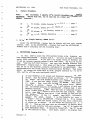
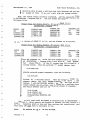
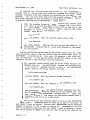
XCT.CMD. This is an alternate main command file in 52 column format to use
when installing the program in a single density version.
XCIT.CMD.
This is an alternate main command file in 80 column format
use when installing the program on the Osborne Executive.
to
HELP FILES.
Files numbered 020, 021 and 022 contain Help screens.
They
may be installed on either drive or eliminated completely with no harm
to the system.
If .you do not install them or remove them after
installation to save diskette space, but then select the H)elp options
from within the program, they simply won •t be there to offer help. No
other harm is done.
The instructional tutorial that follows assumes
that they are installed.
We suggest that you do install and use them
while learning dBCITATIONS.
You may then eliminate them later if you
want to.
B.
Getting Ready
Note:
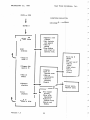
These procedures are written at two levels.
If you are experienced with the Osborne and with CP/M, you may simply follow the arrows for
a quick overview of the install process.
For those who need them, more
detailed instructions appear in the indented sections.
Osborne diskettes
may be read by machines otl)er than Osborne.
If you are installing dBCITATIONS on a non-Osborne computer, these detailed instructions may not apply
to your situation.
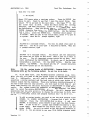
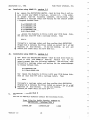
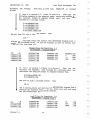
1.
-
Prepare diskettes
To get started, you will need from three to seven empty diskettes
depending on various choices you make. Label these diskettes,
dBCITATIONS MASTER - Back up
dBCITATIONS - Program Disk A
dBCITATIONS - DataBase Disk B
This is the minimum set up.
You may also want to label these diskettes single or double density, 52 or. 80 column, depending on your choices.
If you want to see both 52 and 80, then you will need additional diskettes
A and B, and if your system is single density, another back up diskette.
If you haven't already backed up your dBase II, you should do that too,
requiring still another diskette and label.
If you haven't backed up your
CP/M SYSTEM diskette(s) then you should do that as well.
Figure out just
what you will need before you get into the details of installation. Everything will flow together more easily if you are prepared.
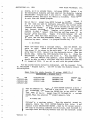
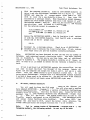
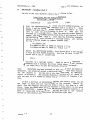
2.
FORMAT al.l· of the empty diskettes you intend to use.
There are several different ways to do this on Osborne computers, so
refer to your own documentation for specific instructions.
Select the
double density CP/M version.if you have it. The general procedure follows.
Format procedure for Osborne 01.
Turn your computer on. Insert
the CP/M SYSTEM disk in drive A and the first diskette you want
Version 1.5
4
-