1
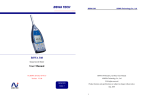
NoiseMeters
CEL24x Sound Level Meter
Quick User Guide
Full User Manual from:
support.noisemeters.com
CONTENTS
Meter Controls
1
Power
2
Display
3
Settings
4
Calibration
6
Downloading
6
Specifications
7
© NoiseMeters 2012
CEL24x
NoiseMeters
Meter Controls
1. Microphone
2. Power On/Off Key
3. Display
4. Left Soft Key
5. Right Soft Key
6. USB Port
7. Auxiliary socket (2.5mm stereo)
1
NoiseMeters
CEL24x
Power
Observe polarity when
fitting batteries
Do not mix battery types
Fitting Batteries
1. Open the Battery Cover
2. Check the compartment is clean and dry
3. Fit three new AA Alkaline or NiMH
4. Close the battery cover
Switching On and Off
Press the red On/Off
button to switch the
meter on.
During power up the data
logging models will show
the current time and
memory settings.
2
CEL24x
NoiseMeters
Display
A.
B.
C.
D.
E.
F.
G.
H.
I.
Battery Indicator
Over Range Indicator
Sound Level
Analog Display Bar
Measurement Scale
Maximum Sound Level
Left Key - Instrument Settings
Right Key - Reset Measurement
Average Level (CEL244 and CEL246)
3
CEL24x
NoiseMeters
Settings
The settings can be accessed from the
Measurement Screen. Press the settings key
(Left Key) repeatedly to cycle
through the settings screens.
Press the Right key to make changes to the
settings shown.
Recording (CEL242 and CEL246 Only)
The symbol REC ● will be shown. The meter
will start to store the sound level every
second, or at a selectable logging interval for
the CEL246. Pressing the Right Key again will
stop the measurement storage. A maximum of
100 runs can be stored.
Display Type - The main display can be set
to Bargraph (default) and Time History,
showing the max sound levels over the last 1
minute or 5 minutes.
Measurement Range - The ranges available
are 30-100dB or 60-130dB.
Time Weighting - Set to Fast, Slow or
Impulse. Check regulations if unsure.
4
CEL24x
NoiseMeters
Settings
Frequency Weightings - Select either “A” or
“C” weighting. Check your regulations, but
most measurements are “A” weighted.
Average Setting (CEL242 and CEL246)
Either Leq (for Q=3) or Lavg (Q=5) depending
on regulations.
Logging Interval (CEL246) - Setting the
logging interval for between 1 and 10s
average value. The CEL242 logs the level
every second, with no option for interval.
Memory and Time/Date (CEL242, CEL246)
When the data logging meter is switched on
the memory screen is
displayed. This example
shows the memory full
(100%).
Press the Left Key to
clear the memory and
the Right Key to set the
meter’s time and date.
5
CEL24x
NoiseMeters
Calibration
Calibration should be performed
using a CEL120/2 or similar
Calibrator before making any
important measurements.
1. Select 60-130dB range.
2. Switch Calibrator on to
114dB setting.
3. Fit Calibrator over
the microphone.
The meter
automatically detects the Calibrator tone and
enters Calibration Mode.
Downloading Measurements (CEL242/246)
Connect the meter to the computer’s USB
port. The connection on the meter is found at
the base behind a cover.
Use the CasellaDrive software to download
the measurements.
Please visit support.noisemeters.com for
more details and to download the software.
6
NoiseMeters
CEL24x
Specifications
IEC61672-1 Class 2
ANSI S1.4 Type 2
CEL244/246: IEC60804 Type 2
and ANSI S1.43 Type 2
Range
30-100dB and 60-130dB
Freq Wtg
“A” and “C” weightings
Noise Floor Typically <33 dB(A)
Time Wtg
Fast, Slow and Impulse
Standards
Operating Conditions
Humidity
5 to 90% RH non-condensing
Temp
0ºC - 40ºC
Pressure
65 to 108 kPa
Calibration Auto calibration by 1kHz @ 114dB or
94dB (e.g. CEL120/2)
Power
External
Batteries
Battery Life
Power
5VDC (via USB mini B)
3 x AA Alkaline or NiMH rechargeable
Typically 35 hours
Approx 65mA
Connectivity
Computer
USB 2.0 via mini B socket.
AUX
AC out, 0.5V RMS FSD. “A” weighted
Storage (CEL242 and CEL246)
Memory
419,000 data points
100 measurements
65515 points per measurement
7
Contacting NoiseMeters
UK
Tel:
Fax:
Email:
Web:
0845 680 0312
0845 680 0316
[email protected]
www.noisemeters.co.uk
USA
Tel:
Fax:
Email:
Web:
888 206 4377
888 584 2230
[email protected]
www.noisemeters.com
International
Tel:
+44 845 680 0313
Fax:
+44 845 680 0316
Email: [email protected]
Web: www.noisemeters.com
NoiseMeters Limited
97 Brighton Road
Surbiton
KT6 5NF
United Kingdom
NoiseMeters Inc
3233 Coolidge Hwy
Berkley
MI 48072
USA