1
CPA3000 Preamplifier
CONTENTS
PRODUCT DESCRIPTION
3
INVENTORY
3
WHEN SETTING UP
4
SAFETY WARNINGS
5
AC POWER CONNECTION
6
CONNECTING YOUR EQUIPMENT
7
INPUT CONNECTIONS
8
OUTPUT CONNECTIONS
9
RECORDING
10
AV BYPASS
11
EVERYDAY USE OF YOUR CPA3000
12
USING THE REMOTE CONTROL
14
MAINTENANCE
16
FREQUENTLY ASKED QUESTIONS
16
TRIGGER OUTPUTS
17
PRODUCT SPECIFICATION
18
2
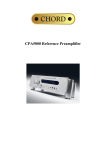
CPA3000 Preamplifier
Thank you for buying a Chord Electronics product.
Before you start to enjoy your preamplifier, please take a couple of minutes to read how to connect your audio equipment
and how to maximise your listening experience.
Product Description
Using similar technology as the highly successful CPA5000 reference preamplifier the CPA3000 features a high
frequency switch mode power supply and ultra low noise circuitry to give the very best noise floor performance.
Four pairs of balanced style XLR inputs allows for great flexibility with two additional RCA inputs for unbalanced
sources. A single tape loop is available for playback and also to record from any of the connected sources.
Front panel controls allow for easy input and output selection if required but changes can also be made via the supplied
remote control. Cleverly situated under the main display, signal detection indicators have been replaced with highly
accurate VU meters. These give both clear signal detection and accurate input level. Naturally via the front panel control,
these may be selected or disabled as required. Two polished and nickel plated aluminium controls feature prominently to
manually adjust the volume and the balance and give easy visual reference of the settings. Using the precision motorised
Alps potentiometers levels can also be adjusted by remote control. All settings are clearly visible via the large easy to
read vacuum fluorescent display and are retained even when power is removed.
Inventory
As well as your CPA3000 and this user manual, you should also have received the following items.
1. System Remote Control including user manual
2. Power cord
3. Chord guarantee registration card
3
When setting up
To ensure that your CPA3000 works efficiently and safely, please pay particular attention to the following issues.
ventilation
Your CPA3000 should have at least 5cm of clear space all around it to ensure a free flow of air at all times. We do not
recommend that you place CPA3000 directly on a carpet. If you have the optional integra leg system fitted it is
recommended that the power amplifiers sit above the CPA3000.
AC lead and plug
All Chord equipment comes supplied with the correct power lead and plug. This should be used at all times.
if you need to fit a plug for UK/Europe
Connect the blue wire to the neutral terminal
Connect the brown wire to the live terminal
Connect the yellow/green wire to the earth terminal
if you need to fit a plug for US/Canada
Connect the white wire to the neutral terminal
Connect the black wire to the live terminal
Connect the green to the earth terminal
earthing issues in Europe
In some European countries a hum may occur if your CPA3000 is connected to mains sockets that do not have an earth. If
this is the case please ensure that:
1. Your transport is connected via a multi-way mains block, which contains an earth point
at each socket outlet. This is to ensure that the chassis metalwork of each item is
connected together.
2. We recommend that an earthing method for your building be implemented.
3. Use the connecting points on your Chord unit and connect to an available earth point.
4
Safety Warnings
It is important that your CPA3000 is earthed at all times via its own mains lead. Failure to do this may be hazardous. The
power supply components within the CPA3000 are designed to operate at lethal voltages and energy levels. Circuit
designs that embody these components conform to applicable safety requirements. Precautions must be taken to prevent
accidental contact with power-line potentials. Do not connect grounded test equipment.
There are no user serviceable parts within the CPA3000 Reference Preamplifier. Unauthorised
tampering or dismantling of this product will invalidate the warranty and could cause injury.
5
AC Power connection
The AC power connector of CPA3000 is at the back of the unit. Plug the female end (socket) of the power cord into the
power connector of the transport, and the male end(plug) of the power cord into AC wall socket or AC extension socket.
The CPA3000 features a universal voltage high frequency power supply and will operate automatically from 65V to
260V AC, 50 or 60Hz.
For optimum operation it is recommended that the CPA3000 is connected directly to the wall socket via the power
cord provided.
Mains Switch
AC
Connector
Live
Earth
Neutral
AC connector and switch
Powering up
Press the rear panel switch marked power. The display and internal illumination will light up. The display will show the
selected input.
Powering down
Press the rear panel switch marked power. The CPA3000 utilises soft start circuitry so the power can switched on and off
as often as required. There is no need to leave the CPA3000 permanently switched on.
6
Connecting your equipment
Chord amplifiers are supplied with and designed to be connected using balanced inputs. The interconnecting cables you
use will depend on the available input and output sockets on your other equipment. We have installed unbalanced inputs
on all Chord equipment, thus enabling you to mix Chord Electronics and other manufacturer’s equipment.
Balanced inputs carry twice the strength of signal of unbalanced inputs and are able to be fed down long lengths of cable
with less deterioration of signal. They are also less prone to interference than unbalanced inputs. Balanced inputs have
2
1
3
three pins and use Neutric XLR style connectors. Pin 1 is earth, pin 2 is positive and pin 3 is negative.
Unbalanced inputs use RCA phono connectors, which are gold plated with teflon high performance dielectric insulators
for optimum performance.
speakers
outputs
power amplifier
- Amplfication
pre-amplifier
- Switching and
level control
inputs
Red Reference
CD Player
outputs
CD Player
inputs
outputs
outputs
inputs
inputs
DAC 64
CD Transport
SYMPHONIC
phono stage
Turntable
Basic system diagram
7
- Data and
analogue
conversion
- Signal
Source
Input Connections
You can connect up to 7 items of source equipment. Included is a tape loop for recording purposes. All input connections
are on the rear panel and are marked with the corresponding Line number. Lines 1 to 4 are balanced inputs, Line 5, 6 and
TAPE are RCA phono style inputs. Left channel connections are at the top, right channel connections are at the bottom.
L
L
1
2
3
4
5
6 TAPE
IN
R
R
1
2
3
4
5
6 TAPE
It does not matter which input you choose just select the same type of connection that your source has.
Note: Moving coil turntables without an internal amplifier will require an external phono stage amplifier such as the
Chord Symphonic before connecting to the CPA3000.
8
Output Connections
You need to connect the outputs on the back of the CPA3000 to a power amplifier in order to drive your loudspeakers.
There is one pair of balanced XLR outputs or one pair of RCA phono outputs each of which will drive a 68 ohm load.
Choose either depending on the appropriate input connection on your power amplifier. Left channel connections are at
the top, right channel connections are at the bottom.
Note: For optimum performance it is recommended that the balanced outputs are used where possible.
L
L
O/P
R
R
O/P
If you wish to bi-amp then ask your interconnect manufacturer to provide you with a balanced or RCA cable splitter. This
will split the single output from the CPA3000 into two signals one for each amplifier.
9
Recording
You can record an input from any of the connected audio sources to the tape output. If you’ve been using a tape recorder
as an input source, it will already be connected to the TAPE IN socket. Connect the tape recorder input to the TAPE OUT
RCA connection to record the selected audio source.
connecting to a Tape recorder to tape an audio source
Use RCA connectors to the left and right pairs marked OUT TAPE.
L
L
TAPE
OUT
R
R
TAPE
Note: In these examples we have used a tape recorder but you can use any recording device with a phono input. Minidisc,
CD/DVD recorders and PC soundcards are all normally compatible.
10
AV Bypass
AV Bypass mode allows the output of an AV surround sound processor to be connected and then routed directly to the
output of the CPA3000. The volume control and signal processing are bypassed so that the signal from the AV processor
reaches the power amplifier exactly as if it were connected directly. This has the advantage of allowing the CPA3000 to
remain in an AV system to give the best possible stereo two channel playback whilst still being able to switch to AV
bypass mode to allow the processor to playback multichannel film content.
L
L
A/V
O/P
R
R
A/V
O/P
Connect the front left and right outputs from your AV processor to the inputs on the back of the CPA3000 marked A/V.
Connect to the power amplifier as normal via either the balanced or RCA output on the CPA3000. Press the RESET
button or Bypass on the remote control to activate the bypass option.
Note: The volume control in the CPA3000 will be bypassed so please check before switching on your AV processor that
the volume is turned down. When switching back please check that the volume on the CPA3000 has not inadvertently
been turned up before playing any music.
11
Everyday use of your CPA3000
Turning on your CPA3000
Press the power button on the back of the CPA3000. Press again to switch off.
Select the input source
Press the INPUT button on the front panel to select the input source.
The options are shown in the diagram below.
The selected input will automatically be sent to the tape recording TAPE phono outputs:
Cycle of input selection options
12
Select the output
Press the RESET button to select the output.
adjusting the volume
Use the volume knob to adjust the volume manually. A clockwise turn of the knob will increase the volume and an anticlockwise turn of the knob will decrease the volume. The volume range runs from 0 to 98 and is displayed on the
CPA3000 display as you change the volume. If the outputs are muted, a volume change will un-mute the outputs to
prevent large changes in volume from damaging your loudspeakers. The volume level is shown on the display as the
word VOL and a two digit level as shown in the example diagram below.
Volume display
changing the balance
Use the balance knob to shift the balance between the left and right loudspeaker. A clockwise turn of the knob will shift
the balance to the right speaker and an anti –clockwise turn of the knob will shift the balance to the left speaker.
Switching the VU meter
Press the front panel button marked VU to switch the VU display on and off.
13
Using the remote control
The CPA3000 is supplied with the system remote control that is a universal controller for all Chord products, televisions
and DVD players. Full instructions can be found in the System Remote Manual supplied but for the purposes of
controlling the CPA3000 the main functions are listed on the next few pages.
Press the HIFI key
to begin controlling the CPA3000.
14
Selecting the input source
Press the Line- or Line+ keys on the centre control to cycle through the inputs.
For convenience you can directly access the first 5 inputs using the buttons at the bottom of the remote control.
Adjusting the volume
Press the Vol+ button on the centre control to increase the volume, press the Vol- button on the centre control to decrease the
volume.
Adjusting the balance
Press the Bal+ button to move the balance towards the right. Press the Bal- button to move the balance to the left.
Changing the output
Press OP1 to select the main output. Press BYPASS (OP2) to select AV Bypass output. OP1+2 has no function on the CPA3000.
Mute
Press the mute key to mute the CPA3000.
To un-mute
Press the mute key again, or select an output, or change the volume.
15
Maintenance
adjusting the settings
Always remember to make any changes to settings with the volume set low or an instant burst of sound could damage
your loudspeaker.
cleaning
To clean finger marks and other blemishes from your amplifier spray clear glass cleaner onto a soft lint free cloth and
then use the cloth to gently clean your amplifier.
changing the batteries in the remote control
Simply push the button on the bottom of your remote control to release the battery cover. Replace with four new AAA
batteries as shown inside the battery compartment.
servicing
There are no user serviceable parts in your Chord amplifier, and it should only be serviced by Chord Electronics
Limited or their expressly approved Service Agents.
Frequently asked questions
why aren’t any of the remote control buttons working?
Press the HIFI button to set up the remote control for pre-amplifier functions.
I’ve connected all the wires up but I can’t hear any sound?
Ensure that you’ve selected the correct input (e.g. Line 1) and the correct output (e.g. Output 1 ).
why is there humming coming from the loudspeakers?
Check that you’ve earthed the unit. The interconnects need to be properly screened and placed away from mains cables.
Interference can be reduced by using balanced inputs and outputs instead of RCA phono types.
the sound coming from the loudspeakers is distorted
Check that the speakers are connected properly. It may be that the volume is turned up too loud for your speakers.
16
Trigger Outputs
The CPA3000 features two trigger outputs that can be used to remotely trigger other Chord equipment. The external
trigger should be connected via a standard 1/8th inch / 3.5mm (mono or stereo) jack plug to the socket fitted to the rear of
the unit.
The CPA3000 should be switched off, the trigger lead inserted, then the unit switched back on.
The connections are as follows:
0V / Ground
+5V to +12V
c.
The tip of the plug is the +5V to +12V dc connection, the centre and rear connection are the 0V or ground connection.
17
Product Specification
Unbalanced Inputs:
Balanced Inputs:
Outputs:
AV Bypass input:
Intermodulation Distortion:
Signal to Noise Ratio:
Frequency Range:
Nominal Gain:
THD:
Channel Separation:
Channel Balance:
Input impedance:
Output impedance:
Output Offset:
Max Input Voltage:
Max Output Voltage:
Potentiometer Performance:
Power Consumption:
Operating Voltage:
Dimensions:
Weight:
Line 5, Line 6, Tape. 3 x pairs RCA Phono style, gold-plated with
Teflon dielectric insulation.
Line 1 to Line 4. 3-pin female pairs of female Neutrik XLR inputs.
1 x pair of 3-pin male Neutrik XLR output with 1 x pair of goldplated RCA Phono wired asymmetrically in parallel.
1 x pair female 3-pin Neutrik XLR input
-100dB all inputs
-93dB all inputs
2.5Hz – 200kHz (-3dB)
Fixed at x 1.1
0.002% 20Hz – 20KHz
10 Hz 90dB, 1kHz 90dB, 10kHz 90dB, 20kHz 85dB
0.01dB
Unbalanced 47kOhms, Balanced 94kOhms
100 Ohms short circuit protected
0mV both channels
10Vrms balanced, 5V rms unbalanced
15V rms balanced, 7.5V rms unbalanced
0dB 0.5dB, -20dB 0.2dB, -60dB 0.24dB ( 13 secs for full travel )
50W
85 – 270V AC (50-60Hz) auto switching
420mm (w) x 355mm (d) x 88mm (h)
10Kg
Chord Electronics limited
The Pumphouse
Farleigh Bridge
Farleigh Lane
East Farleigh
Kent ME16 9NB
Tel: +44 (0)1622 721444
Fax: +44 (0)1622 721555
Email: [email protected]
http://www.chordelectronics.co.uk
18