1
B1. COORDINATE SYSTEM
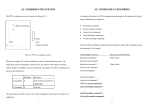
The PPLB coordinates system is depicted in Figure B1-1.
B2. COMMAND SYNTAX
All the commands of PPLB consist of one or two alpha characters to identify the specific
function and some of them may require one or more additional parameters to supply the
TPH Line
printer with sufficient information to complete the command. Each command line must
↑
be terminated with a LF (0AH) control code and no space is allowed within it, except in
+y
the section of the data string.
Basic Command Syntax
Label
Feed
(0,0)
← +x
Syntax I: commands with no parameters
Direction
(exit)
Fig. B1-1 Default Coordinate system
The origin point (0,0) of the coordinates system is at the bottom right corner under
Leading characters
Description
A<LF>
Command with single alpha character
AB<LF>
Command with two alpha characters
Syntax II: commands with fixed number of parameters
default condition (ZT). The origin point remains unchanged, while the texts, bar codes or
other objects are being rotated. Negative coordinate value is not accepted. The ranges of
Leading characters
Description
X and Y coordinates are:
Ap1,p2,p3,…,pn<LF>
Command with single leading alpha character
ABp1,p2,p3,…,pn<LF> Command with two leading alpha characters
Minimum Maximum
X coordinate
0
It depends on printer models.
Y coordinate
0
It depends on printer models.
Syntax III: commands with optional parameters
A[p1,p2,p3,…,pn]<LF>
The measurements of the X- and Y-axis of the coordinates system are by pixels or
scanned lines.
1
2
String
B3. FONTS
This printer language uses data string under the following conditions.
This printer language defines three types of fonts according to their stored media.
Name
for graphics, soft fonts and forms
Data
for fonts and barcodes
Internal Fonts
Prompt
An ASCII text that can be transmitted to the KDU
Soft Fonts
(Keyboard Device Unit) or LCD display for X series.
Cartridge Fonts
The data string is led and ended by the character (“). The back slash character (\)
Internal Fonts
designates that the character following is a literal and will encode into the data field.
Refer to the following examples:
Five internal fonts are resident in the printer’s ROM and each of them has a unique ID
number. Different from the soft fonts, these fonts cannot be deleted.
To print
Enter into Data Field
“
\“
ID number
\
\\
1
20 pitches, 6 points.
2
17 pitches, 7 points.
Notes:
3
14.5 pitches, 10 points.
1.
The printer ignores <CR> and ctrl-Z (1AH) control codes. Many non
4
13 pitches, 12 points.
-document editors on PC based system send CR and LF when the enter key is
5
5.6 pitches, 24 points.
Font Size
Remark
Upper case characters only
pressed. The carriage return (CR) code cannot be used in place of LF.
Soft Fonts
2.
All commands and alpha character command, parameters are case sensitive.
The soft fonts can be downloaded from the host by means of some utility or application
software. Once the internal fonts cannot fulfill your requirements, soft fonts may be good
solutions.
3
4
The advantages of using soft fonts:
8-bit Character
Save memory space (Graphics occupies more memory.)
Symbol sets
7-bit Character
USASCII, British,
Code page:
Have better performance (They can be called repeatedly.)
437, 737,
Danish, French,
Enable the auto increment and decrement function
850, 851,
German, Italian,
Same as internal fonts, they can be scaled, rotated or reversed.
852, 855,
Spanish, Swedish and
They can be saved into either RAM or flash memory (permanent memory).
857, 860,
Swiss
They can be deleted, if no use or the memory space is full.
861, 862,
863, 865,
You can download the numbers of characters as many as you need.
866, 869,
Each soft font also has a unique ID number. By the ID number, the soft font can be
1250, 1251,
downloaded, selected or deleted.
1252, 1253,
1254, 1255,
The soft font ID number may range from ‘a’ to ‘z’.
Cartridge Fonts
The font board or font cartridge is an optional item. The ID numbers reserved for
extension cartridge fonts are 7 ~ 12. 7 and 8 are for Chinese fonts. 9 and 10 are for
Korean fonts. 11 and 12 are for Japanese fonts. Details regarding the soft font ID and
sizes, please refer to page 90 (Appendix BB: How to select a font from font board).
Symbol Set
The code map (table) can be redefined to another symbol set or code page. Please refer to
the user’s manual for the code tables, defined by this printer language. Details regarding
symbol set settings, please refer to page 42: I command (Select Symbol Set).
5
6
B4. COMMAND SET
Command
Description
Command
Current Codepage Info Through
FR
Execute Form
UI
FS
Store Form
UM
RS232
The PPLB command sets can be categorized into the following four groups, according to
functions and memory allocations.
Description
Memory Allocation and Codepage
Info Through RS232
Memory Allocation, Codepge Info
Setting commands
##
f
Adjust Cutting Position
UP
Through RS232 Port And Print
Label formatting commands
Configuration##
Interaction commands (through RS232)
Object Downloading commands
Quick Reference
Command
A
B
Description
Print Text
Print Bar Code
Command
q
Description
Set Label Width
UQ
GI
Print Graphic List
US
Enable Error Report**
GK
Delete Graphics
UN
Disable Error Report**
GM
Store Graphics
V
Define Variable
GW
Print Immediate Graphics
X
Draw Box
I
Select Symbol Set**
xa
Auto Calibration##
JB
Disable Back Feed**
Y
Set Serial Port++
JF
Enable Back Feed**
Z
Set Print Direction
LE
Line Draw by Exclusive
ZS
Enable Store-to-Flash
LO
Line Draw by OR
ZN
Disable Store-to-Flash
LW
Draw White Line
?
Download Variables And Counters
N
Clear Image Buffer
^@
Reset Printer##
O
Select Options**
^ee
Immediate Error Report##
P
Print Label
PA
Print Automatically
Q
Set Label and Gap Length**
RS232##
**
Set Origin Point
R
**
Print 2D Bar Code
S
Set Print Speed
C
Counter
TD
Define Date Format
C
Immediate Cut##
TS
Set Real Time Clock
D
Heat Setting**
TT
Define Time Format
EI
Print Soft Font List
U
Print Configuration
EK
Delete Soft Font
UA
Download Soft Font
Print Graphics
**
b
ES
Printer Configuration Through
GG
UB
Enable Clear Print Buffer When
Media-out/Ribbon-out Occurred
##
Disable Clear Print Buffer When
Media-out/Ribbon-out Occurred##
##
FE
End Form Store
UE
Soft Fonts Info Through RS232
FI
Print Form List
UF
Forms Info Through RS232##
FK
Delete Form
UG
Graphics Info Through RS232##
7
Notes:
**
The parameter can be saved into permanent memory E2PROM, that is, it will
8
B5. COMMAND REFERENCE
remain after the printer is restarted, until it is replaced by different parameter
through command.
++
##
The command is not valid for X series.
The command is not valid for 300 DPI printers.
This section lists all of the commands and their descriptions in alphabetical order.
A
Syntax
Print Text
Ap1,p2,p3,p4,p5,p6,p7,”DATA”↵
Ap1,p2,p3,p4,p5,p6,p7,Cn↵
Ap1,p2,p3,p4,p5,p6,p7,Vn↵
Ap1,p2,p3,p4,p5,p6,p7,”DATA”Cn↵
Ap1,p2,p3,p4,p5,p6,p7,”DATA”Vn↵
Description
Prints a text string, counter or variable.
Parameters
p1: X coordinate in dots.
p2: Y coordinate in dots.
p3: Orientation or Print Direction.
P3 value
Description
0
No rotation (portrait)
1
90o rotation
2
180o rotation
3
270o rotation
p4: ID number for font selection
P4 value
Description
1~5
Selects resident fonts, font number 1 ~ 5. Refer
to the startup self-test printout to see the font
list.
9
10
Notes :
a~z
Downloaded soft fonts, a ~ z. Before selecting a
soft font, first download it.
p5: Horizontal scale factor.
1.
The resident font 5 does not support lower case characters.
2.
The sub-string of counter and variable can be applied to the A command.
Syntax
p6: Vertical scale factor.
Vn[st,len] ↵
Cn[st,len]↵
The acceptable values for both p5 and p6 are from 1 to 24.
Parameters
p7: N for normal text or R for reverse text image.
n is the counter or variable ID.
st is the start location (the first location is 0),
len is the length of the sub-string.
“DATA”: A text string
Example
Cn: A counter value. Refer to C command.
FK”TEST”↵
FS”TEST”↵
Vn: A variable string. Refer to V command.
V00,10,N,””↵
C0,10,N,+1,””↵
Example
N↵
A100,100,0,3,1,1,N,V00[2,4]↵
A50,30,0,1,1,1,N,"This is font 1."↵
A100,150,0,3,1,1,N,C0[2,3]↵
A50,70,0,2,1,1,N,"This is font 2."↵
FE↵
A50,110,0,3,1,1,N,"This is font 3."↵
A50,150,0,4,1,1,N,"This is font 4."↵
FR”TEST”↵
A50,200,0,5,1,1,R,"FONT 5"↵
?↵
P1↵
ABCDEF↵
Output
12345↵
P3↵
Output
Fig. B5-1
Fig B5-2
12
11
B
2D
Print Bar Code
Interleaved 2 of 5 with human readable check
digit
Syntax
Description
Parameters
Bp1,p2,p3,p4,p5,p6,p7,p8,”DATA”↵
2G
German Postcode
Bp1,p2,p3,p4,p5,p6,p7,p8,Cn↵
2M
Matrix 2 of 5
Bp1,p2,p3,p4,p5,p6,p7,p8,Vn↵
2U
UPC Interleaved 2 of 5
Bp1,p2,p3,p4,p5,p6,p7,p8,”DATA”Cn ↵
3
Bp1,p2,p3,p4,p5,p6,p7,p8,”DATA”Vn ↵
3C
Prints a specific bar code.
p1: X coordinate in dots.
p2: Y coordinate in dots.
p3: Orientation or print direction.
p3 value
Description
0
No rotation (portrait)
1
90o rotation
2
180o rotation
3
270o rotation
p4: Bar code selection
p4 Value
Bar Code Type
0
Code 128 UCC (shipping container code)
1
Code 128 auto
Code 3 of 9
Code 3 of 9 with check sum digit
9
Code 93
E30
EAN-13
E32
EAN-13 2 digit add-on
E35
EAN-13 5 digit add-on
E80
EAN-8
E82
EAN-8 2 digit add-on
E85
EAN-8 5 digit add-on
K
Codabar
P
Postnet
UA0
UPC-A
UA2
UPC-A 2 digit add-on
UA5
UPC-A 5 digit add-on
UE0
UPC-E
UE2
UPC-E 2 digit add-on
UE5
UPC-E 5 digit add-on
1A
Code 128 subset A
1B
Code 128 subset B
p5: Narrow bar width in pixels. ++
1C
Code 128 subset C
p6: Wide bar width in pixels. ++
1E
UCC/EAN
2
2C
p7: Bar code height in pixels.
Interleaved 2 of 5
p8: N - No text is printed or B – The human readable text is
Interleaved 2 of 5 with check sum digit
printed.
“DATA”: A text string.
13
14
Cn: A counter value. Refer to C command.
Vn: A variable string. Refer to V command.
Notes: ++According to the bar ratio, the bar codes can be classified into two categories.
Type
B2
Ratio
Narrow vs Wide
Bar code
(p5 vs p6)
1:2 ~ 1:3 narrow < wide
Code 3 of 9, Codabar,
Interleaved 2 of 5, Matrix 2
Fig. B5-3
of 5, Postnet and German
Postcode.
B3
Example
2:3:4
narrow=wide.
Code 93, Code 128, EAN8,
2 x narrow,
EAN 13, UPC-A, UPC-E,
The sub-string of counter and variable can be applied to the B command.
3 x narrow and
UCC/EAN and Code
Syntax
4 x narrow.
28UCC.
Notes:
Cn[st,len]
Parameters
N↵
Vn[st,len]
n is the counter or variable ID.
B20,20,0,E80,3,3,41,B,"0123459"↵
st is the start location (the first location is 0).
B20,120,0,K,3,5,61,B,"A0B1C2D3"↵
len is the length of the sub-string.
B190,300,2,1,2,2,51,B,"0123456789"↵
B20,330,0,UA0,2,2,41,B,"13579024680"↵
Example
FK”TEST”↵
FS”TEST”↵
P1↵
V00,10,N,””↵
Output
C0,10,N,+1,””↵
B100,100,3,2,4,51,B,V00[2,4]↵
A100,200,3,2,4,51,B,C0[2,3]↵
FE↵
15
16
FR”TEST”↵
b
Print 2D Bar Code
?↵
ABCDEF↵
Syntax
bp1,p2,p3,[specific parameters and data]↵
Description
Prints a specific 2D bar code.
Parameters
p1: X coordinate in dots.
12345↵
P3↵
Output
p2: Y coordinate in dots.
p3: 2D bar code type.
Maxi Code
p3 Value
Bar Code
M
Maxi Code
P
PDF-417
D
Data Matrix
[“CL,CC,PC,Data”]
CL: Class code, 3 digits.
CC: Country code. 3 digits.
PC: Post code, 4 or 5 digits for USA and 6 characters for
other countries.
Data: Up to 84 characters.
Example
Fig. B5-4
N↵
B80,80,M,"003,840,547017051,ARGOXINFO"↵
A120,300,0,4,1,1,N,"ARGOXINFO"↵
P1↵
17
18
Example
Output
N↵
b80,80,P,p180,320,10,f1,x2,y10,r60,1l0,
→t0,o0,"ARGOXINFO"↵
A200,360,0,4,1,1,N,"PDF417"↵
P1↵
Output
Fig. B5-5
PDF-417
[w,h,s,c,p,f,x,y,r,l,t,o],”Data”
w:
Maximum print width in dots.
h:
Maximum print height in dots.
s:
Error correction level, 0 ~ 8.
c:
Data compression level, 0 or 1. The default value is 0.
Fig. B5-6
Data Matrix
p(xxx,yyy,mm): Print human readable.
[c,r,,h,v],”Data”
c:
Number of columns.
xxx: horizontal start location.
r:
Number of rows.
yyy: vertical start location.
h:
Minimum square data module size, 1~40.
mm: maximum characters per line.
f:
The default value is 5.
Bar code origin point. 0= Upper left corner of barcode.
v:
Inverse image of barcode.
1= Center of barcode (default).
x:
Module width, 2 ~ 9 in dots.
y:
Module height, 4 ~ 99 in dots.
b120,100,D,h15,"ARGOXINFO"↵
r:
Maximum row count.
A120,50,0,4,1,1,N,"ARGOXINFO"↵
l:
Maximum column count.
P1↵
t:
Truncation flag, 0=normal and 1=truncated.
o:
Rotation. 0-0o, 1-90o, 2-180o and 3-270o.
19
Example
N↵
Output
20
C
Counter
Syntax
Cp1,p2,p3,p4,”MSG”↵
Description
This command defines a counter variable. It is useful in
printing the labels numbered in sequence. In general, it will be used
together with the Form function.
Fig. B5-7
To print the contents of the counter, you may use A (print
text) or B (print bar code) commands.
Notes:
1.
The specifications of PDF-417, Maxi Code and Data Matrix are released by
Parameters
AIM International, Inc..
2.
p1: Counter ID. Acceptable value ranges from 00 to 99.
p2: Maximum digit number. Acceptable values are from 1 to
Only G4 and OS-214plus support Data Matrix bar code.
29.
p3: Justification code. L for left justification, R for right
justification, N for no justification and C for centralization.
p4: Amount to increment or decrement the field by. There
should be a + or - sign before the step value.
“MSG”: A text string that will be sent to KDU or host.
Example
N↵
FK"TEST"↵
FS"TEST"↵
C0,6,N,+1,"Enter Code:" ↵
A100,100,0,4,1,1,N,"Label: "↵
A300,100,0,4,1,1,N,C0↵
FE↵
21
22
Above example stores a form to the printer. If you retrieve this form
C
Immediate Cut
and enter the counter value like the following way, the printer will print
two labels by the input counter value.
Syntax
C↵
FR"TEST"↵
Description
This command is used to rotate cutter once to immediately
? ↵
cut the media. Also, it can be use to immediately cut without
1000↵
media installed to adjust and clean the cutter blade.
P2↵
Parameters
None.
Example
C↵
Output
Notes:
1.
This command can not be used inside a form.
Within a form, character C represents counter command function.
2. The cutter must be installed.
Fig. B5-8
23
24
D
EI
Set Darkness
Print Soft Font List
Syntax
Dp1↵
Syntax
EI↵
Description
This command is used to set the print darkness. In general,
Description
This command causes the printer to print the list of soft fonts
the proper darkness value is depending on the media, print-out
that have been downloaded to RAM or flash memory from the host.
pattern and speed.
Parameters
None
darkness value is 8.
Example
EI↵
N↵
Output
If no soft font exists, the output will be
Parameters p1: Darkness. Acceptable values ranges from 0 to 15. The default
Example
D10↵
A100,100,0,3,1,1,N,"DARKNESS=10"↵
P1↵
Fig. B5-9
If soft fonts with ID C, D, E, F and G are stored in the printer, the
output will be
Fig. B5-10
25
26
EK
Syntax
ES
Delete Soft Font
EK”ID”↵
Download Soft Font
Syntax
ES”ID”…<font data>…
Description
This command is used to download a soft font and store it
EK”*”↵
Description
This command causes the printer to delete the soft fonts that are currently
in RAM or flash memory. The soft font can be
stored in RAM or flash memory.
deleted by EK command. If it is stored in RAM, it will be
automatically cleared when the printer is turned off. The soft
fonts can be kept, if they are stored in the flash memory.
Once a soft font is deleted, it cannot be selected or printed out, unless
downloaded again.
Refer to the A command for selecting a soft font and printing
it.
Parameters ID Font ID, a ~ z.
*
All fonts will be deleted from RAM or flash memory.
Parameters
ID
One upper case letter from a to z.
…<font data>…
Example
The basic format of a soft font is
EK”b”↵
This causes printer to delete a soft font with ID b.
Font Descriptor
Character 0
…
Character N-1
27
28
Font Descriptor
FE
End Form Store
Byte 0
0
Byte 1
No. of characters to be downloaded
Byte 2
0
Byte 3
Image height, IV
Byte 4
Width in pixels for space code
receives such command, it will save the form data into RAM or flash
Byte 5
0
memory. The form data is started by FS command and ended by FE
Byte 6 ~ 0FH
0
command.
Syntax
FE↵
Description
This command is used to end a form store sequence. Once the printer
Character Parameters and Image
Byte 0
Movement in pixel
Byte 1
Character width in bytes, BW
Byte 2 ~
Image data, the length is
BW*IV
Parameters None.
Example
FS”FORMA” ↵
…
FE↵
Note: No line separator (LF) is required.
Example
EK”a” ↵
ES”a”…
N↵
A50,30,0,a,1,1,N,"SOFT FONT a" ↵
P1↵
29
30
FI
Syntax
FK
Print Form List
FI↵
Syntax
Delete Form
FK”FORMNAME”↵
FK”*”↵
Description
This command causes the printer to print the list of forms that have
been downloaded to RAM or flash memory from the host.
Parameters
Example
Description
This command causes the printer to delete forms currently
None
stored in RAM or flash memory.
FI↵
Once a form is deleted it can not be retrieved and printed
except it is reloaded again.
Output
If no form exists the output will be
Parameters
FORMNAME: Form name with a maximum of 9 characters.
*: All forms will be deleted from RAM or flash memory.
Example
FK”*”↵
This causes the printer to delete all forms stored in RAM or
Fig. B5-11
flash memory.
If the forms with names FORMA, FORMB and FORMC are
stored in printer the output will be
.
Fig. B5-12
31
32
FR
Execute Form
FS
Store Form
Syntax
FR”FORMNAME”↵
Syntax
FS”FORMNAME”↵
Description
This command is used to retrieve a form that is currently
Description
This command begins a form store sequence until the FE
saved in printer and execute it.
command is received.
The major advantage of using form is that you may retrieve
The destination of storing depends on ZS or ZN command.
and execute at any time as long as it exists in printer.
If flash memory is enabled (ZS) the form will be saved to
flash memory, otherwise it is saved to RAM.
Parameters
FORMNAME
Form name with a maximum of 9
characters.
Parameters
FORMNAME
Form name with a maximum of 9
characters.
Example
FK”FRMA”↵
; delete form “FRMA”
FS”FRMA”↵
; start loading a new form
A50,30,0,4,1,1,N,"THIS IS FRMA." ↵
FE↵
; end form store
FR”FRMA”↵
; retrieve and execute
P1↵
; a copy of form “FRMA”
Notes:
1.
When updating a form with the same form name, use the FK command to
delete the old one before storing the new one.
2.
Refer to the example at FR command for the whole form related
commands.
Output
Fig. B5-13
33
34
f
Adjust Cutting Position
GG
Print Graphics
Syntax
fp1↵
Syntax
GGp1,p2,”GNAME”↵
Description
This command is used to adjust the cutting position. Due to media
Description
This command is used to print a graphic with PCX format
that has been previously downloaded and saved in printer.
differences, when cutter function is enabled, use this command to have
the printer cut the media in more precise position.
Parameters
Parameters
p2: Y coordinate in dots.
p1: Cut position measured in dots. Acceptable range: 070 to 130.
The default value is 100.
Example
GNAME: Graphic name with a maximum of 8 characters.
Example
f100↵
p1: X coordinate in dots.
N↵
GG100,50,”PCXGRAPH”↵
P1↵
35
36
GI
Syntax
Print Graphic List
GI↵
GK
Syntax
Delete Graphics
GK”GNAME”↵
GK”*”↵
Description
This command causes the printer to print the list of graphics
that had been download to RAM or flash memory from host.
Description
This command causes the printer to delete graphics currently
stored in RAM or flash memory.
Parameters
None.
Once a graphic is deleted it can not be retrieved and printed
except it is reloaded again.
Example
GI↵
Output
If no PCX graphics exist the output will be
Parameters
GNAME: Graphic name with a maximum of 8 characters.
*: All graphics will be deleted from RAM or flash memory.
Example
Fig. B5-14
GK”*”↵
This causes printer to delete all graphics stored in RAM or
flash memory.
If the graphics with names GRAPHA, GRAPHB and are
stored in printer the output will be
Fig. B5-15
37
38
GM
Store Graphics
GG30,100,"PCXA"↵
; print the graphic name PCXA
P1↵
Syntax
GM”GNAME”p1↵
GK"*"↵
PCX file
First delete PCXA graphics, download a new one, print some texts
Description
and the PCXA. After printing, delete all graphics stored in printer.
This command causes the printer to store graphics object in
RAM or flash memory.
Output
The destination of storing depends on ZS or ZN command.
If flash memory is enabled(ZS) the graphics will be saved to
flash memory, otherwise it is saved to RAM.
Note: To verify that the graphic was successfully stored you
may send a GI command after downloading.
Parameters
p1: The size (decimal) in bytes of PCX files.
PCX file: The graphics should be in PCX format. Refer to the
Appendix BA for the specification of PCX graphics.
Example
Fig. B5-16
GNAME: Graphic name with a maximum of 8 characters.
Notes:
1.
The example of storing and recalling PCX graphics under Dos prompt is as below:
copy/b head+PCXA.pcx+tail LPT1:
GK”PCXA”↵
; delete a graphic name PCXA
ZS
GM”PCXA”3858↵
; store a graphic name PCXA
GK”PCXA”↵
with size 3858 bytes
head
GM”PCXA”3858↵
[ Any *.pcx graphics ]
…[PCX file for PCXA graphics]…
; send this three files to the printer
PCXA.pcx
N↵
A30,30,0,4,1,1,R,"PCXA..."↵
N↵
GG30,100,"PCXA"↵
A30,30,0,4,1,1,R,"PCXA..." ↵
P1↵
39
tail
40
GW
Print Immediate Graphics
I
Select Symbol Set
Syntax
GWp1,p2, p3,p4,[…raster image…]↵
Syntax
Ip1,p2,p3↵
Description
This command is used to print a graphic with binary format.
Description
This command is used to select the proper symbol set.
Note that the graphic format is not a PCX one. You should
The factory default symbol set is Code page 437 (English).
send row by row without compression. The ‘1’ represents
blank pixel and ‘0’ for black pixel.
Parameters
p1: data bit number. 8 for 8-bit data and 7 for 7-bit data.
p2: Symbol set.
After being printed the graphic image will be cleared immediately.
You can not recall or reprint it again.
Parameters
p3: KDU country code.
8 bit data
Symbol Set
7 bit data
(p1=8)
(Code page)
(p1=7)
Symbol set
p1: X coordinate in dots.
0
English (437)
0
USASCII
p2: Y coordinate in dots.
1
Latin 1 (850)
1
British
p3: Graphic width in bytes.
2
Slavic (852)
2
German
p4: Height in pixels.
3
Portugal (860)
3
French
4
Canadian/French
4
Danish
(863)
41
5
Nordic (865)
5
Italian
6
Turkish (857)
6
Spanish
7
Icelandic (861)
7
Swedish
8
Hebrew (862)
8
Swiss
9
Cyrillic (855)
10
Cyrillic CIS 1(866)
11
Greek (737)
12
Greek 1 (851)
13
Greek 2 (869)
42
8 bit data
Symbol Set
7 bit data
(p1=8)
(Code page)
(p1=7)
A
Latin 1 (1252)
B
Latin 2 (1250)
C
Cyrillic (1251)
D
Greek (1253)
E
Turkish (1254)
F
Hebrew (1255)
JB/JF
Syntax
Disable OR Enable Back Feed
Disable back feed:
JB↵
Enable back feed:
JF↵
Description
This command is used to adjust the stop position. The back
feed action is disabled at factory settings. After JF the printer
will feed about one more inch so that the user can see the
Note: See the code table list in the User’s manual for
whole label.
additional information, symbols and codes.
Parameters
Example
None.
N↵
I7,5,001↵
A50,30,0,3,1,1,N,"£100"↵
P1↵
This example selects 7 bit data, Italian symbol set.
Output
Fig. B5-17
43
44
LE
Line Draw by Exclusive OR Operation
LO
Line Draw by OR Operation
Syntax
LEp1,p2,p3,p4↵
Syntax
LOp1,p2,p3,p4↵
Description
This command is used to draw a line by an “exclusive OR”
Description
This command is used to draw a line by an “OR” operation.
Parameters
p1: X coordinate in dots.
operation.
Parameters
p1: X coordinate in dots.
p2: Y coordinate in dots.
p2: Y coordinate in dots.
p3: Horizontal length in dots.
p3: Horizontal length in dots.
p4: Vertical height in dots.
p4: Vertical height in dots.
Example
Example
N↵
N↵
LO50,30,100,10↵
LE50,30,100,10↵
LO100,20,5,110↵
LE100,20,5,110↵
P1↵
P1↵
Output
Output
Fig. B5-19
Fig. B5-18
45
46
LW
Draw White Line
N
Clear Image Buffer
Syntax
LWp1,p2,p3,p4↵
Syntax
N↵
Description
This command is used to draw a white line, so it may erase
Description
This command is used to clear the image buffer before filling
previous image.
Parameters
any image.
p1: X coordinate in dots.
Parameters
None.
p2: Y coordinate in dots.
p3: Horizontal length in dots.
Note: Since this printer automatically clears the image buffer after a P command is
p4: Vertical height in dots.
execute, the N command may not be necessary. But for other compatible printers, this
command can be accepted to clear the image buffer.
Example
N↵
LE50,30,100,10↵
LE50,60,100,10↵
LE50,90,100,10↵
LE50,120,100,10↵
LW100,20,5,110↵
P1↵
Output
Fig. B5-20
47
48
O
Syntax
Description
Notes:
Select Options
1.
The cutter and dispenser cannot be enabled at the same time.
2.
OL command (on demand mode) is not valid when cutter or dispenser was enabled.
O[D,C,N,L]↵
OL command is also not valid for 300 DPI printers.
This command is used to select various printer options. In
general, it depends on the configuration of your printer.
3.
Parameters
D:
Once the options are incorrectly selected, the LEDs at panel may become blinking
after printing. Please refer to the trouble-shooting section to correct the errors.
Enable direct thermal (without ribbon).
C[p1]]: Enable cutter.
p1 sets the number of labels to print prior to cut.
4.
For X2000+ and X3000+, the thermal transfer and direct thermal are set via DIP
If the lowercase b is specified for p1, the batch function is
switches, not by this command. For G4, the thermal transfer and direct thermal are
enabled. The printer will end off print-out with cutting the
set via panel.
label once.
N:
Enable dispenser.
L:
On demand mode. The printer will print the next label out
when pressing the feed button.
Every time when the printer is started up, the defaults are cutter
disabled, and dispenser disabled.
Example
O↵
; thermal transfer, disables cutter
and dispenser
OD↵
; direct thermal, disables cutter and
; dispenser
OC↵
; thermal transfer, enables cutter and
; disables dispenser
49
50
P
Print Label
Output
Syntax
Pp1[,p2]↵
Description
This command is used to output the contents of the image
buffer.
Parameters
p1: Number of label sets, 1 ~ 65535.
p2: Number of copies per label, 1 ~ 65535.
Example
FK"TEST"↵
FS"TEST"↵
C0,6,N,+1,"Enter Start No.:" ↵
A20,50,0,4,1,1,N,"Label: "↵
A120,50,0,4,1,1,N,C0↵
Fig. B5-21
FE↵
N↵
Q20,0↵
FR"TEST"↵
? ↵
100↵
P2,3↵
This example downloads a form and prints 2 label sets with 3
pieces per set.
51
52
PA
Print Automatically
Syntax
PAp1[ ,p2]↵
Description
This command is used for form application. It
Output
prints the form, as soon as all variable data have been input.
Parameters
p1: Number of label sets, 1 ~ 65535.
p2: Number of copies per label, 1 ~ 65535.
Fig. B5-22
Example
FK"TEST1"↵
FS"TEST1"↵
C0,6,N,+1,"Enter Start No.:" ↵
A20,50,0,4,1,1,N,"Label: "↵
A120,50,0,4,1,1,N,C0↵
PA2↵
FE↵
N↵
Q20,0↵
FR"TEST1"↵
? ↵
100↵
53
54
Q
Syntax
Set Label and Gap Length
N↵
Qp1,p2[±p3]↵
Q496,B24-40↵
Description
This command is used to set the label and gap length measured
A20,30,0,2,1,1,N,"Q command:" ↵
in dots.
A20,60,0,2,1,1,N,"Black Line Media"↵
A20,90,0,2,1,1,N,"With Perforation"↵
Parameters
p1: For label with gap, p1 is to set the label length. For continuous
P1↵
media, p1 is to set the feed distance after the last image line.
p2: Gap length. For continuous media (without gap), this parameter
should be set to 0. For black line media, p2 should be set to B plus
black line thickness in dots.
±p3: For gap and continuous media, this parameter is to set positive
Note: If the label size is not properly set, the printer may print off the edge of the label or
tag and onto the backing or platen roller, while showing error message.
vertical offset length. For black line media, this parameter is to set
the length between black line and perforation line.
Example
N↵
Q100,20↵
A20,30,0,2,1,1,N,"Q command:" ↵
A20,60,0,2,1,1,N,"Label with gap"↵
A20,90,0,2,1,1,N,"Gap length: 20 dots"↵
P1↵
N↵
Q100,0↵
A20,30,0,2,1,1,N,"Q command:" ↵
A20,60,0,2,1,1,N,"Continuous Label"↵
P1↵
55
56
q
Syntax
Description
R
Set Label Width
qp1↵
This command sets the label width. This command is an alternative
Set Origin Point
Syntax
R p1,p2↵
Description
This command moves the origin point for the X and
to sending the R command for center labels that are narrower than the print head.
Y axes. After this command is sent, all coordinates are set
according to the new origin.
Parameters
p1: Label width in dots.
Parameters
Example
p1: Horizontal margin measured in dots.
p2: Vertical margin measured in dots.
N↵
q250↵
A20,30,0,2,1,1,N,"q command:"↵
The print direction commands (ZB and ZT) will affect the
A20,60,0,2,1,1,N,"Label width: 250 dots"↵
location of the origin point. Refer to the Z command for
P1↵
details.
Note: This command will automatically set the left margin. The incorrect label width will
cause the image shift to the left or right, even lost.
57
58
S
TD
Set Print Speed
Define Date Format
Syntax
Sp1↵
Syntax
TD[p1][p2][p3][+n]↵
Description
This command is used to set a particular speed for a label
Description
This command defines the date format for printing. You may
define special characters as separators.
or batch of labels to be printed.
Parameters
p1: A single character (0 to 6) representing a particular speed
Parameters
setting. The range depends on your printer model.
p1: y2 (year displayed as 2 numerals).
y4 (year displayed as 4 numerals).
p2: me (month displayed as 3 letters).
p1 Value
0 or 1
1 ips (25 mmps)
p3: dd (day).
2
2 ips (50 mmps)
[+n]: n (date offset range from 1 to 255 days).
3
3 ips (75 mmps)
4
4 ips (100 mmps)
5
5 ips (125 mmps)
A100,100,0,4,1,2,N,TD↵
; 06-JAN-06
6
6 ips (150 mmps)
A100,200,0,4,1,2,N,TD+7↵
; 13-JAN-06
7
7 ips (175 mmps)
Only X2000+, X3000+ and G4 support 7 ips.
Example
mn (month displayed as 2 numerals).
Speed
S2↵
Example
TDdd-me-y2↵
TDdd,mn,y4↵
A100,100,0,4,1,2,N,TD↵
; 06,01,2006
A100,200,0,4,1,2,N,TD+7
; 13,01,2006
The sample above sets the printer to a speed of 2 ips.
59
60
TT
TS
Define Time Format
Set Real Time Clock
Syntax
TT[p1][p2][p3]↵
Syntax
TSp1,p2,p3,p4,p5,p6↵
Description
This command defines the time format for printing. You may
Description
This command is used to set the RTC if it is installed.
Parameters
p1 : Month, 01 ~ 12.
define special characters as separators.
Parameters
p1 : h (hours). If a ‘+’ exists the hour is in 12 hour format and
p2 : Day, 01 ~ 30.
‘PM’ or ‘AM’ will be printed.
p3 : Year, 00 ~ 99.
p2 : m (minutes).
p4 : Hour in 24 hour format. 00 ~ 23.
p3 : s (seconds).
p5 : Minutes, 00 ~ 59.
p6 : Seconds, 00 ~ 59.
Example
TTh:m:s↵
; 13:30:20
TTh/m↵
; 13/30
TTh:m:s+↵
; 01:30:20PM
; Oct. 6, 00
TT+ h:m↵
; PM 01:30
; 12:30:00 PM
61
Example
TS10,06,00,12,30,00↵
62
; Sets the time to
U
Print Configuration
Syntax
U↵
Description
This command is used to print the printer configuration
including settings, firmware version, accessories, etc..
Parameters
None.
Example
U↵
Output
Fig. B5-24 Printout from X Series (The printout depends on the models)
Fig. B5-23 Printout from OS Series (The printout depends on the models)
63
64
UA
Enable Clear Print Buffer When Media Out/
UB
Disable Clear Print Buffer When Media Out Or
Ribbon Out Occurred
Ribbon Out Occurred
Syntax
UA↵
Syntax
UB↵
Description
This command is used to clear the print buffer when media-out or
Description
This command is used to clear the UA command and restore
media-out occurred. After this command is sent, the remained copies of
the default setting to allow the printer to resume the printing job
label will not be printed if a media out condition is detected.
after supplying new label roll (or ribbon roll).
Parameters
None.
Parameters
None.
Example
UA↵
Example
UB↵
Note:
Note:
1. The command is not valid for 300 DPI printers.
65
1. The command is not valid for 300 DPI printers.
66
UE
Soft Fonts Information Through RS232
UF
Forms Information Through RS232
Syntax
UE↵
Syntax
UF↵
Description
This command is used to inquire the stored soft fonts in printer.
Description
This command allows printer to send the information of forms
After this command is sent, the printer will send the information
currently stored in the printer back to the host through RS232 port.
of soft fonts stored in the printer back to the host through the RS232
port.
Parameters
None.
Parameters
None.
Example
UF↵
Example
UE↵
Output
Form Information:
form3
Output
Soft Font Information:
form2
B
form1
A
Note:
Note:
1. The command is not valid for 300 DPI printers.
1. The command is not valid for 300 DPI printers.
67
68
UG
Graphics Information Through RS232
UI
Current Codepage Information Through RS232
Syntax
UG↵
Syntax
UI↵
Description
This command allows printer to send the information of graphics
Description
This command causes printer to send the information about current
currently stored in the printer back to the host through RS232 port.
selected codepage back to the host through RS232 port. The printer
will send feedback in the following format:
Parameters
UI p1,p2,p3
None.
p1: data bit number.
Example
p2: symbol set
UG↵
p3: country code
Output
Graphics Information:
No Graphics Stored.
Parameters
None.
Example
UI↵
Output
UI8,0,001
Note:
1. The command is not valid for 300 DPI printers.
Notes:
1. See I command for additional information.
2. The command is not valid for 300 DPI printers.
69
70
UM
Memory Allocation And Codepage Information
UP
Memory Information, Current Codepage Through
RS232 And Print Configuration
Through RS232
Syntax
UM↵
Syntax
UP↵
Des0cription
This command causes printer to send memory status and current
Description
This command causes printer to send the information about current
selected codepage back to the host through RS232 port. The printer
selected codepage and memory allocation back to the host through
will send feedback to the host in the following format:
RS232 port and print printer configuration on labels.
UM p1,p2,p3, p4,p5,p6, p7,p8
p1: Image buffer size in KBytes
Parameters
None.
Example
UP↵
Output
UM925,0,987,0,987,0,987
p2: Form memory allocation size in KBytes
p3: Free memory for form in KBytes
p4: Graphic memory allocation size in KBytes
p5: Free memory for graphics in KBytes
p6: Soft font memory allocation size in KBytes
UI8,0,001
p7: Free memory for soft font in KBytes
p8: The same data format with UI command
Notes:
1. The printer will print configuration on labels.
Parameters
None.
2. See I, UM, UI, and U commands for additional information.
3. The command is not valid for 300 DPI printers.
Example
UM↵
Output
UM925,0,987,0,987,0,987
UI8,0,001
Notes:
1. See I, UI commands for additional information.
2. The command is not valid for 300 DPI printers.
71
72
UQ
Printer Configuration Through RS232
Syntax
UQ↵
UN/US
Syntax
Disable/Enable Error Reporting
UN↵
US↵
Description
This command causes printer to send its configuration information
back to the host through RS232 port.
Description
This command is used to disable/enable the feedback from
the printer. The printer sends its feedback through the RS232
port. The default is disabled.
Parameters
None.
Example
UQ↵
Parameters
None.
Output
Label Printer with Firmware PPLB R2B0-3.07 111505
Example
US↵
RS232: 9600, N, 8, 1P
STANDARD RAM: 2097152 BYTES
If an error occurs the printer will send a NACK(15H), followed by the error number to
AVAILABLE RAM: 1003264 BYTES
the host. If no error, the printer will echo an ACK(06H), after a P command is received.
Code Page 437
For major problems, e.g. media out, the LEDs on the panel of the printer will blink.
THERMAL TRANSFER
Error Code
REFLCT. SENSOR
Description
LABEL COUNT: 156 (11 M)
01
Command parser error
FLASH ON BOARD: 512K free
03
Data error for bar code
CHECKSUM: 0000
04
Memory overflow
H. POSITION ADJUST.: 0000
07
Media or ribbon out error
LAB LEN(TOP TO TOP): 355 mm.
MEDIA SENSOR LEVEL: 1
09
Object error (include soft font, form,
graphics not found)
10
Data error (not in data entry mode)
81
Cutter fail
Note:
1. The command is not valid for 300 DPI printers.
73
74
V
Define Variable
This example stores a form to the printer, if you retrieve the form and
enter the counter and variable with following procedure, the printer
Syntax
Vp1,p2,p3,”MSG”↵
will print two labels with the input data.
Description
This command defines the variable in forms. This command
Q050,0↵
is useful to print labels numbered in sequence.
FR"TEST2"↵
?↵
To print the contents of the variable, you may use A (print
Part Number:↵
text) or B (print bar code) commands.
1234↵
P2,1↵
Parameters
p1: Variable ID. Acceptable values from 00 to 99.
p2: Maximum digit number for the variable. Acceptable
Output
value ranges from 1 to 99. If you use KDU, the length should be
limited under 16.
p3: Justification code. L for left justification, R for right
justification, N for no justification and C for center alignment.
“MSG”: A text string that will be sent to KDU or host.
Example
N↵
FK"TEST2"↵
FS"TEST2"↵
V0,16,L,"Enter Title:" ↵
C0,6,N,+1,"Enter Code:" ↵
A100,100,0,4,1,1,N,V0↵
A355,100,0,4,1,1,N,C0↵
Fig. B5-25
A100,150,0,4,1,1,N,V00C0↵
A100,200,0,4,1,1,N,”Test”V00”Argox”C0↵
FE↵
75
76
X
xa
Draw Box
Auto Calibration
Syntax
Xp1,p2,p3,p4,p5↵
Syntax
xa↵
Description
This command is used to draw a box by an “OR” operation.
Description
This command is used to have the printer automatically perform the
calibration. The printer will feed label stock for certain length to detect
Parameters
the label characteristics and gap length.
p1: X coordinate of start point in dots.
p2: Y coordinate of start point in dots.
p3: Thickness of four edges.
Parameters
None.
Example
xa↵
p4: X coordinate of end point in dots.
p5: Y coordinate of end point in dots.
Example
N↵
A50,30,0,4,1,1,R,"BOXES"↵
X50,120,5,250,150↵
Note:
1. The command is not valid for 300 DPI printers.
X120,100,3,180,280↵
P1↵
Output
Fig. B5-26
77
78
Y
3.
Set Serial Port
This command is not used for those models with DIP switches. For
X2000+/X3000+, you can set baud rate via DIP switches on the rear of the
Syntax
Yp1,p2,p3,p4↵
Description
This command is used to setup the serial port on the printer for
printer For G4, you can set baud rate via panel.
Example
Y19,N,8,1↵
matching with the host. The protocol between the host and the
printer should be same otherwise unpredictable results will occur.
Parameters
p1: Baud rate. Acceptable values are:
p1 Value
Speed
11
115,200 baud**
57
57,600 baud**
38
38,400 baud
19
19,200 baud
96
9,600 baud
48
4,800 baud
24
2,400 baud
**
Baud rate 57,600 and 115,200 are only for G4 and OS214 plus.
p2: Parity. O - odd parity, E - even parity and N - none parity.
p3: Data bit number, 7 or 8.
p4: Stop bit number, 1 or 2.
Notes:
1.
For some printers, p2, p3 and p4 are ignored. The data format for such printers
is always 8 bit data, none parity and 1 stop bit.
2.
The factory defaults for RS232 are 9600 baud, 8 data bits, none parity and 1
stop bit.
79
80
Z
Set Print Direction
Label feed direction
Syntax
Zp1↵
Description
This command is used to set the print direction for all graphics,
texts, bar codes, lines and boxes.
Parameters
Fig. B5-27
p1: Direction. Acceptable values are B or T.
B:
Print from the bottom of image. The graphics, images or
texts etc. that are sent from the top are diagonally
Label feed direction
symmetrical with those sent from the bottom.
T: Print from the top of image. The default value is T.
Example
N↵
Fig. B5-28
ZT↵
A50,30,0,4,1,1,R,"ZT"↵
P1↵
N↵
ZB↵
A50,30,0,4,1,1,R,"ZB"↵
P1↵
Output
81
82
ZN/ZS
Syntax
Disable/Enable Flash Memory
ZN↵
?
Download Variables and Counters
Syntax
?↵
Description
This command is used to inform the printer that the data
ZS↵
Description
This command is used to disable/enable the flash memory. Every time
following are input variables or counter values.
when the printer is turned on, the flash memory is disabled. Following
models require installing flash memory card when enable the flash
This command is used to send data variables or
memory: OS-203DT, OS-204DT, OS-214TT, OS314TT, X-1000+, A-50,
counters to the printer after a form is stored. The amount of
A-150, R-200/200K.
data following the question mark and LF must exactly match
with the total number and order of variables and counters in that
All PCX graphics, soft fonts and forms can be stored to
specific form.
RAM or flash memory. But the objects that are stored in RAM will be
cleared after the printer is turned off.
Example
Refer to the C and V commands for examples.
ZS↵
FK"TEST3"↵
FS"TEST3"↵
A100,100,0,4,1,1,N,”Test Flash”↵
FE↵
If the flash memory is installed and you send the example
file, then restart the printer and retrieve the form. The printer
will print out the correct result.
FR"TEST3"↵
P1↵
83
84
^@
Reset Printer
^ee
Immediate Error Report
Syntax
^@↵
Syntax
^ee↵
Description
This command is used to restart the printer. Forms, soft fonts and
Description
This command is used to get printer error and status report
graphics that were stored in flash memory will not be cleared after
immediately via RS232 port.
this command is sent.
Parameters
Example
Parameters
None.
Example
^ee↵
None.
^@↵
Notes:
Error Code
Description
1. This command is unavailable while the printer is in dump mode.
00
No error
2. The command is not valid for 300 DPI printers.
01
Command parser error
03
Data error for bar code
04
Media overflow
07
Media or ribbon empty error
09
Object error (include soft font, form,
graphics not found)
10
Data error (not in data entry mode)
81
Cutter fail
Note:
1. The command is not valid forOS203 and 300 DPI printers.
85
86
APPENDIX BA: PCX SPECIFICATION
0CH ~ 0DH
Horizontal resolution. Ignored.
0EH ~ 0FH
Vertical resolution. Ignored.
10H ~ 3FH
All 0s
This section contains the basic PCX format that will be accepted by your printer. The
40H
0
raster image data at PCX file are compressed. It reduces the file size and saves the time
41H
Plane no., this should be 1.
42H ~ 43H
Bytes per raster line
44H ~ 45H
0
46H ~ 47H
Horizontal pixel count - 1
48H ~ 49H
Vertical pixel count - 1
4AH ~ 7FH
All 0
for communication between the host and the printer.
Note that all of the word (16 bits) or long word (32 bits) data are in Intel formats, i.e. the
most significant byte is at highest address.
PCX Header (128 bytes)
First raster line
Note: The alignment of word or long word for PCX file is at Intel format. That is the most
…
significant bytes is located at highest location and least significant byte is located at
Last raster line
lowest location.
Header
Raster Data
The header includes 128 byte data.
There are two types of raster data.
CC, pattern0
Location
Contents
0H
0AH, PCX mark
1H
Version
2H
0
3H
Bits per pixel, this should be 1.
4H ~ 5H
X coordinate at upper left point, 0.
6H ~ 7H
Y coordinate at upper left point, 0.
8H ~ 9H
X coordinate at lower right point
0AH ~ 0BH
Y coordinate at lower right point
87
pattern1
The control byte must be greater than C0H and pattern1 is less than C0H.
rep=CC & 3FH
rep represents the repeat count of pattern0 after expansion. For example, a raster line
data,
3AH, C0H, C1H, 41H, 41H, 41H, 41H, 41H
After compression, they become
3AH, C1H, C0H, C1H, C1H, C5H, 41H
88
1 at pattern byte stands for white pixel and 0 for black pixel. If the width in pixels is not a
multiple of 8, the bits of “1”must be filled at the end of each row to form an integral part
APPENDIX BB: HOW TO SELECT A FONT FROM
FONT BOARD
of bytes.
The font IDs for fonts at font board are 7 ~ 12. 7 and 8 are for Chinese fonts. 9 and 10 are
for Korean fonts. 11 and 12 are for Japanese fonts.
Font type
Command
200 dpi font size
300 dpi font size
Traditional Chinese font
‘7’
24x24
24x24
Chinese font
‘7’
24x24
24x24
‘9’
24x24
32x32
‘10’
16x16
24x24
‘11’
24x24
32x32
‘12’
16x16
24x24
Korean font
Japanese font
Example:
A50,30,0,7,1,1,N,"FONT AT FONT BOARD." ↵
Note: For two-byte language, like Chinese a character is composed of two
bytes.
89
90
APPENDIX BC: HOW TO MAKE A FORM
Define Variables and Counters
V00,15,N,”Start From”↵
; variable 00 with a maximum length of 15
In general a form contains texts, bar codes and graphics. Some of the fields are fixed,
V01,15,N,”Destination”↵
; variable 01 for destination
while the others are subject to change. While making a form, you may need to perform
C0,6,N,+1,”Ticket no.”↵
; counter 0, stepped by +1
some of the following tasks:
Set Positions
The positions are depending on the label dimension and the output format.
Download graphics
Download a form
q700↵
; set label width
Define variables and counters
ZT↵
; set print direction
Set positions for texts, bad codes and graphics
GG50,100,”LOGO”↵
; place “LOGO” to position x=50, y=100
Retrieve and execute a form
A100,150,0,4,1,1,N,”From”↵
Download graphics
GK”LOGO”↵
; delete the previous one if it exists
GM”LOGO”1024↵
; start pcx graphics. 1024 is the total
; fixed text at x=100, y=150, font 4
A350,150,0,4,1,1,N,”to”↵
; fixed text at x=250, y=150, font 4
A200,150,0,3,1,1,N,V00↵
; variable at x=200, y=150, font 3
A415,150,0,3,1,1,N,V01↵
; variable at x=415, y=150, font 3
B250,200,0,1,3,3,96,B,C0↵ ; counter using code 128 with bar code
height 96, and print readable digits
size of the graphics
…graphics…
; 1024 does not include LF code, ↵.
Refer to the appendix BA for the PCX specification.
Download a Form
Retrieve and Execute
FR”TICKET”↵
; retrieve form “TICKET”
?↵
; start download of variables and counter
New York↵
; V00 value
FK”TICKET”↵
; delete the previous one if it exists
Mexico↵
; V01 value
FS”TICKET”↵
; start the form store sequence of the
100200↵
; C0 value
P3,1↵
; print 3 label sets, 1 copy of each label
form “TICKET”
FE↵
; end a form sequence
Once a form or graphics is stored, you can print labels just by sending a few commands.
91
92
APPENDIX BD: ADDITIONAL COMMANDS
Program List
GK"LOGO"↵
GM”LOGO”1024↵
There are some extra PPLB commands for special functions on OS, A, R, X and G series
…graphics…
printers. Their characteristics are
FK"TICKET"↵
They can be saved in the printer permanently, unless to be changed or reset via the
FS"TICKET"↵
panel.
V00,15,N,"Start From"↵
V01,15,N,"Destination"↵
Once the emulation is changed, you had better reset them to factory defaults via the
C0,6,N,+1,"Ticket no." ↵
panel.
q700↵
They are pseudo commands.
ZT↵
GG50,100,”LOGO”↵
They are not defined in all printer models. You can set them via panel or DIP
A100,150,0,4,1,1,N,"From"↵
switches on X2000+/X3000+ printers.
A350,150,0,4,1,1,N,"to"↵
A200,150,0,3,1,1,N,V00↵
Command
d1,[±]m ↵
A415,150,0,3,1,1,N,V01↵
Description
For all models.**
Horizontal shift.
B250,200,0,1,3,3,96,B,C0↵
m:
FE↵
’+’ or without sign mark cause right shift.
number of pixels for shift.
‘–‘ causes left shift.
FR"TICKET"↵
Models
Default: d1,0↵
E.g. d1,–100↵
?↵
d8,m ↵
New York↵
See through sensor enabled. The sensor
type will be switched immediately after
Mexico↵
d8,m command received.
100200↵
m: 1 for see through sensor.
P3,1↵
0 for reflective sensor.
93
94
A200/X2000+/X3000+/G4
Command
Description
Models
<ESC>!
Resets printer to factory default.
For all models
<ESC>@0
Clear the flash memory that contains forms, For all models.
soft fonts or graphics.
<ESC>KI;m
APPENDIX BE: HOW TO SELECT CASH DRAW
FUNCTION OF OS-203 PRINTER
The Cash Drawer Kicker is connected with printer OS-203 via RJ11 connector. The
Cutter or peeler offset.
For all models, except
m:
X3000+.
A signed byte and in term of pixels.
figure below displays the pin assignments for the printer’s cash drawer interface.
E.g. <ESC>KI;3↵ <33H>
Cutter offsets 51 dots.
<ESC>KIJm
Default: <ESC>KI; <00H>
JIS / SHIFT JIS setting.
m:
For all models.
1 for SHIFT JIS code with Japanese
font.
0 for JIS code with Japanese font.
<ESC>KI1m
Cash draw function enabled.
m:
OS203++
Enable/ disable cash draw function.
<ESC>pmt1t2 Set Cash Draw Pulse On/Off Time.
<ESC>p2
Default: <ESC>KIJ0↵
m:
Select Drawer.
t1:
Pulse on time.
t2:
Pulse off time.
OS203++
To trigger the cash drawer and set its on/off time, please refer to the command below.
OS203++
Cash Drawer Status.
Notes:
**
The parameter can be saved into permanent memory E2PROM, that is, it will
remain after the printer is restarted, until it is replaced by different parameter
through command.
++
Refer to the Appendix BE.
95
96
<ESC>KI1m
Enable Cash Draw Function
<ESC>pmt1t2
Set Cash Draw Pulse On/Off Time
Syntax
<ESC>KI1m↵
Syntax
<ESC>pmt1t2↵
Description
This command is used to enable the cash draw function. After this
Description
This command is used to send a pulse and set the pulse on/off time to
Parameters
command is sent, the printer will generate a drawer kicker pulse
the specified connector pin. After this command is sent, the printer will
before print the label.
generate a drawer kicker pulse.
Parameters
m: Select drawer.
m
0
2
5
m: Select drawer.
m
Description
Disable cash draw function.
0
Enable cash draw function. The pulse is sent to
drawer kick-out connector pin 2.
1
Enable cash draw function. The pulse is sent to
Enable cash draw function. The pulse is sent to
drawer kick-out connector pin 2.
Enable cash draw function. The pulse is sent to
drawer kick-out connector pin 5.
drawer kick-out connector pin 5.
t1:
Example
Description
The pulse on time setting. On time= t1 × 2 milliseconds. Ranges
from 00 to FF hex.
<ESC>KI12↵
t2:
The pulse off time setting. Off time= t2 × 2 milliseconds. Ranges
from 00 to FF hex.
Example
97
<ESC>p000↵
98
<ESC>p2
Cash Drawer Status
APPENDIX BF: HOW TO SEND THE COMMANDS TO
THE PRINTER
Syntax
<ESC>p2↵
Description
This command is used to get the cash drawer status. After this
If you are using a PC system to edit a command file under MS-DOS, at final stage, you
command is sent, the printer will send the feedback to the host through
may send it to the printer to get the printout. However, the way that you send the revised
RS232 port in the following format:
file is varied from the computer environment.
00 hex: cash drawer open.
01 hex: cash drawer closed.
Parameters
1. Suppose you connect the serial cable to COM1:
- Set the baud rate and data format (the default baud rate under DOS is 2400)
None
- Copy the command file to COM1 port
Example
<ESC>p2↵
>MODE COM1:9600,N,8,1,P
Output
>COPY/B CMDFILE COM1:
01
2. Suppose you connect the Centronics cable to LPT1:
- Just copy the command file to LPT1: port
Note:
** The RS232 is needed.
>COPY/B CMDFILE LPT1:
3. Suppose you connect the serial cable to COM1: and use Quick Basic
- Open a device file and set related parameters
- Run your Basic program
99
100
APPENDIX BG:FONTS AND BAR CODES FOR PPLB
Basic program example:
10
OPEN "LPT1" FOR RANDOM AS #1
20
PRINT #1, "q480"
' Label width
30
PRINT #1, "Q40,30"
' Label with gap
Internal Fonts
40
PRINT #1, "N"
50
PRINT #1, "D8"
' Darkness
There are 5 internal fonts for the PPLB emulation. Each has 20 eight-bit and 9
60
PRINT #1, "B55,80,0,2,3,7,50,N,";
70
PRINT #1, CHR$(34)+"000851802807"+CHR$(34)
75
'
80
PRINT #1, "A110,140,0,3,1,1,N,";
90
PRINT #1, CHR$(34)+"0008"+CHR$(34)
100
PRINT #1, "A220,140,0,3,1,1,N,";
110
PRINT #1, CHR$(34)+"518028"+CHR$(34)
120
PRINT #1, "A50,10,0,4,1,1,R,";
130
PRINT #1, CHR$(34)+"Printout:"+CHR$(34)
140
PRINT #1, "P1"
150
END
' Barcode I25
seven-bit symbol sets. Font 5 supports upper case characters, 0~9, #$%&+,-.:/\,
and space only.
bar code data="000851802807"
' Text="0008"
Font 1
' Text="518028"
Font 2
' Text="Printout:"
' Single copy
Font 3
Font 4
Font 5
101
102
Symbol
103
104
105
106
107
108
Internal Bar Codes
The PPLB supports 26 one-dimensional bar codes and 2 two-dimensional bar codes. (G4
supports 3 two-dimensional bar codes.)
109
110
APPENDIX BH: COMMAND QUICK REFERENCE
CHART
This reference chart is a summary of PPLB commands. A symbol “ * ” represents the
printer supports such function. A character “ S ” indicates that this function can be set via
DIP switches. A character “P” indicates that this function can be set via Panel.
111
Command
Description
OS203 OS204 OS214
OS204 OS214
OS314 A50
plus plus
A
B
b
C
C
D
EI
EK
ES
FE
FI
FK
FR
FS
Print Test
Print Bar Code
Print 2D Bar Code
Counter
Immediate Cut
Heat Setting
Print Soft Font List
Delete Soft Font
Download Soft Font
End Form Store
Print Form List
Delete Form
Execute Form
Store Form
*
*
*
*
*
*
*
*
*
*
*
*
*
*
*
*
*
*
*
*
*
*
*
*
*
*
*
*
*
*
*
*
*
*
*
*
*
*
*
*
*
*
*
*
*
*
*
*
*
*
*
*
*
*
*
*
*
*
*
*
*
*
*
*
*
*
*
*
*
*
f
Adjust Cutting Position
*
*
*
*
*
GG
GI
GK
GM
Print Graphics
Print Graphics List
Delete Graphics
Store Graphics
*
*
*
*
*
*
*
*
*
*
*
*
*
*
*
*
*
*
*
*
GW
Print Immediate
Graphics
*
*
*
*
I
JB
JF
Selete Symbol Set
Disable Back Feed
Enable Back Feed
*
*
*
*
*
*
*
*
*
*
*
*
*
*
*
*
A150 A200 R200 R400 R600
*
*
*
*
*
*
*
*
*
*
*
*
*
*
*
*
*
*
*
*
*
*
*
*
*
*
*
*
*
*
*
*
*
*
*
*
*
*
*
*
*
*
*
*
*
*
*
*
*
*
*
*
*
*
*
*
*
*
*
*
*
*
*
*
*
*
*
*
*
*
*
*
*
*
*
*
*
*
*
*
*
*
*
*
*
*
*
*
*
*
*
*
*
*
*
*
*
*
*
*
*
*
*
*
*
*
*
*
*
*
*
*
*
*
*
*
*
*
*
*
*
*
*
*
*
*
*
*
*
*
*
*
112
*
*
X1000 X2000 X3000
+
+
+
*
*
*
*
*
*
*
*
*
*
*
*
*
*
*
*
*
*
*
*
*
*
*
*
*
*
*
*
*
*P
*
*
*
*
*
*
*
*
*
*
*
*
*
*
*
*
*
*
*
*
*
*
*
*
*
*
*
*
*
*
*
*
*
*
*
*
*
*
*
*
*
*
*
*
*
*
*
*
*
*
*
*
*
*
*
*
G4
*
*
*
*
*
*
*
*
*
*
*
*
*
*
*P
*
*
*
*
*
*
*
*
*
*P
Command
Description
OS203 OS204 OS214
OS204 OS214
OS314 A50
plus plus
A150 A200 R200 R400 R600
X1000 X2000 X3000
+
+
+
G4
LE
Line Draw by Exclusive
*
*
*
*
*
*
*
*
*
*
*
*
*
*
*
*
LO
Line Draw by OR
*
*
*
*
*
*
*
*
*
*
*
*
*
*
*
*
LW
N
O
OC
OD
OL
ON
P
PA
Draw White Line
Clear Frame Buffer
Thermal Transfer
Enalbe Cutter
Direct Thermal
On Demand Mode
Enable Dispenser
Print Label
Prints Automatically
Set Label and Gap
Length
Set Label Width
Set Origin Point
Set Print Speed
Define Date Formate
Set Real Time Clock
Define Time Formate
Print Configuration
Enalbe Clear Print
Buffer When Media-out
or Ribbon-out Occurred
*
*
*
*
*
*
*
*
*
*
*
*
*
*
*
*
*
*
*
*
*
*
*
*
*
*
*
*
*
*
*
*
*
*
*
*
*
*
*
*
*
*
*
*
*
*
*
*
*
*
*
*
*
*
*
*
*
*
*
*
*
*
*
*
*
*
*
*
*
*
*
*
*
*
*
*
*
*
*
*
*
*
*
*
*
*
*
*
*
*
*
*
*
*
*
*
*
*
S
*
*
*
*
*
*
*
*
S
*
*
*
*
*
*
*
*
*
*
*
*
*
*
*
*
*
*
*
*
*
*
*
*
*
P
*
*
*
*
*
*
*
*
*
*
*
*
*
*
*
*
*
*
*
*
*
*
*
*
*
*
*
*
*
*
*
*
*
*
*
*
*
*
*
*
*
*
*
*
*
*
*
*
*
*
*
*
*
*
*
*
*
*
*
*
*
*
*
*
*
*
*
*
*
*
*
*
*
*
*
*
*
*
*
*
*
*
*
*
*
*
*
*
*
*
*
*
*
*
*
*
*
*
*
*
*
*
*
*
*
*
*
*
*
*
*
*
*
*
*
*
*
*
*
*
*
*
*
*
*
*
*
*
*
*
*
*
*
*
*
*
*
*
*
*
*
*
*
*
Q
q
R
S
TD
TS
TT
U
UA
113
*
Command
UB
UE
UF
UG
UI
UM
UP
UQ
US
UN
V
X
xa
Y
Z
Description
Disalbe Clear Print
Buffer When Media-out
or Ribbon-out Occurred
Soft Fonts Info Thorugh
RS232
Forms Info Thorugh
RS232
Graphics Info Through
RS232
Current Codepage Info
Through RS232
Memory Allocation And
Codepage Info Through
RS232
Memory Allocation,
Codepage Info Through
RS232 And Print
Configuration
Printer Configuration
Info Through RS232
Enable Error Report
Disable Error Report
Define Variable
Draw Box
Auto Calibration
Setup Serial Port
Set Print Direction
OS203 OS204 OS214
OS204 OS214
OS314 A50
plus plus
A150 A200 R200 R400 R600
X1000 X2000 X3000
+
+
+
G4
*
*
*
*
*
*
*
*
*
*
*
*
*
*
*
*
*
*
*
*
*
*
*
*
*
*
*
*
*
*
*
*
*
*
*
*
*
*
*
*
*
*
*
*
*
*
*
*
*
*
*
*
*
*
*
*
*
*
*
*
*
*
*
*
*
*
*
*
*
*
*
*
*
*
*
*
*
*
*
*
*
*
*
*
*
*
*
*
*
*
*
*
*
*
*
*
*
*
*
*
*
*
*
*
*
*
*
*
*
*
*
*
*
*
*
*
*
*
*
*
*
*
*
*
*
*
*
*
*
*
*
*
*
*
*
*
*
*
*
*
*
*
*
*
*
*
*
*
*
*
*
*
*
*
*
*
*
*
*
*
*
*
*
*
*
*
*
*
*
*
*
*
*
*
*
*
*
*
*
*
*
*
*
*
*
*
*
*
*
S
*
*
*
*
*
*
*
114
*
*
*
*
*
*
*
*
*
*
*
S
*
*
*
*
*
*
*
P
*
Command
Description
^@
Enable Stroe-to-Flash
Disable Store-to-Flash
Download Variables
And Counters
Reset Printer
^ee
Immediate Error Report
ZS
ZN
?
d1
OS203 OS204 OS214
OS204 OS214
OS314 A50
plus plus
A150 A200 R200 R400 R600
X1000 X2000 X3000
+
+
+
G4
*
*
*
*
*
*
*
*
*
*
*
*
*
*
*
*
*
*
*
*
*
*
*
*
*
*
*
*
*
*
*
*
*
*
*
*
*
*
*
*
*
*
*
*
*
*
*
*
*
*
*
*
*
*
*
*
*
*
*
*
*
*
*
*
*
*
*
*
*
*
*
*
*
*
*
*
*
*
*
*
*
*
*
*
*
*
*P
*P
*P
Horizontal shift
Enable See Through
d8
Sensor
Reset Printer To Factory
<ESC>!
Default
<ESC>@0 Clear Flash Memory
*
*
*
*
*
*
*
*
*
*
*
*
*
*
*
*
*
*
*
*
*
*
*
*
*
*
*
*
*
*
*
*
*
*
*
*
<ESC>KI; Cutter or Peeler Offset
*
*
*
*
*
*
*
*
*
*
*
*
*
*
<ESC>KIJ JIS/SHIFT JIS Setting
Enable Cash Draw
<ESC>KI1
Function
*
*
*
*
*
*
*
*
*
*
*
*
*
*
<ESC>p
Cash Draw Pulse Setting
*
<ESC>p2
Cash Draw Status
*
*
115
*
*
*