1
// K2579 // Step Sequencer
10p
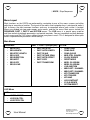
A part contains the following data:
•
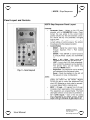
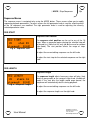
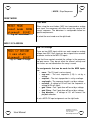
Step Notes – Each of the 16 steps for a part can be set to the following:
◦ Notes – A four octave + 1 (49 values) range of notes is possible. The available notes are
based on the currently selected scale and octave span.
◦ RAND – Each time the step plays a note will be randomly chosen. The current scale and
octave span will be observed when selecting the random note.
◦ NONE – The step will not be played. If the gate time is set high enough the previous step will
carry over (tie) to this step.
◦ REST – Previous note will be stopped but no new note will be started.
•
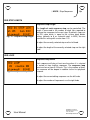
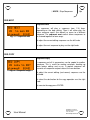
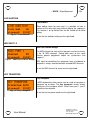
Gate Length – The gate length affects how long notes will play on each step. The setting can
range from 1-48 clock ticks. This setting affects all steps in the part.
•
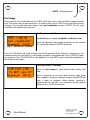
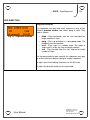
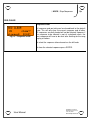
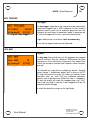
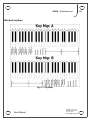
Scale – The scale affects which notes are available when entering or editing notes for a part. The
selected scale can also non-destructively affect playback of existing sequences by causing notes
to be quantized to a different scale than that used while entering them. This only affects playback
and does not modify the underlying notes stored in the part. Note names shown on the LCD are
always related to C being the starting note, however the part can be transposed into any key.
Available scales are as follows:
◦ chromatic
- C, C#, D, D#, E, F, F#, G, G#, A, A#, B, C
◦ major
- C, D, E, F, G, A, B, C
◦ nat minor (natural)
- C, D, Eb, F, G, Ab, Bb, C
◦ har minor (harmonic)
- C, D, Eb, F, G, Ab, B, C
◦ whole
- C, D, E, F#, G#, A#
◦ pentatonic
- C, D, E, G, A
◦ diminished
- C, D, Eb, F, F#, G#, A, B
◦ level
- semitones from 0-48 (4 octaves + 1)
•
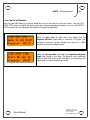
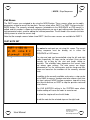
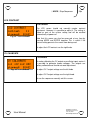
Octave Span – The octave span sets the number of octaves from 1-4 that will be played. This is
used when entering or editing notes for a part. It can also be used when playing back a sequence
to reduce the range of notes. This is performed non-destructively. Notes outside the currently set
range will be transposed to fit within the range.
•
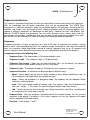
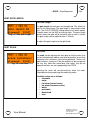
Note Offset – The note offset is used to transpose all notes in a part up or down 12 semitones.
User Manual
Hardware Version B
Firmware Version 1.0x
June 20, 2011
© 2010 Kilpatrick Audio