1
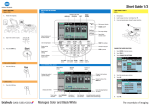
PRINTER Basic printing In a Windows environment This section explains how to print a document from "WordPad", which is a standard accessory application in Windows. 1 Select [Print] from the [File] 2Select the printer driver for menu the machine and click the [Preferences] button  3Click the [Paper] tab and select 4Click the [OK] button to   the paper size start printing  *Make sure the paper size is the same as the paper size set in the application. For Mac OS X environments The following example explains how to print a document from the standard accessory application "TextEdit" in Mac OS X. 1Select [Page Setup] from the [File] menu and select the printer  2Configure paper and click the [OK] button 3Select [Print] from the [File] menu. Make sure that the correct printer is selected.  4Print settings 5 Click the [Print] button to start printing  • Different types of paper sheets can be inserted for covers, etc. • For Windows environments, different paper can be inserted into the specified page, or the paper can be inserted as inserts. 21 PRINTER