1
6.
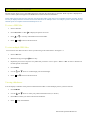
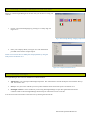
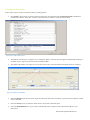
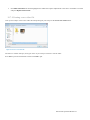
At the end of the import process you will be asked if you want to delete the source inspection files from your removable
storage device. Press Yes to delete the source JOBS folder and all its subfolders.
Warning: Deleting the JOBS folder from your memory storage is an action which cannot be undone. Use with caution.
10.4.2 Reviewing your Jobs
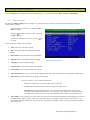
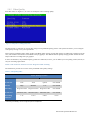
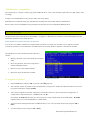
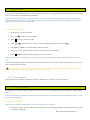
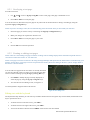
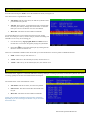
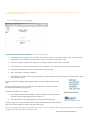
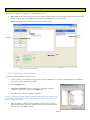
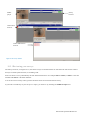
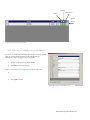
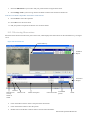
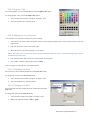
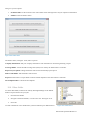
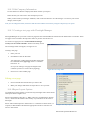
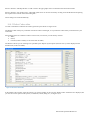
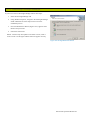
Use the Jobs screen, see Figure 10.9, to review all the Jobs stored on your PC:
1.
Click the name of the client you want to review. A list of all the sites
belonging to the client will appear underneath.
2.
Click on the name of the site you want to review. A list of the surveys
belonging to the site will appear.
The reports for this Site will be listed in the “Report” window and the
“Surveys” Tab will show surveys at this Site.
Editing a client/site
Figure 10.9: Jobs Screen
1.
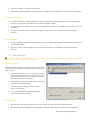
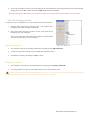
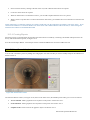
You can edit a client/site by selecting the desired record and pressing Edit Client/Site.
2.
A form will open which will allow you to modify the client/site records.
3.
Press Save to confirm your changes or Quit to cancel
Deleting a client/site
1.
You can delete a client/site by selecting the desired record and pressing Delete Client/Site.
2.
A warning window will open up. Press Yes to delete your records or No to cancel
CAUTION: Deleting a client will permanently delete every job (i.e. sites and surveys) associated with this client. Deleting a
site will permanently delete all the surveys associate with this site. Use with caution.
GatorCam4 Operation Manual 61

![1 No modo parado, prima [SETUP].](http://vs1.manualzilla.com/store/data/006083259_1-3de954a1ad61f9876a0e4f81f9c2cd22-150x150.png)