1
Contents
Environmental note
Important safety information
Specifications
Product and aperture dimensions
Cooling fan
Product specifications
Standard accessories
Electrical details
Control panel
4
5–7
8 – 11
8
8
8-9
9
9
10 -11
Using your oven
Before first use
Initial start up and setting the operating language
Demonstration mode
Setting the time of day
Turning on the appliance
The oven light
The safety lock
Setting the minute minder
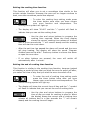
Setting the cooking time function
Setting the end of cooking time function
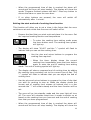
Setting the start and end of cooking time function
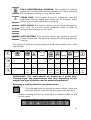
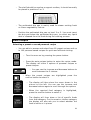
Cancelling a timer function
Oven functions
Selecting a cooking function and temperature
Residual heat
Cooking guidelines
Warnings
Steam cooking
Steam cooking guidelines
Steam cooking at 100°C
Steam cooking at 130°C (reheating)
230°C professional cooking
Steam puff
Steam cooking
Pause function
Accessories
Auto-recipes
Selecting a preset or saved personal recipe
Saving a personal recipe
Deleting personal recipes
11
11
12
12
12
13
13
13
14
15
15
16
17
17
18
19
19
20
21
21
21
22
22
23
24
25
25
26
26
28
28
Cleaning and maintenance
Oven cavity cleaning cycle
Steam circuit cleaning cycle
Replacing the oven bulb
Removing the oven door for cleaning
Installation
Electrical connection
Installing the oven into the kitchen cabinet
Positioning the appliance
Ventilation requirements
Installing the drip catcher
My appliance isn’t working correctly
Baumatic consumables
Contact details
29
30
31
33
34
35
35
36
36
37
38
39
41
42
-21
-14
-16
-17
-18
-19
-20
-21
-26
-23
-26
-29
-28
-29
-35
-31
-32
-35
-38
-36
-40
3