1
Interfaces
You have the option of using the PC for monitoring and controlling the calibrator via the interfaces (RS232 and USB). In
control, measurement and automatic mode, a cyclical issue of the current device status can be switched on and off. Ausgabeintervall ist dabei 1 Sekunde.
> USB
The PC can access through the USB interface on the calibrator (Virtual Com Port). The control via USB is not different
from the control via RS232.
> RS232
For the connection of RxD, TxD and GND are required. The PC will be connected via a gstraight interface cable (1:1, male à
female).
> Settings
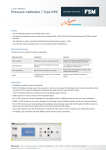
Push the UP/ DOWN button till SETTINGS is shown on the display and confirm with OK. Then push UP/ DOWN till RS232/
USB is displayed. The following settings can be made:
•
•
•
•
•
AKTIV: If a interface is required, choose of the indiviual interface (USB, RS232 und -------)
BAUD: Choose of the correct Baudrate (1200, 2400, 4800, 9600, 14400, 19200, 28800, 38400, 56000, 57600)
DATA-BITS: Default value (8)
STOP-BITS: Default value (1)
PARITY-BITS: Default value (N)
> Drivers
You can get the current interface drivers (Windows, Linux, Mac OS) on:
•
Homepage URL: http://www.ftdichip.com
•
Download URL: http://www.ftdichip.com/Drivers/VCP.htm (FTDI Homepage --> Drivers --> VCPDrivers)
•
Installation guide: http://www.ftdichip.com/Documents/InstallGuides.htm (FTDI Homepage --> Documents --> Installation Guides)
> Interface commands
All interface commands are preceded by a colon and the carriage return (CR) complete.Command and parameters must
be separated by a space. By appending a question mark at the respective command can otherwise be read to changing
parameters. Receptions commands are acknowledged with „OK“, and missing or incorrect commands with „ERROR“. You
can get the interfaceprotocol directly from [email protected] anfordern.
www.fsm.ag