1
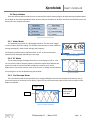
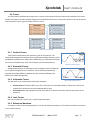
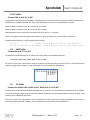
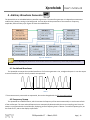
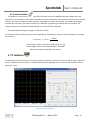
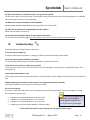
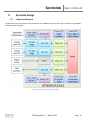
Xprotolab User’s Manual 3.5 Parallel Decoding Shows the hexadecimal value of the 8 bit digital input lines. The hexadecimal number is shown below the last digital trace. If all the 8 digital traces are enabled, then there is no space to show the parallel decoding. Figure 38: Parallel Decoding 3.6 Serial Decoding Shows the hexadecimal value of the stream of bits on each channel. The decoding starts at the first vertical cursor and ends at the second vertical cursor, 8 bits are decoded. If the cursors are disabled, then the decoding is done from the start of the screen, to the end. The data can be decoded MSB first or LSB first, depending on the position of the first vertical cursor. Figure 39: Serial Decoding 3.7 Protocol Sniffer When the Xprotolab is in Sniffer mode, a small text appears on the screen, indicating where to hook up the signals. As soon as the data is received, the data is displayed in "pages". There are 16 pages of data. To browse thru the pages, use the buttons K2 and K3. In the UART and SPI sniffers, the data can be displayed in HEX or ASCII, press K2 and K3 simultaneously to toggle between them. If using ASCII, note that letters will be always uppercase, and only codes 0x20 thru 0x7A will show valid characters. To stop and start the sniffer, press the K1 button 3.8 Sniffers Modes Normal mode: Continuous operation, when the buffer is filled, all pages are erased and the index goes back to page 1 Single mode: The sniffer will stop when the buffer is filled. Circular mode: New data will be placed at the end of the last page and older data will be shifted towards the first page DS-Xprotolab-1.7 - March, 2012 Page | 20