1
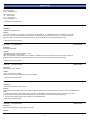
general info
Solution ID
TAUS0608219EN00
Solution Usage
37
Description
Parts Department information.
Solution
A dealer or end user can obtain parts directly from Konica by calling the Parts Department at 1-800-284-5555. The end user can order parts using a credit
card.
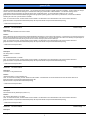
Solution ID
TAUS0603556EN00
Solution Usage
26
Solution Usage
26
Description
Power consumption data for all models.
Solution
To view power consumption data for warm-up, standby, and running modes, click on the link below:
Power Consumption Data
Note: To view the PDF, Acrobat* Reader must be installed. Acrobat Reader can be downloaded for free from the Adobe* Web site at:
[[http://www.adobe.com/products/acrobat/readstep2.html| URL http://www.adobe.com/products/acrobat/readstep2.html]]
* Trademark ownership information
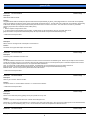
Solution ID
TAUS0603899EN00
Description
Recommended transparencies for copiers and printers.
Solution
All Konica copiers and printers (except those listed below) use the standard transparency (PCUA 946427 equivalent to the 3M* type PP2500 (688/503).
Models 4065, 6090, 6090M and 7090S/RF should use (PCUA 946428), which is thicker and is equivalent to the 3M type PP2410 (703/536) which has a paper
back to actuate the light sensors. The lead edge white strip type is not recommended for these models.
The model 9028 and 7728 should use only (PCUA 947923). Use of the OHP mode and an external fuser is necessary for colors to be transparent.
Note: Feed transparencies from the bypass tray one sheet at a time for best results.
* Trademark ownership information
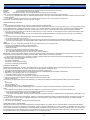
Solution ID
TAUS0603293EN00
Solution Usage
23
Description
Recommended EPROM programmer.
Solution
The AllWriter* Device Programmer is recommended.
System Requirements:
PC with a minimum hardware and software configuration as follows:
1. 486-33 SX
2. Microsoft Windows 95*
3. 8MB RAM
4. 4MB free hard disk space
Features:
1. Fastest baud rate of 230400 for the serial port (dependant on computer).
2. Parallel port support. This mode is typically faster than serial. The parallel interface is based on the IEEE 1284 high-speed specification.
3. The Chip List can be viewed without operating the programmer.
4. The software has a demo function, which allows you to work with the software without a programmer connected.
5. An auto-connect function bypasses the Communication Screen setup.
Note: The auto identify feature contained in the APRO* programmer (NLA) is not available at this time. Plans of releasing new software with this feature is
forthcoming.
To order, send or fax a standard Konica B-439 or B-439F (for fax) parts order form to:
System General Corporation
163 South Main Street
Milpitas, CA 95035
Tel: (800) 967-4776 or (408) 263-6667
Fax: (408) 262-9220
E-mail: [email protected]
Do not mix other parts with this order. System General will ship the order to you directly, and Konica will add the charge to your monthly parts invoice.
Copyright 2006, Konica Minolta Business Solutions U.S.A., Inc.
October 2006
2