1
Quick
Sta rt
Programming to Operator
Set-Up
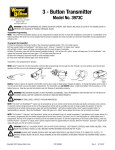
NOTE: Any of the three transmitter buttons
can be programmed to activate the door. In
multi-door installations, each button can be
programmed to activate a separate door. Only
one button at a time (per-transmitter) can be
programmed to activate a door.
Transmitter
Buttons
To program the transmitter:
1.Place the emergency disconnect handle in
the manual door operated position. This is for
safety reasons.
2.Press program button on DoorMaster™
light fixture, idrive®, prodrive™, Quantum™ or
Classicdrive™ operator. LED will light or idrive®
operator will beep once indicating that it is
ready to learn a transmitter.
3.Within 30 seconds, press and hold the
desired transmitter button(s); LED will turn
off or idrive® operator will beep once. On the
DoorMaster™ only, release the transmitter
button and press again. LED will light briefly
then turn off.
4.Return the emergency disconnect handle to
motor operated position.
program
Button
idrive® torsion
program
Button
idrive® torquemaster
5.Press same transmitter button(s) again; door should operate.
Transmitter is now programmed to operator.
6. To OPERATE, press the transmitter button.
program
Button
doormaster
program
Button
quantumTM & Classic &
proDrive
NOTE: idrive® model only: The first transmitter
command after programming will only open the
door through a six inch up/down cycle. Normal
door operation will then occur on all subsequent
transmitter commands.
3