1
User’s Manual
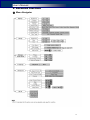
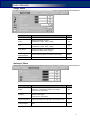
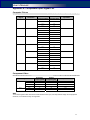
② List of Menu Functions
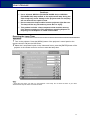
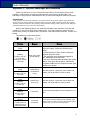
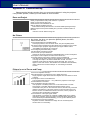
The projector has multilingual on-screen display menus that allow you to make image
adjustment and change a variety of settings.
Top Menu
Sub Menu
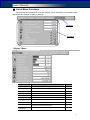
“Display” Menu
Sub Menu
Function
Brightness
Set the brightness of the image.
Default
50
Contrast
Set the difference between light and dark areas.
50
Keystone
Correct the keystone distortion.
0
Volume
Adjust the volume.
Aspect Ratio
Select the video aspect ratio.
0
Native
Backdrop Color
Select the screen color while having no source.
Blue
Scaling Options
Select how the picture fits on the screen.
White Peaking
Increase the brightness of white areas.
Select the factory presets optimized for various types
of image to suit your surroundings.
Scene Mode
Color
Temperature
Adjust the overall tint of the image.
Native
10
Computer
Standard
17