1
Manual revision 007
Section 4: Deploying and Operating SBE 16plus-IM V2
SBE 16plus-IM V2
Combo Sampling
Combo Sampling combines Autonomous Sampling with the ability to retrieve
the last data sample from each SBE 16plus-IM V2, to look at data without
stopping the sampling. As in Autonomous Sampling, the 16plus-IM V2 wakes
up, samples data at pre-programmed intervals, stores the data in its FLASH
memory, and powers-off (enters quiescent state).
When desired, the user can request the last stored data sample from a particular
16plus-IM V2. There are two ways to get the last stored sample:
•
From a specific 16plus-IM V2 - use #iiSL.
•
From all 16plus-IM V2s - use GData (send SendGData if using IMM),
which is a global command to each 16plus-IM V2 to hold the last data
sample in its buffer. Then, send !iiData to each 16plus-IM V2 to transmit
the last data sample from its buffer.
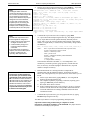
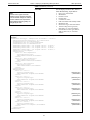
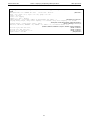
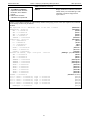
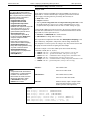
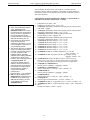
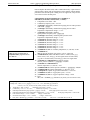
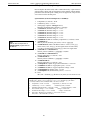
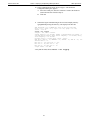
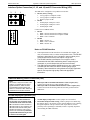
Example: Combo Sampling (user input in bold)
Set up all 16plus-IM V2s as shown above for Autonomous Sampling.
After logging begins, look at data from last sample to check results:
(Select Connect in SeatermIM’s Communications menu to connect and wake up all 16plus-IM V2s.)
#01SL
#02SL
#03SL
PWROFF
OR
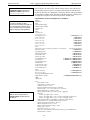
If using the IMM and want to retrieve data from all IM instruments on line:
(send FCL to reserve the IM line by transmitting a carrier signal, and send SWT to send a wake-up tone to all
instruments on line.)
SENDGDATA
!01DATA
!02DATA
!03DATA
PWROFF
OR
If using the SIM and want to retrieve data from all IM instruments on line:
(Select Connect in SeatermIM’s Communications menu to connect and wake up all 16plus-IM V2s.)
GDATA
!01DATA
!02DATA
!03DATA
PWROFF
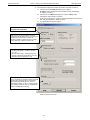
Upload all data as shown above for Autonomous Sampling.
38