1
Notes on Safety
Navigating the functions
Caution
Display Modes
●● Do not exceed the maximum load of 10A / 2400W either with a single appliance or with a group of appliances connected via a power board.
If left for 1 minute the power meter will revert to ‘Time / Watts / Cost’ mode. To
switch modes, press the [ Function button2]. Please note: ‘kWh’ and cost
data will not accumulate when consumption is below ~2.5 watts.
●● Do not plug 2 or more ENERGY Watch Monitors together.
●● For indoor use only.
●● Always ensure the plug of any appliance is inserted fully into the ENERGY
Watch Monitor
Time / Watts / Cost (Fig.1)
Top display: This number refers to how long the appliance
has been plugged into the power meter. The time does not
automatically reset when the appliance is unplugged. To restart the timer press [ Reset button4].
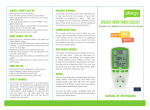
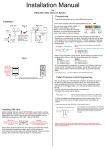
Parts and Usage
Middle display: This is an instantaneous reading of how
many watts the appliance is using.
Reading the display
Top display: This number refers to
how long the appliance has been
connected to the meter. Data is
stored when unplugged. To restart
the timer press [ Reset button4].
Middle display: A reading of volts
(V), amps (A), watts (W) or kilowatt
hours (kWh) depending on what
function is selected. The function
selected is determined by the symbol shown under the number.
LCD1
Lower display: This display
changes depending on what function is chosen.
Cost
button3
Function
button2
Up button
5
Reset
button4
Down
button6
Battery back-up
There is a 3.6V rechargeable battery installed inside the ENERGY
Watch Monitor. It allows for the storage of data when the meter is not
plugged in.
Using the ENERGY Watch Monitor
Plug the meter into a power outlet and then plug an appliance or power board
into the ENERGY Watch Monitor. The ENERGY Watch Monitor’s functions can
be selected by pressing the [ Function button2]. [ Cost button3] is a shortcut to the time / cost function.
To set the cost, hold down [ Cost button3]. Blinking numbers indicate the
cost is ready to be changed. Use [ Function button2] to navigate between
the dollars and cents and use [
5] and [
6] to select figures. Press [
Cost button3] when finished.
Fig.1
Lower display: This shows you the cost of running an appliance over time. Cost can only be calculated after the cost is
set (see previous page).
Kilowatt Hours (Fig.2)
Middle display: This is a cumulative reading of kilowatt hours
(kWh) that the appliance has used over the time shown in the
top display.
Lower display: The number of days that the appliance has
been plugged into the power meter.
Fig.2
Voltage / Frequency (Fig.3)
Middle display: Voltage reading in Volts.
Lower display: Frequency reading in Hertz.
Amps / Power Factor (Fig.4)
Middle display: Current reading in Amps.
Lower display: This is an instantaneous
reading of the Power Factor.
Fig.3
Fig.4
Minimum Wattage (Fig.5)
Middle display: This number refers to the lowest power consumption (in watts) of an appliance since the last reset (the
lower display reads ‘Lo’).
To clear the readings from a previous appliance, see ‘Data Clearance’ section
on the back page. If the meter is not responding, or to do a master reset, press
[ Reset button4] with the tip of a pen or pencil.
Fig.5