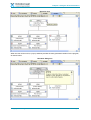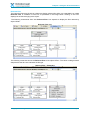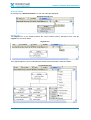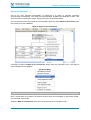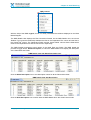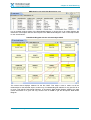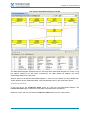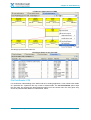
1
X-ANALYSIS PROFESSIONAL
T U T O R I A L
Software Version: 10.0
This product requires a security code to activate it.
For Security Code, please call Databorough
N.America: +1 514-747-7007
Toll Free: 1 800-361-6782
Europe:
(44) 1932 848564
Alternatively contact Databorough by email at:
[email protected]
Or
[email protected]
Unit 12b, Haland House,
66 York Road,
Weybridge,
KT13 9DY, UK
Telephone: (01932) 848564, Facsimile: (01932) 85921 1
© Copyright 2013. Databorough Ltd. All rights reserved
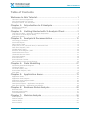
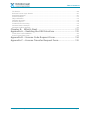
Table of Contents
Table of Contents
Welcome to this Tutorial .................................................................... 1
How this Tutorial is Organized? ........................................................................................................... 1
Who Should Read This Tutorial ........................................................................................................... 1
Acronyms Used in This Document ....................................................................................................... 2
Chapter 1:
Introduction to X-Analysis .......................................... 3
Chapter 2:
Getting Started with X-Analysis Client ..................... 5
Benefits of X-Analysis# ......................................................................................................................... 4
Prerequisites* ...................................................................................................................................... 4
Take the First Step – Select the X-Analysis Perspective ...................................................................... 6
Instructions to fill the Signon dialog .................................................................................................... 7
Application Library ............................................................................................................................... 8
Chapter 3:
Analysis & Documentation ........................................ 10
Chronology of Features...................................................................................................................... 11
Work with Objects ............................................................................................................................. 11
Object Where Used ............................................................................................................................ 14
Export List to PDF, Microsoft Word, or Microsoft Excel ..................................................................... 15
Data Flow Diagram / DFD .................................................................................................................. 15
Variable Where Used ......................................................................................................................... 23
Structure Chart Diagram / SCD ......................................................................................................... 26
Detailed Structure Chart .................................................................................................................... 30
Hierarchal Structure Chart ................................................................................................................. 31
Document Manager............................................................................................................................ 36
Source Browser .................................................................................................................................. 49
Source Browser Toolbar..................................................................................................................... 51
Other Options on the Source Browser ............................................................................................... 58
Chapter 4:
Data Modelling ............................................................ 67
Generating Data Model Diagram ....................................................................................................... 68
LFs/Access Paths................................................................................................................................ 72
File Field Details / FFD ....................................................................................................................... 73
Access Path Diagram / APD ............................................................................................................... 74
View Data........................................................................................................................................... 76
Chapter 5:
Application Areas ........................................................ 79
Application Areas ............................................................................................................................... 80
Application Area Diagram .................................................................................................................. 81
Application Area Diagram Details ...................................................................................................... 82
Area Flow Diagram ............................................................................................................................ 83
Data Model Diagram – Application Area Specific ............................................................................... 84
Data Flow Diagram – Application Area Specific ................................................................................. 86
Chapter 6:
Business Rules Analysis ............................................. 88
Business Rules ................................................................................................................................... 89
Business Rules Overlay ...................................................................................................................... 91
Consolidated Rules............................................................................................................................. 92
Chapter 7:
Metrics Analysis .......................................................... 96
Audit Options ..................................................................................................................................... 97
Metrics Analysis.................................................................................................................................. 98
Metrics History ................................................................................................................................. 101
Screen Metrics ................................................................................................................................. 104
© Copyright Databorough Ltd. 2013
Page i
Table of Contents
File Metrics ....................................................................................................................................... 106
Business Process Logic Metrics ........................................................................................................ 107
Specialized Analysis ......................................................................................................................... 107
Problem Analysis .............................................................................................................................. 114
Object Allocation .............................................................................................................................. 115
Database Summary.......................................................................................................................... 116
Summary Report .............................................................................................................................. 116
Initialize Source Archiving ................................................................................................................ 119
Generate Metrics Analysis ................................................................................................................ 120
Generate Problem Analysis .............................................................................................................. 120
Chapter 8: What’s Next ............................................................... 121
Appendix A – Enabling the SEU Interface ................................... 122
Create User Profile XAN4SEU ........................................................................................................... 122
Press F10 and Page Down ............................................................................................................... 122
Appendix B – License Code Request Form.................................. 124
Appendix C – License Transfer Request Form............................ 125
© Copyright Databorough Ltd. 2013
Page ii
Welcome to this Tutorial
Welcome to this Tutorial
This tutorial is a handy, stepwise, illustrative guide especially designed to familiarize you with the
practical benefits of the X-Analysis product suite.
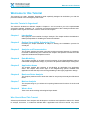
How this Tutorial is Organized?
The tutorial is divided into different chapters. Chapters 1 and 2 introduce you to the sophisticated
X-Analysis software. Chapters 3 to 7 comprise comprehensive details of the X-Analysis solution sets.
Chapter 8 offers a glance at what is more to come from X-Analysis.
Chapter 1
Introduction
Get a glimpse of the benefits of using X-Analysis. The chapter outlines the hardwarerelated prerequisites for installing the advanced software.
Chapter 2
Getting Started With X-Analysis Client
Provides you simple delineation of steps to starting the initialisation process for
X-Analysis
Chapter 3
Analysis and Documentation
This chapter explains the latest computing and documenting features of X-Analysis.
For better understanding of the features, the chapter uses specific screenshots of the
respective windows and dropdown menus.
Chapter 4
Data Modelling
The chapter provides an in-depth, pictorial overview of how Data Modelling helps to
understand the application design, in purview of all possible relationships among files.
Chapter 5
Application Areas
The chapter clarifies the necessity of sub-dividing an application into application
areas. The chapter also throws light on the diagramming options available with
application areas that help in the thorough detailing of the legacy application design.
Chapter 6
Business Rules Analysis
This chapter presents the two tools that make for easy and quick analysis of Business
Rules.
Chapter 7
Metrics Analysis
This chapter brings to you advanced computing features and functions of the X-Audit
module.
Chapter 8
What’s Next
Take a look at the exciting technological days ahead!
Who Should Read This Tutorial
Software professionals–from analysts and developers to architects and operations teams–who intend
to analyse, document, or modernize AS/400 IBM i applications–will find this tutorial very useful.
© Copyright Databorough Ltd. 2013
Page 1
Welcome to this Tutorial
Explore this tutorial and gain insight into the inimitable facets of X-Analysis that equip users with rich
understanding of existing legacy applications.
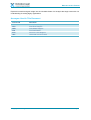
Acronyms Used in This Document
ACRONYM
MEANING
APD
DFD
DMD
FFD
SCD
HSC
Access Path Diagram
Data Flow Diagram
Data Model Diagram
File Field Details
Structure Chart Diagram
Hierarchal Structure Chart
© Copyright Databorough Ltd. 2013
Page 2
Chapter 1: Introduction to X-Analysis
Chapter 1:
Introduction to X-Analysis
Get to know X-Analysis – the advanced and easy-to-use analysis tool. Learn
about the tool‟s instant and automated features viz. impact analysis, crossreferencing, and graphical documentation of RPG and COBOL applications.
Also, get updated on the hardware prerequisites needed for successful
installation of the software.
© Copyright Databorough Ltd. 2013
Page 3
Chapter 1: Introduction to X-Analysis
Benefits of X-Analysis#
Databorough's X-Analysis product suite is an essential tool for IBM i application documentation,
design recovery, and re-engineering. The X-Analysis software works as a plugin under IBM's RDi /
RDp / WDSC and Eclipse, enabling users to browse and visualize applications from a high-level
model down to individual lines of code. This globally renowned tool is packed with features like RPG
& COBOL as pseudo code, variable level impact analysis, graphical flow/structure charts, graphical
data flowcharts, PDF/MS Word and MS Visio documentation wizards. X-Analysis allows technical
analysts to navigate graphically through an IBM i application from a Windows PC. Working in a true
client-server mode, X-Analysis automatically cross-references databases and ensures that the display
is always up to date and a true representation of the application on the IBM i.
Prerequisites*
Before starting this tutorial, the following are required:
»
»
The X-Analysis server and the Client components should be installed to an IBM i server and a
Windows PC, respectively.
The demo library – XAN4CDEM, and its cross-reference library – XAN4CDXA, should be
successfully restored on the IBM i.
# X-Analysis release 10.x onwards is digitally signed.
*For details on how to implement these prerequisites, please refer to the X-Analysis User Manual.
Note: This tutorial only teaches the usage of the tool and not topics like Initialisation, Reengineering, etc.*
Note: Since the product is being continuously improved, you might notice some differences
in the screens.
© Copyright Databorough Ltd. 2013
Page 4
Chapter 2: Getting Started with X-Analysis Client
Chapter 2:
Getting Started with X-Analysis Client
The chapter gives you the sequence of steps to get started with the software.
There are simple guidelines that accompany individual screenshots, making
the activation process easy to understand.
The chapter contains:
» Take the First Step – Select the X-Analysis Perspective
» Instructions to fill the X-Analysis Signon dialog
» Expanded Application Library
© Copyright Databorough Ltd. 2013
Page 5
Chapter 2: Getting Started with X-Analysis Client
Take the First Step – Select the X-Analysis Perspective
Start IBM's RDi / RDp / WDSC/ or Eclipse 3.2 and above.
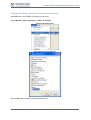
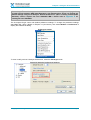
Select Window > Open Perspective > Other > X-Analysis
Open Perspective menu
Select X-Analysis Perspective
Click the OK button to start the X-Analysis Perspective.
© Copyright Databorough Ltd. 2013
Page 6
Chapter 2: Getting Started with X-Analysis Client
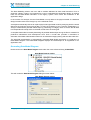
X-Analysis Perspective
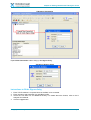
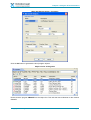
Expand New Connection node to bring up the Signon dialog.
X-Analysis Signon dialog
Instructions to fill the Signon dialog
1. Enter TCP/IP address / Computer Name of the IBM i to be accessed.
2. Enter username and password of a valid IBM i profile.
3. Check the „Use SSL‟ box for additional security. For details about the feature, refer to the XAnalysis User Manual.
4. Click the Login button.
© Copyright Databorough Ltd. 2013
Page 7
Chapter 2: Getting Started with X-Analysis Client
After a successful signon, X-Analysis Client displays a list of application libraries. These libraries are
initialised using the master command X4WRKAPP on IBM i.
Application Library
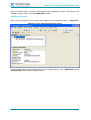
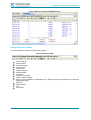
When used for the first time the X-Analysis Client displays only one application library – XAN4CDXA.
X-Analysis Client displaying Application Library
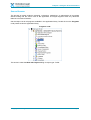
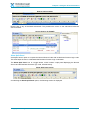
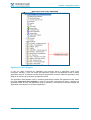
Different nodes (options) are available under the cross-reference library node – XAN4CDXA. Expand
the XAN4CDXA node to see the available options.
© Copyright Databorough Ltd. 2013
Page 8
Chapter 2: Getting Started with X-Analysis Client
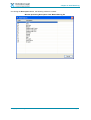
Application Library expanded
© Copyright Databorough Ltd. 2013
Page 9
Chapter 3: Analysis & Documentation
Chapter 3:
Analysis & Documentation
Continual technical enhancements, syntax, variations in programming styles,
financial and time constraints, absence of original application designers,
and/or monolithic application codes are some reasons that necessitate
changes in the existent application designs. System analysts or software
professionals must be equipped with the technological knowhow for
redesigning business applications.
The X-Analysis toolset meets the requirements mentioned above. It is
patterned to convert all IBM i applications into the latest format. This software
suite
has
precise
tools
for
conducting
advanced
application
and
documentation work.
In this chapter, you will learn about the specialized Analysis & Documentation
solution set. The features and options discussed here provide prompt and
automated documenting and computing solutions.
The chapter contains:
»
»
»
»
»
»
»
»
»
»
»
© Copyright Databorough Ltd. 2013
Chronology of features
Work with Objects
Object Where Used
Export List to PDF/MS Word or MS Excel
Data Flow Diagram
Variable Where Used
Structure Chart Diagram
Detailed Structure Chart
Hierarchal Structure Chart
Document Manager
Source Browser
Page 10
Chapter 3: Analysis & Documentation
Chronology of Features
The Analysis & Documentation solution set is a sophisticated tool for instant and automated crossreferencing, impact analysis and graphical documentation of Synon/2E, RPG, and COBOL
applications. All the functionality above (and more) is contained in the following separate features,
explained in this tutorial:
Work with Objects – It is a list of all the objects in a chosen application or application area.
Object Where Used – It is a list of all usage references for an object.
Export List to PDF/Microsoft Word or Microsoft Excel – The option to export data to MS
Excel or a PDF/MS Word.
Data Flow Diagram – It is an interactive, colour-coded bus routing block diagram for
displaying an object relationship within an application.
Variable Where Used – It is a list of all source lines from the source members, which have
references to field/variable of a file or program. This includes lines from device files, and
copybooks.
Structure Chart Diagram – It is a graphic display for showing program-to-program
relationships.
Detailed Structure Chart Diagram – It is a graphic display for showing program-to-program
relationships with files used by each program. It also displays each program‟s generated
program text.
Hierarchal Structure Chart Diagram – Colour-coded bus routing block diagram, which
enhances the visual of program-to-program interrelationships. The user gets an exact idea of
the hierarchal set-up of the programs.
Document Manager – A utility that automatically generates structured system document in
PDF / MS Word format.
Source Browser – It is an interface for system analysis, reviewing, re-factoring, maintaining,
and redeveloping in source code.
Source Browser Toolbar – This toolbar contains a list of different options for viewing code
within the Source Browser, such as Pseudo Code and Source View Level options etc.
Other Source Browser Options – These are the other essential Source Browser options.
Work with Objects
Work with Objects displays a list of all the objects for a chosen application / application area.
To generate the Object List for all files, double click on the Files node available under the application
library.
© Copyright Databorough Ltd. 2013
Page 11
Chapter 3: Analysis & Documentation
X-Analysis displaying Files node
The double click action invokes the Work with Objects dialog with „Type‟ set as *FILE and „Attribute‟
as PF.
© Copyright Databorough Ltd. 2013
Page 12
Chapter 3: Analysis & Documentation
Work with Objects dialog – Files
Click the OK button to invoke the Object List window displaying all files.
Object List window displaying all Files (PF)
The Object List window is a multicolumn display. In this window, a user can sort a column data with a
single click of a column heading.
© Copyright Databorough Ltd. 2013
Page 13
Chapter 3: Analysis & Documentation
Object Where Used
The Object Where Used feature generates a list of all usage references for an object.
To make an Object Where Used list for the object CUSF, locate and select the object CUSF from the
Object List. Right click on CUSF and select the option Usage References from the submenu Object
Where Used. This brings up the Object Where Used list for the Usage References of the object
CUSF.
Object Where Used
The Object Where Used window is a multicolumn display. The Usage column displays uses of the
object CUSF in a particular object. The Object Where Used window also allows a user to drill down to
a specific line of code where the object is used.
Scroll down to the object CUSTMNT1 in the Object Where Used window, displayed below.
Object Where Used with CUSTMNT1 selected
Double click on the row displaying CUSTMNT1. This retrieves the source member for the object
CUSTMNT1 with the highlighted line referring to the object CUSF.
© Copyright Databorough Ltd. 2013
Page 14
Chapter 3: Analysis & Documentation
Drill down to an individual line for the Object Where Used Reference
Export List to PDF, Microsoft Word, or Microsoft Excel
X-Analysis provides a facility to export data from any displayed window. The window toolbar on the
„Object Where Used‟ view has an Export Options dropdown button, with Export to PDF and Export
to MS Excel as options.
Select your desired option to export the list into PDF/MS Word or Excel.
The user can set the export option as Export to MS Word using the X-Analysis Preferences.
For the settings to take effect, the user must select/unselect the X-Ref.
Export Options icon on Object Where Used
Data Flow Diagram / DFD
As the name suggests, a Data Flow Diagram or DFD is the diagrammatic representation of the data
flow. A DFD depicts all the possible interrelationships among the files and programs contained within
a particular application. A colour-coded DFD simultaneously plays the dual role of showing the data
flow at high object level, besides providing contextual details regarding specific variables and
parameters passed between objects.
The DFD uses bus-routing layout, which offers the user two benefits. One, it gives the user a precise
idea of where and how the data that is input affects the output desired; two, it enables the user to
visualize how an object within an application correlates with the other objects. The diagrams showing
the data flow in neat blocks help even a non-technical user get a clear idea of the object(s)
interrelationships.
For generating the DFD, the user has to return to the Object List using the navigation arrows available
on the Eclipse toolbar. The user must select the object CUSF, and then choose the Data Flow
Diagram option from the context menu as shown below:
© Copyright Databorough Ltd. 2013
Page 15
Chapter 3: Analysis & Documentation
Data Flow Diagram option
This brings up the DFD for the object CUSF.
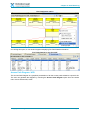
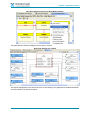
Data Flow Diagram
The DFD is also a graphic equivalent of the „Object Where Used‟ data. Besides the Logical
Views/Access Paths for CUSF, a user can see how CUSF fits into the application (i.e. the programs
that update CUSF, programs that use CUSF as an input file and so on).
The dynamic and interactive diagram facilitates the user with access to other features contained
within an object. There are varied and flexible features and options like Hide/Show Objects,
Expand/Collapse Referenced Objects, View Annotation, Attributes – all of these and more are
explained in the sections ahead.
© Copyright Databorough Ltd. 2013
Page 16
Chapter 3: Analysis & Documentation
Hide/Show Objects
For having a better grasp of object interrelationships, a user may want to hide/show all objects
pertaining to programs. A single click action on the icon alongside the objects enables the user to
hide/show objects. In the following screenshot, the icon against Access Paths is clicked to hide
objects.
Hide Option for Objects
The following screenshot shows how another click displays all the objects within.
Show Option for Objects
Expand/Collapse Referenced Objects
The DFD takes another dynamic form when the user gets to expand the referenced object(s) on
selecting a particular category from the main object‟s box. The following screenshot displays the
action to be performed:
© Copyright Databorough Ltd. 2013
Page 17
Chapter 3: Analysis & Documentation
Expand Referenced Objects
A single click on the arrow icon adjacent to Update Programs reveals all objects updating the file
CUSF. The following screenshot displays the expanded view of the referenced objects‟ list:
Expanded view of Update Programs
View Annotation
The View Annotation option allows the user to see annotation for a specific object. A red icon
denoting Annotated text is present on the right side of the Object (see the following screenshot).
© Copyright Databorough Ltd. 2013
Page 18
Chapter 3: Analysis & Documentation
View Annotation option
Double clicking on the View Annotation icon invokes the Annotation dialog box, displaying the notes
that were written earlier.
The user can further add/modify notes in the Annotation dialog box and click on the Save button.
These notes will be viewable later using the same option.
Annotation dialog
Attributes
The „Attributes‟ feature comprises impacted fields of a particular object. Through these fields, the main
object is referenced.
© Copyright Databorough Ltd. 2013
Page 19
Chapter 3: Analysis & Documentation
Attributes icon
The different objects corresponding to the main object have fields within them. The fields are known
as „Attributes‟ and. these are easily accessible by clicking on the Attributes icon. The term „Attributes‟
changes to related attribute like Input, Update, Output etc. on expanding the Attributes button, as
shown below:
© Copyright Databorough Ltd. 2013
Page 20
Chapter 3: Analysis & Documentation
Attributes Expanded
Detail DFD icon
The user can opt for the Detail DFD icon from the toolbar for viewing field usage of all the objects.
Detail DFD icon
When the user clicks on the Detail DFD icon, the „Attributes‟ section of all the objects gets expanded
displaying referred fields from all objects. The following screenshot displays the detailed DFD screen:
© Copyright Databorough Ltd. 2013
Page 21
Chapter 3: Analysis & Documentation
Detailed DFD View
Legend icon
The Legend icon on the Eclipse toolbar displays the details of the colour scheme used by a DFD.
Click on the Legend icon, as shown below:
Legend icon
The colour scheme helps a user understand the reference and association of specific objects.
Legend Expanded
© Copyright Databorough Ltd. 2013
Page 22
Chapter 3: Analysis & Documentation
Variable Where Used
This option is specifically useful for conducting impact analysis. It returns all source lines, where
field/variable of a file or program is used and/or referenced, in any of the source members. The
source members searched also include device files and copybooks.
From the DFD for CUSF, search and select the object OE002. We can clearly see that the fields used
by object CUSF are CUSNO and PRPCDE. Select CUSNO and opt for Variable Where Used from
the context menu, as shown below:
Variable Where Used option for CUSNO
Select the All References option to invoke the Variable Where Used window for the field CUSNO.
Variable Where Used view for CUSNO
The window displayed above lists all references of field CUSNO from the entire application.
The View Level menu icon is located on the X-Analysis toolbar, and the menu allows for six levels of
Variable Where Used information.
© Copyright Databorough Ltd. 2013
Page 23
Chapter 3: Analysis & Documentation
View Level Menu
The following image shows the expanded View Level menu of the Variable Where Used information:
Expanded View Level Menu
The Default View Level for ‘Variable Where Used’
X-Analysis Preferences (General preferences) window.
option
can
be
set
using
As an example, let us test the View Levels for the field CUSNO.
Level 1: Level 1 lists all direct references to the CUSNO field.
Variable Where Used – View Level 1
© Copyright Databorough Ltd. 2013
Page 24
Chapter 3: Analysis & Documentation
Level 2: Level 2 adds extra indirect references, “one reference removed,” to the Level 1 list. For
example, CUSTOMER is set equal to CUSNO (a direct reference) and then CUSTOMER is a variable
in the statement “IF CUSTOMER = ZEROES” (a one reference removed indirect reference).
Variable Where Used – View Level 2
© Copyright Databorough Ltd. 2013
Page 25
Chapter 3: Analysis & Documentation
Level 3: Level 3 builds on the Level 2 references, adding indirect references that are “one further
reference removed.”
Level 4/Parameters: Level 4 further includes fields used as parameters. For example, in the
statement “CALL LETN (&CUSNO &PREFIX &LETNR)”, CUSNO is a parameter to call LETN.
Variable Where Used – View Level 4
Level 5/Cascading Parameters: Extending the information in Level 4, Level 5 includes references
where CUSNO fields are parameters in a function, called by another function.
Maximum Tracking: Tracks the usage of a variable or a field to its maximum level of indirection.
This is the highest view level also referred as „Maximum Tracking‟. It displays Variable Where Used
information for all the levels mentioned above, as well as any other possible references of the field
CUSNO.
The Variable Where Used option can be opted over a large variety of items including:
Files, Array Definitions, Data Structures, Sub-Fields of a Data Structure, Indicators, Key Lists, Data
Fields, File Formats, Subroutines, Program Variable, Array Elements, Parameter Lists, Parameters,
Key Fields, Message Ids, EXCPT Names, etc.
Structure Chart Diagram / SCD
In order to interpret the application design it is important to have an idea about how the control
transfers from one program to the next. The Structure Chart Diagram or SCD addresses this need by
presenting a graphical diagram. It contains relevant information as per control flow and call structure.
In addition, you can view data input objects and avail of a summarized description of each object.
Important functional aspects like updates, prints, and displays are colour coded to help you quickly
focus on these commonly preferred details.
To create a Structure Chart Diagram, first select the object OE002 from the DFD for the object CUSF.
© Copyright Databorough Ltd. 2013
Page 26
Chapter 3: Analysis & Documentation
Double click on an object to bring up DFD for that object
Double click on the object – OE002 to display its Data Flow Diagram.
Data Flow Diagram for OE002
Select OEMENU and opt for the Structure Chart Diagram option from the context menu.
Context menu on DFD Object
© Copyright Databorough Ltd. 2013
Page 27
Chapter 3: Analysis & Documentation
The Structure Chart Diagram is a nested tree diagram that displays the complete call hierarchy of the
„programs called‟.
Structure Chart Diagram
SCD Legend
The normal view of a Structure Chart Diagram is shown above. The Legend
button available on the toolbar helps to interpret the different colours used in
the Structure Chart Diagram.
X-Analysis also allows annotation on the Structure Chart.
Select an object displayed in the Structure Chart Diagram and opt for the
Annotate option from the context menu.
© Copyright Databorough Ltd. 2013
Page 28
Chapter 3: Analysis & Documentation
Annotate option
This brings up the Annotation dialog. Write your note and click the Save button. The annotation is
stored in a file available in the cross-reference library.
Annotation dialog for the object OEMENU
Re-generate the Structure Chart Diagram to check for any object annotations.
Annotation icon for OEMENU in re-generated Structure Chart Diagram
(Double click on the Annotation icon to bring up the Annotation dialog).
© Copyright Databorough Ltd. 2013
Page 29
Chapter 3: Analysis & Documentation
Detailed Structure Chart
The Detailed Structure Chart Diagram displays files used by each program, together with each
program‟s generated program text. (X-Analysis recovers the generated program text, which describes
the purpose of the listed programs, automatically.)
To generate the Detailed Structure Chart Diagram, click the Show Narratives icon.
Show Narratives icon on toolbar
Detailed Structure Chart Diagram
Click the Normal SCD icon on the toolbar to switch back to the Normal Structure Chart Diagram.
© Copyright Databorough Ltd. 2013
Page 30
Chapter 3: Analysis & Documentation
Hierarchal Structure Chart
The Hierarchal Structure Chart is an upgrade on the Structure Chart Diagram. The Hierarchal
Structure Chart offers a precise view of all the programs representing their control flow and call
structure through neat, colour-coded bus routing block diagrams. Select the Hierarchal Structure
Chart option from the context menu over OEMENU from the Structure Chart Diagram, as shown
below:
Hierarchal Structure Chart option
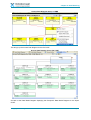
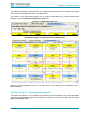
The screenshot below shows the delineation of the main object OEMENU into several blocks of
related objects in the order of calling. The colour codes indicate whether a particular object is
command-based, or input-based, or print-based and so on.
© Copyright Databorough Ltd. 2013
Page 31
Chapter 3: Analysis & Documentation
Hierarchal Structure Chart
Narration
The user can avail of additional details regarding a specific object via the Narratives icon, as shown
below:
© Copyright Databorough Ltd. 2013
Page 32
Chapter 3: Analysis & Documentation
Narration icon
When the user clicks on this, a pop-up window provides the auto-generated narration for the program,
as shown below:
Narration dialog box
© Copyright Databorough Ltd. 2013
Page 33
Chapter 3: Analysis & Documentation
Referred Files
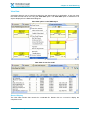
The Hierarchal Structure Chart has a feature to display referred files inline. An expandable icon called
Referred Files is available in each box as presented in the image below. Clicking on this icon
displays list of files belonging to the object.
The following screenshots show how Referred Files icon expands to display the files referred by
object OE001.
Referred Files icon
The following screenshot shows the Referred Files of the object OE001. The colour-coded geometric
shape before the file name indicates the file type.
Referred Files – Expanded
© Copyright Databorough Ltd. 2013
Page 34
Chapter 3: Analysis & Documentation
Show Root Node
By clicking on the Show Root Node icon, the root node gets displayed:
Show Root Node icon
Legend icon
The Legend icon on the toolbar presents the colour scheme used by Hierarchal SCD. Click the
Legend icon, as shown below:
Legend icon
The Legend helps the user to understand the reference and association of specific objects.
Legend Expanded
© Copyright Databorough Ltd. 2013
Page 35
Chapter 3: Analysis & Documentation
Document Manager
One of the most powerful functionalities of X-Analysis is its ability to generate structured
documentation automatically. The inbuilt Document Manager facilitates the generation of PDF / MS
Word document containing the system design information for specified objects.
First, the Objects have to be marked for documentation. Select the option Mark for Documenter from
the context menu over OEMENU.
Mark an Object for Documentation
X-Analysis provides the Mark all for Documenter option under the X-Analysis menu. This flags all
objects displayed in the diagram.
X-Analysis Menu
The ‘Mark all for Documenter’ option is available for all diagrams and lists.
Next, navigate back to the Object List window using the back arrow available on the Eclipse toolbar,
and select the object CUSF.
Select the Mark for Documenter option from the context menu on the object CUSF.
© Copyright Databorough Ltd. 2013
Page 36
Chapter 3: Analysis & Documentation
Mark for Documenter option – Context Menu on CUSF
To start the documentation process, click the Documenter icon available on the toolbar.
Documenter icon on toolbar
This invokes the Document Manager dialog.
© Copyright Databorough Ltd. 2013
Page 37
Chapter 3: Analysis & Documentation
X-Analysis Document Manager
The Document Manager dialog lists all the marked objects for documentation. Use the Move Up /
Move Down / Delete / Delete All buttons to organise Objects/Members on the documenter list.
The Invert Selection button on the Document Manager dialog unselects the selected objects and
selects all the un-selected objects.
After having organised the listed objects, click the Generate Document button. This invokes a
Documenter Wizard.
© Copyright Databorough Ltd. 2013
Page 38
Chapter 3: Analysis & Documentation
System Documentation Wizard – Type and Location
The Type and Location dialog consists of two sections:
System Documentation type
Document Details
The System Documentation type section provides facilities to generate the following types of
documents:
Generate Single System Document: Generates a single PDF/MS Word document.
Generate Individual System Documents: Generates a PDF/MS Word document for each
object.
Generate System Documents using previous values: Generates system documentation
using the options selected in previous instance of system documentation. (This option is only
available for generated system documents).
Select the Generate Single System Document option.
© Copyright Databorough Ltd. 2013
Page 39
Chapter 3: Analysis & Documentation
The Document Details section specifies the document title, generated system document name, and its
location. A user can specify a different file name for the generated PDF/MS Word document and a
different location to save the generated document.
Click the Next button.
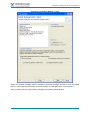
System Documentation Wizard – Specify Contents
This System Documentation Wizard dialog allows a user to choose various features/attributes to be
included in the system document. Select the features/attributes as shown above.
Click the Next button.
© Copyright Databorough Ltd. 2013
Page 40
Chapter 3: Analysis & Documentation
System Documentation Wizard – Specify Sequence
Confirm the sequence of the features / attributes selected for system documentation.
Click the Next button.
© Copyright Databorough Ltd. 2013
Page 41
Chapter 3: Analysis & Documentation
System Documentation Wizard – Finish
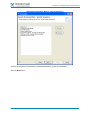
Select the required formatting options available to generate a system document. Click the Finish
button to end configuring the system document contents and start generation of the document.
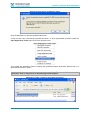
After the system document generation is complete, the following dialog appears:
© Copyright Databorough Ltd. 2013
Page 42
Chapter 3: Analysis & Documentation
System Documentation Completion dialog
Click the Yes button to open the generated document.
A user can also view a previously generated document. To open a generated document, select the
Open Application Folder option from the X-Analysis menu.
Open Application Folder option
This invokes the Application Folder containing the generated system documents. Double click on a
generated document to open it.
X-Analysis also creates a log file under ‘Application Folder’. It logs what the ‘Document
Generator’ does in the process of documenting selected objects.
Application Folder containing generated documents
© Copyright Databorough Ltd. 2013
Page 43
Chapter 3: Analysis & Documentation
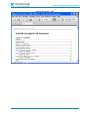
System document – TOC
© Copyright Databorough Ltd. 2013
Page 44
Chapter 3: Analysis & Documentation
System document – Legends
© Copyright Databorough Ltd. 2013
Page 45
Chapter 3: Analysis & Documentation
System document – Selected Options
System document – Object List
© Copyright Databorough Ltd. 2013
Page 46
Chapter 3: Analysis & Documentation
System document – Access Paths
System Document – DFD Annotation
© Copyright Databorough Ltd. 2013
Page 47
Chapter 3: Analysis & Documentation
System Document – DFD
System document – Index
© Copyright Databorough Ltd. 2013
Page 48
Chapter 3: Analysis & Documentation
Source Browser
The process of system analysis, reviewing, re-factoring, maintaining, or redeveloping is incomplete
without looking into the source code of the application. X-Analysis supports some very advanced
features in its Source Browser.
Get the Object List for all programs available in the application library. Double click on the Programs
node present under the application library.
Programs node
This action invokes the Work with Objects dialog for object type „*PGM„.
© Copyright Databorough Ltd. 2013
Page 49
Chapter 3: Analysis & Documentation
Work with Objects dialog – Programs
Click the OK button to generate the list of program objects.
Object List for all Programs
Double click the program CB906R from the Object List. This calls the Source Browser for the member
CB906R.
© Copyright Databorough Ltd. 2013
Page 50
Chapter 3: Analysis & Documentation
Source Browser displaying CB906R source
Source Browser Toolbar
The Source Browser toolbar has the following options:
Source Browser toolbar
Source Options
Source Outline
Show Split Panel
Pseudo Code
Source level
Diagram Options
Generate UML
Flowchart
Screen Components
Screen / Report Design
Zoom in Lpex (available on WDSc/Rdi only) / SEU option (set XA preferences to select the
appropriate option).
More Info
Export Options
Print
View Code
© Copyright Databorough Ltd. 2013
Page 51
Chapter 3: Analysis & Documentation
Source Options
The Source Options menu allows a user to view source in various modes. The default source view is
– Normal Source Code.
Source Options
Indented Source View
Select Indented Source Code option from the Source Options menu. This displays the Indented
Source Code view.
Indented Source Code
Return to Normal Source Code by selecting the Normal Source Code option.
Source Outline
The Source Outline feature displays an outline of the source member. The Source Outline view lists
all subroutines available in the code.
© Copyright Databorough Ltd. 2013
Page 52
Chapter 3: Analysis & Documentation
Source Outline option
Double click on any of the listed subroutines. This positions the cursor on the subroutine inside the
source browser.
Source Outline of CB906R
Show Split Panel
X-Analysis has an option to compare the Normal Source Code with its Business Process Logic code.
This view helps the user to understand the Business Process Logic code better.
The Show Split Panel icon is a toggle button, which invokes a split panel displaying the Normal
Source and the Business Process Logic code, simultaneously.
Show Split Panel option
On selecting the Show Split Panel option, the following window is displayed:
© Copyright Databorough Ltd. 2013
Page 53
Chapter 3: Analysis & Documentation
Split Panel window – Normal Source Code and Business Process Logic Code
Pseudo Code
The Pseudo Code or Structured English view helps a non-technical user to understand the code
better. Click the Pseudo Code icon.
Pseudo Code option
This brings up the Pseudo Code view.
Pseudo Code
The Pseudo Code icon has a behaviour toggle. Click it again to return to Normal Source Code.
© Copyright Databorough Ltd. 2013
Page 54
Chapter 3: Analysis & Documentation
Source Level
The Source Level icon allows a user to view specific type of source lines by switching to different
view levels for easy understanding of the code. By default, the source level is „5‟.
Source Level
Reduce the source level to View Level 1. This restricts the Source List to display comments and call
operations only.
Source Browser displaying Source at View Level 1
View Level 2 includes File Operations.
View Level 3 includes Program Structure Operations.
View Level 4 includes Field Operation.
View Level 5 includes the Commented Out code & Exclude.
Flowchart
The other way to look at program source code is to check the execution model of that program, which
is the Data Flowchart. Opt for the Flowchart option from the source browser. This generates Program
Flowchart in MS Visio.
© Copyright Databorough Ltd. 2013
Page 55
Chapter 3: Analysis & Documentation
Flowchart option
Flowchart in MS Visio
Note that the Flowchart option creates an individual flowchart for each subroutine. The first page of
the flowchart displays the processing for the Main Procedure. From the Main Procedure, a user can
jump to any of the subroutines available in the program.
© Copyright Databorough Ltd. 2013
Page 56
Chapter 3: Analysis & Documentation
Jump option on the Flowchart
From the context menu, click Jump to subroutine $PV0001 option to switch to the flowchart for the
subroutine „$PV0001‟.
© Copyright Databorough Ltd. 2013
Page 57
Chapter 3: Analysis & Documentation
Subroutine Flowchart
Other Options on the Source Browser
To understand the other options available on the source browser, open the source browser for the
program OE008. To call the source browser for OE008, go to the Object List.
From the Object List, locate and select the program OE008. Bring up the context menu for the
program OE008 and choose the Zoom Source option.
Context menu on OE008
This brings up the source browser for the program OE008:
© Copyright Databorough Ltd. 2013
Page 58
Chapter 3: Analysis & Documentation
Source Browser for program OE008
Let us now discuss other important options available on the source browser.
Member X-Reference
On the source browser for the program OE008, select the line number 0022.00 with indicator „*IN03‟.
From the context menu on „*IN03‟, select the Member X-Ref option.
Member X-Ref option
This displays the Member X-Ref view for the selected variable („*IN03‟). The Member X-Ref lists all
source lines where the selected Field/Variable has been used / referenced.
Member X-Ref
© Copyright Databorough Ltd. 2013
Page 59
Chapter 3: Analysis & Documentation
Jump to Subroutine
One of the important features of the source browser is the ability to jump to a subroutine. Double click
on one of the subroutines available in the source browser for the program OE008.
Select Subroutine to perform jump action
Double click on $RVCUS, which positions the cursor to the beginning of the subroutine – $RVCUS.
Highlighted first line of the Subroutine
Click the back navigation arrow to return to the line where the subroutine $RVCUS is called.
Program Structure Chart
This option provides another way of looking at the structure of the program.
A Program Structure Chart graphically displays the sequence of calls in the program. Click the
Program Structure Chart option available under the Diagram Options dropdown menu on the
Source Browser toolbar.
© Copyright Databorough Ltd. 2013
Page 60
Chapter 3: Analysis & Documentation
Program Structure Chart option
On selecting the Program Structure Chart option, a diagram appears displaying the Program
Structure Chart for that program.
Program Structure Chart for the program OE008
The Program Structure Chart shows each subroutine as small rectangles with grey background with
the name of each subroutine. The object type i.e. the Function Type determines the colouring of all
other shapes, Programs, Modules, and Service Programs.
(Boxes, other than the subroutines, are the same size of a program element as used in the Structure
Chart Diagram).
On the Program Structure Chart, double click on a subroutine. This initiates the Source Browser for
the program OE008 with the subroutine selected.
© Copyright Databorough Ltd. 2013
Page 61
Chapter 3: Analysis & Documentation
Program Structure Chart with Subroutine selected
This displays the Source Browser for program OE008 with the subroutine „$RVCUS‟ selected.
Source Browser for program OE008
Zoom Source to Files defined in File Specification
The program OE008 has files defined in the File Specification:
© Copyright Databorough Ltd. 2013
Page 62
Chapter 3: Analysis & Documentation
Files listed on OE008 source
A user can browse the source codes of associated files by double clicking on them. Alternatively, he
can select CUSFL3 from the Source Browser and opt for the context menu. Then, select the Zoom
Source option.
Source Browser for the file CUSFL3
A user can also further drill down to the source code of associated PFILE (CUSF) of the LF, CUSFL3.
PFILE selected on the Source Browser for CUSFL3
Double click on CUSF to invoke the Source Browser for the file CUSF.
© Copyright Databorough Ltd. 2013
Page 63
Chapter 3: Analysis & Documentation
Source Browser for the file CUSF
X-Analysis makes the browsing of an application very easy. The Source Browser display helps the
user to navigate and drill down to various related features, thus, supporting better understanding of
the application.
Let us now move on to some other features available on the source browser. Bring up the Source
Browser for the program OE008.
Screen/Report Design
Most of the application programs interact either with display files or with printer files (DSPFs/PRTFs).
The Source Browser provides a feature to view layout of the associated display/printer files.
Note this feature does not require the execution of an actual program.
Click the Screen/Report Design icon available on the Source Browser.
Screen/Report Design option on the Source Browser
This brings up the Screen Design window for the program OE008.
© Copyright Databorough Ltd. 2013
Page 64
Chapter 3: Analysis & Documentation
Screen Design option for the program OE008
Navigate back to the Source Browser for the program OE008 using the back navigation arrow.
Zoom Source in SEU / Lpex Editor
Lpex Editor
A user can make changes to the source code using the Zoom in Lpex option. Click the Zoom in
Lpex icon available on the Source Browser toolbar.
Zoom in Lpex option on the Source Browser
This invokes the Lpex editor from within the X-Analysis Perspective.
SEU
A user can make changes to the source code using the SEU option. Click the SEU icon available on
the Source Browser toolbar.
Invoke SEU option from the Source Browser
© Copyright Databorough Ltd. 2013
Page 65
Chapter 3: Analysis & Documentation
‘Zoom in Lpex’ is a default option for all IBM Rational products having an RSE plugin. For
all other eclipse products, SEU (5250 Emulator) is the default option. A user can change the
default settings using the X-Analysis ‘General Preferences’ option. Creating an SEU (5250
Emulator) session requires the user XAN4SEU IBM i. Please refer to Appendix A for
creating the user XAN4SEU.
The X-Analysis Plugin comes with default preference settings. To change the preference settings,
start IBM's RDi / RDp / WDSC/ or Eclipse 3.2 (and above), then select Window > Preferences to
display the Preferences dialog.
Preferences option
To view / modify various X-Analysis Preferences, select the X-Analysis node.
General X-Analysis Preferences Settings
© Copyright Databorough Ltd. 2013
Page 66
Chapter 4: Data Modelling
Chapter 4:
Data Modelling
Configuring the design of an application depends on an accurate data model.
X-Analysis is fully loaded with the advanced capability of automatically
extracting data model from an RPG/COBOL-based application. The data
model derived through X-Analysis is viewable as an interactive diagram. The
software extends the benefit of perusing the file-centric or application area
specific filtering of the diagram.
This chapter highlights the importance of understanding an application design
and describes how the Data Modelling solution set helps in deciphering
complicated codes of databases, thereby, making data maintenance and
development work a less cumbersome process.
The chapter contains:
»
»
»
»
»
© Copyright Databorough Ltd. 2013
Generating Data Model Diagram
LFs/Access Paths
File Field Details
Access Path Diagram
View Data
Page 67
Chapter 4: Data Modelling
The Data Modelling solution set is an add-on module dedicated to data model extraction. Prior to
analyzing a legacy system, it is important for a user to understand the application design. An analyst
looks for the Data Model information of the legacy system, which forms the foundation of the
application design.
In the context of X-Analysis, the term Data Model not only refers to the physical model of a database
design but also refers to the foreign key or the relational model.
X-Analysis automatically derives an explicit physical & logical data model by analyzing both the actual
data and the programs that use that data, to verify the existence of any cross-file relationships. XAnalysis verifies these potential relationships by performing an integrity check to ensure that all data
from dependant file validly refers to the data records from the owning file.
A complete data model accurately describing all possible relationships among the files is essential for
productive maintenance and development work. Such a model also provides a foundation to
automate critical data administration tasks such as referential integrity testing and test data extraction.
The graphical representation of automatically generated Data Model information in X-Analysis is a
Data Model Diagram. The Data Model Diagram displays file relationships for an application or an
application area.
Generating Data Model Diagram
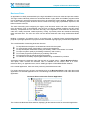
Double click on the Data Model Diagram node under the cross-reference library, XAN4CDXA.
Data Model Diagram option
This will invoke the Data Model Diagram dialog as shown below:
Data Model Diagram dialog
© Copyright Databorough Ltd. 2013
Page 68
Chapter 4: Data Modelling
It prompts a user to input the following:
1. Application Area Name (leave it as *NONE)
2. Object Name (leave it as *ALL)
3. DMD Data Options to re-use cached data or re-generate data (leave it as Re-generate DMD data)
4. Whether to display external relationships (available only when Data Model Diagram opted on
Application Area)
Then, click the OK button to generate Data Model Diagram for the entire application.
Data Model Diagram for entire Application (XAN4CDXA)
The Data Model Diagram displayed above consists of two halves. The upper half is the Data Model
Diagram and the lower half is the DMD Details view. The Data Model Diagram displays a graphical
representation of the derived data model information.
The Data Model Diagram toolbar has a Legend icon. The different colours on the Legend dropdown
convey the type of association represented by the coloured lines connecting various files.
© Copyright Databorough Ltd. 2013
Page 69
Chapter 4: Data Modelling
DMD Legend
With the help of the DMD Legend, a user can easily understand the relations displayed on the Data
Model Diagram.
The DMD Details view displays the Files Connection Details. On the DMD Details view, the column
„Relation Type‟ gives the relationship between the files in the „Dependent File‟ column and the files in
the „Parent File‟ column. The „Dependent Fields‟ and the „Parent Fields‟ columns list the fields which
relate to the „Dependent File‟ and the „Parent File„ respectively.
The DMD Details list displays actual names of the listed Files and Fields. The DMD details list
provides a toggle button, Show Description, to switch the DMD details list to display the description
of the listed Files and Fields.
DMD Details view with Show Description icon
Click the Show Description icon to see descriptive names for all the files and the fields.
DMD Details view with Description
Click the Hide Description icon to switch back the DMD Details list to the actual names mode.
© Copyright Databorough Ltd. 2013
Page 70
Chapter 4: Data Modelling
DMD Details view with Hide Description icon
Let us consider another aspect of the Data Model Diagram. A single click on an object displays the
references of that object with the other objects in the Data Model Diagram. Click on the object CUSF
to view its references.
Data Model Diagram with the selected object CUSF
The screen above displays relations for the file CUSF. This helps a user to make out all the
relationships for the selected object. Another way of understanding file relations for any specific file is
to have a file-specific Data Model Diagram. A file-specific Data Model Diagram displays the data
model information for a given file only. Double click on CUSF to get the file-specific Data Model
Diagram.
© Copyright Databorough Ltd. 2013
Page 71
Chapter 4: Data Modelling
File-specific Data Model Diagram for CUSF
The Data Model Diagram displayed above is the file-specific Data Model Diagram for CUSF. It only
has objects related to the file CUSF. Furthermore, the DMD Details list displays only those
relationships related to the file CUSF.
With the help of a file-specific Data Model Diagram, a user can view relations for any available files.
These relations can be understood better, when we talk about them in the „View Data‟ section.
LFs/Access Paths
A user can opt for the LFs/Access Paths option for a file from the Data Model Diagram. The
LFs/Access Paths option shows all access paths associated with a selected file.
Select file CUSF, and then choose the LFs/Access Paths option from the context menu.
© Copyright Databorough Ltd. 2013
Page 72
Chapter 4: Data Modelling
LFs/Access Paths option on DMD
This brings up the Access Paths list.
LFs/Access Paths for the file CUSF
File Field Details / FFD
For wholesome understanding of the data model of an existing application, a user needs more details
of a particular file. A particular file may consist of several fields. The File Field Details option helps
the user here. By choosing the aforementioned option from the context menu the user gains easy
access to particular field details of a selected file, CUSF.
© Copyright Databorough Ltd. 2013
Page 73
Chapter 4: Data Modelling
File Field Details option
On clicking this option, a new window appears displaying File Field Details information.
File Fields Details for the file CUSF
Access Path Diagram / APD
The Access Path Diagram is a graphical presentation of all the access paths related to a specific file.
The user can generate the diagram by choosing the Access Path Diagram option from the context
menu over a selected file, CUSF.
© Copyright Databorough Ltd. 2013
Page 74
Chapter 4: Data Modelling
Access Path Diagram option on DMD
This brings up the Access Path Diagram for the file CUSF.
Access Path Diagram for the file CUSF
Go back to the Data Model Diagram displaying the file-specific Data Model Diagram for the object
CUSF.
© Copyright Databorough Ltd. 2013
Page 75
Chapter 4: Data Modelling
View Data
X-Analysis allows a user to view file records from the data model of an application. A user can view
the actual records held in PFs using the View Data option. The View Data option is available on all
objects displayed in the Data Model Diagram.
View Data option on the DMD object
Data View for the file CUSF
Record Display
The View Data window lists records for a selected file. Double click on a record to display the
complete record.
© Copyright Databorough Ltd. 2013
Page 76
Chapter 4: Data Modelling
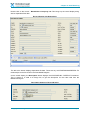
Double click on the record – Bertwhistle & Company Ltd. This brings up the record display along
with its dependent files data.
Record Display with Dependents
The tab at the bottom displays dependent file data. These are any ACCESSES/OWNS/REFERS TO
relationships for the file CUSF in the Data Model Diagram.
On the record display, the Descriptors button displays the ACCESSED BY / REFERS TO relations.
This is similar to a JOIN to a foreign file, to get the description for the code used from the
Master/Owning file.
Descriptors button on Record Display
© Copyright Databorough Ltd. 2013
Page 77
Chapter 4: Data Modelling
On clicking the Descriptors button, the following window is invoked:
Window presenting Descriptors from Master/Owning file
© Copyright Databorough Ltd. 2013
Page 78
Chapter 5: Application Areas
Chapter 5:
Application Areas
X-Analysis is a diversified toolset, and true to its name and features, it helps
in analyzing a monolithic legacy application by breaking it down into different
application areas for the ease of working. X-Analysis lets its users further
sub-divide the application areas, thereby, initiating thorough understanding of
the legacy application.
This chapter guides on how X-Analysis creates various application areas for
easy comprehension and analysis of monolithic legacy applications. The
chapter also presents the diagrammatic constructs related to the application
areas that improve the user‟s understanding.
The chapter contains:
»
»
»
»
»
© Copyright Databorough Ltd. 2013
Application Areas
Application Area Diagram
Area Flow Diagram: Application Area Specific
Data Model Diagram: Application Area Specific
Data Flow Diagram: Application Area Specific
Page 79
Chapter 5: Application Areas
Application Areas
X-Analysis creates application areas, from part of one or multiple systems. Programmatically, it is
possible to subdivide an application into logical modules or areas. This can be within the context of a
single system or specific parts from multiple systems. For example, a user can have an application
area as ORDERS, containing the Order Entry details from an Operational System to represent single
system application areas. A user can also have an application area as ACCOUNTS, containing the
Order Entry details from an Operational System and the Sales Ledger details from the Financial
System, representing the application area as specific parts from multiple systems.
The Application Areas facilitate grouping of an application into different business areas. X-Analysis
creates application areas based on certain criteria called Application Area Rules. Hence, Application
Area Rules become a useful mechanism to categorize an application into different application areas.
A user can add a new application area by selecting the New Application Area option from the
context menu in a cross-reference library or in an application area.
New Application Area option
The tutorial application contains pre-configured application areas. The following screenshot displays
the available application areas in the tutorial application:
© Copyright Databorough Ltd. 2013
Page 80
Chapter 5: Application Areas
Application Areas under XAN4CDXA
Application Area Diagram
A user can easily sub-divide an application into business areas or application areas using
X-Analysis. Similarly, a user can further split application areas into sub-application areas for better
application analysis. X-Analysis provides another diagrammatic construct called the Application Area
Diagram for enhancing the analysis of application areas.
The Application Area Diagram helps in visualizing relationships between the application areas. When
the option Application Area Diagram is opted for the entire cross-reference library, it displays all
application areas and the sub-application areas (if available). The following screenshot displays the
Application Area Diagram for the tutorial application.
© Copyright Databorough Ltd. 2013
Page 81
Chapter 5: Application Areas
Application Area Diagram for XAN4CDXA
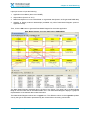
Each bluish grey box represents an application area. The box size is indicative of the number of
objects it contains. A larger box has more objects as compared to a smaller box.
The diagram also shows relationships among application areas displayed by selecting an application
area. Select an application area to test this feature.
The red and blue-coloured connecting arrows are the relationships among application areas.
Blue Arrows – Indicate Program-to-Program calls. The blue arrow points towards the application
area, which has more calling programs.
Red Arrows – Indicate Program-to-File references.
Application Area Diagram Details
The Application Area Diagram also displays the relationship details for each application area. Click
the Show AAD Details icon, available on toolbar to invoke the detailed view.
Show AAD Details icon
© Copyright Databorough Ltd. 2013
Page 82
Chapter 5: Application Areas
Application Area Diagram details for XAN4CDXA
Area Flow Diagram
Another important diagrammatic construct is the Area Flow Diagram. This option is available for
application areas only. It displays programs and files available in an application area along with their
relations.
Select the Area Flow Diagram option from the context menu of the application area, MVCPROCESS.
Area Flow Diagram option
© Copyright Databorough Ltd. 2013
Page 83
Chapter 5: Application Areas
This invokes the Area Flow Diagram for the application area – MVCPROCESS.
Area Flow Diagram for application area MVCPROCESS
The default selection is on the file with the greatest number of programs referring to it.
Data Model Diagram – Application Area Specific
The Data Model Diagram for an application area represents relationships among the related objects
that belong to that application area only. Select the Data Model Diagram option for the application
area – MVCPROCESS.
Data Model Diagram option from the Application Area Diagram
© Copyright Databorough Ltd. 2013
Page 84
Chapter 5: Application Areas
This invokes the Data Model Diagram dialog for the application area – MVCPROCESS.
Data Model Diagram dialog
Click the OK button to generate the Data Model Diagram for the selected application area.
Data Model Diagram for an application area (Restricted)
© Copyright Databorough Ltd. 2013
Page 85
Chapter 5: Application Areas
The Data Model Diagram displayed above is a restricted Data Model and it only displays the objects
which belong to the application area – MVCPROCESS.
The toolbar on the Data Model Diagram has an option to generate the Un-restricted Data Model
Diagram. Click the Unrestrict To Application Area icon.
Unrestrict To Application Area icon
Data Model Diagram for Application Area (Unrestricted)
Note the objects displayed in blue are the ones which do not belong to the application area –
MVCPROCESS.
Data Flow Diagram – Application Area Specific
The Data Flow Diagram for an application area displays objects that belong only to that application
area. From the Data Model Diagram displayed above, right click on the object CUSTS and choose the
Data Flow Diagram option.
© Copyright Databorough Ltd. 2013
Page 86
Chapter 5: Application Areas
Data Flow Diagram option from Data Model Diagram
This generates the Data Flow Diagram for the object, CUSTS.
Data Flow Diagram for CUSTS
The objects highlighted in blue are those which do not belong to the application area MVCPROCESS,
and are referred to as „External‟ objects.
© Copyright Databorough Ltd. 2013
Page 87
Chapter 6: Business Rules Analysis
Chapter 6:
Business Rules Analysis
Deriving business rules is the key to successful conversion of a legacy
application into the latest format. The business rules are highly important
because they provide critical information for any analyst, architect, or
developer who is rebuilding a legacy application.
X-Analysis offers two specific features that help the users access the
business rules in quick time. This chapter discusses the features that
expedite analysis of business rules.
The chapter contains:
» Business Rules
» Business Rules Overlay
» Consolidated Rules
© Copyright Databorough Ltd. 2013
Page 88
Chapter 6: Business Rules Analysis
Business Rules
An application is chiefly characterized by the logic embedded in its source codes and process models.
This logic is also collectively referred to as Business Rules. Legacy RPG and COBOL programs suffer
from a drawback in which the business rules (logic) get mixed with screen handling, database I/O, and
flow control. Retrieving these business rules is a time-consuming, highly specialized, expensive, and
labour-intensive exercise.
The task of decoding and configuring the legacy code becomes easier and more cost-effective by
using X-Analysis. First, it automatically runs the scan on RPG & COBOL programs and 2E model.
Secondly, it separates the rule code from the body of the application, and stores the business rule
code into a neatly structured, usable repository. Finally, it provides precise text narratives describing
these retrieved rules. The user can check out the derived business rules using the Business Rules
view.
Building a repository of business rules is a proactive step. It supports future reengineering/rewrite
projects or package replacement projects and also facilitates ongoing legacy maintenance operations.
The overall benefits of extracting business rules are:
To help Business Analysts to understand and work with the system
To communicate system functionality to users and management
To help developers understand existing functionality, what it is and where it is located
To improve system quality by facilitating consistency and accuracy
To increase programmer productivity by enabling code reuse
To feed the process of reengineering and migration
To evaluate the suitability of packaged software being considered for purchase
X-Analysis extracts the business rules with the help of a single option – Derive Business Rules.
This option, which recovers the business rules, is available on the context menu of a crossreference library, an application area, and a *PGM type object of RPG/RPGLE/CBL attribute.
In the tutorial application, there are some previously derived business rules.
For viewing business rules, the user must double click on the Business Rules node under the tutorial
application or a selected application area. The following screenshot shows the node under the tutorial
application:
Business Rules node under Tutorial Application
This invokes the Business Rules window, displaying all the business rules for the tutorial application.
© Copyright Databorough Ltd. 2013
Page 89
Chapter 6: Business Rules Analysis
Business Rules window
Scroll down to the object CUSTMNT1 and double click on Rule No. 00002. This zooms in to the
business rules of the program CUSTMNT1 with the cursor positioned on the selected business rule.
Business Rules for program CUSTMNT1
Similarly, the user can view the business rules from the source member display. For this, the user has
to select the Business Rules option from the Source Options dropdown menu as shown in the
screen underneath:
© Copyright Databorough Ltd. 2013
Page 90
Chapter 6: Business Rules Analysis
Source Code of CUSTMNT1 with Business Rules option
On selecting the option, the user can immediately see the business logic within the context of the
program as a whole.
Business Rules Overlay
The user can also observe the business rules embedded in the Normal Source Code by choosing the
Business Rules Overlay option from the Source Options dropdown menu shown below:
Business Rules Overlay option
On selecting the option, the following window is invoked:
© Copyright Databorough Ltd. 2013
Page 91
Chapter 6: Business Rules Analysis
Business Rules Overlay window
Consolidated Rules
X-Analysis provides an important feature related to file-fields and their business rules. A user can view
all the business rules related to a file-field combination. Select the Consolidated Rules node
available under the cross-reference library.
Consolidated Rules node under the Cross-Reference Library
© Copyright Databorough Ltd. 2013
Page 92
Chapter 6: Business Rules Analysis
Double click on Consolidated Rules to invoke the Work with Objects dialog.
Work with Objects dialog to display Consolidated Rules
Click the OK button to invoke a new window displaying the Consolidated Rules.
Consolidated Rules for XAN4CDXA
© Copyright Databorough Ltd. 2013
Page 93
Chapter 6: Business Rules Analysis
Select a business rule listed under a file and expand the business rules node to see the actual
business rules code.
Expand Business Rules node to see the actual code
The user has the choice to view the business rules of a particular function displayed in the
Consolidated Rules window. For this, he must select a function and right click on it for the Zoom
Source option, as shown below:
Zoom Source option on the Consolidated Rules window
Clicking the Zoom Source option will invoke the following window displaying all the business rules
related to the selected file-field.
© Copyright Databorough Ltd. 2013
Page 94
Chapter 6: Business Rules Analysis
Window displaying all the Business Rules
© Copyright Databorough Ltd. 2013
Page 95
Chapter 7: Metrics Analysis
Chapter 7:
Metrics Analysis
The chapter presents another powerful option known as Metrics Analysis,
which addresses the advanced computing requirements of today.
The chapter contains:
»
»
»
»
»
»
»
»
»
»
»
»
»
© Copyright Databorough Ltd. 2013
Metrics Analysis
Metrics History
Screen Metrics
File Metrics
Business Process Logic Metrics
Specialised Analysis
Problem Analysis
Object Allocation
Database Summary
Summary Report
Initialize Source Archiving
Generate Metrics Analysis
Generate Problem Analysis
Page 96
Chapter 7: Metrics Analysis
The Metrics Analysis solution set comprises the X-Audit module. The module provides quality and
complexity metrics for development and analytical purposes. The X-Analysis Client provides options
related to the X-Audit module called Audit Options.
Audit Options in X-Analysis
Audit Options
The Audit Options submenu is available on the context menu of application library and application
areas. The following menu options are available under Audit Options:
Metrics Analysis
Screen Metrics
File Metrics
Business Process Logic Metrics
Specialized Analysis
Problem Analysis
Object Allocation
Database Summary
Summary Report
Initialize Source Archiving
Generate Metrics Analysis
Generate Problem Analysis
© Copyright Databorough Ltd. 2013
Page 97
Chapter 7: Metrics Analysis
Metrics Analysis
“As a system evolves, its complexity increases, unless steps are taken to reduce it.”
Professor Meir Lehman
Metrics Analysis contains advanced computing solutions because X-Analysis understands the
importance of monitoring, measuring, and managing the complexity and changes to databases of
legacy applications.
Metrics Analysis simplifies the procedure by classifying each program based on low, average, and
high complexity. It uses mathematical formulae to ascertain the complexity level. The user has to
assign weights in the range of 1 - 6 as per each file usage per program. If the sum total of weights is:
>20 – it indicates High complexity
10-20 – it indicates Average complexity
<10 – it indicates Low complexity
Under the Metrics Analysis, we have other parameters as well like Halstead, Maintainability Index etc.
Halstead – This is calculated using four different values (N1, N2, n1 and n2) obtained from the source
code of each subroutine. These values show numbers of different op codes or number of different
variables used in the subroutines, whether once or multiple times. Measurements are calculated thus:
Module length = N1 + N2
Module vocabulary = n1 + n2
Halstead Volume = N *log(2)n
Difficulty = (n1/2) * (N2/n2)
Effort = Volume * Difficulty
Maintainability Index – Hewlett-Packard engineers propound this formula. According to this, a number
derived is directly proportional to the maintainability factor. This means the lower the number, the less
maintainable the code will be and vice-versa. This calculation is also performed at the subroutine
level. It uses four numbers as input:
HV – Halstead volume from above
CC – Cyclomatic Complexity from above
LOC – Lines of actual code in the subroutine
COM – Lines of non-blank comments in the subroutine (beginning after the previous
ENDSR)
MI = 5.2*naturallog (HV) – 0.23*CC – 16.2naturallog (LOC) + 50.0*sin (square root
(2.46*COM))
The Metrics Analysis option provides low, medium, and high complexity classification of each
program, based on the following attributes of a program:
Source Type
Source Lines
Cyclomatic Complexity
Halstead
Maintainability Index
Files
Device files comprising Display Files and Printer Files
Called Programs
Calling Programs
© Copyright Databorough Ltd. 2013
Page 98
Chapter 7: Metrics Analysis
The Metrics information is broken down at the highest level into the following categories:
Batch programs
Interactive programs
These two highest levels are then further sub-categorised as High, Average, and Low.
The user-specified values determine where a program fits into these sub-categories. By default, these
preferences are blank, so every program is „Low‟ complexity until the values have been set. Check the
Metrics Preferences section (below) to set these values.
Note: Please execute the Generate Metrics Analysis option before choosing the Metrics
Analysis option.
The following screen displays the Metrics information for the cross-reference library, XAN4CDXA.
Metrics Analysis for XAN4CDXA
The Metrics information displayed above has the following columns:
1. Complexity Level: For each attribute, e.g. each file usage = 1, etc. The sum total of these
per program will be calculated and the Complexity level for the program worked out, e.g.
Points <10 - LOW, 10-20 - AVERAGE, >20 - HIGH. If desired a user can allocate values for
each complexity classification using the Metrics Preferences option.
2. Units: When collapsed, it displays total number of programs. When expanded, it displays
name of program.
3. Source Type: Informs about the type of source.
4. Source Lines: It is total number of Source Lines in a source member.
5. Cyclomatic Complexity: Measures amount of decision logic in a program. Shows total
number of conditional statements used.
6. Halstead: Displays program's complexity directly from source code based upon the operators
and operands used.
7. Maintainability Index: The maintainability index calculated with certain formulae from linesof-code measures, Cyclomatic Complexity and Halstead complexity measures.
8. Files: It is total number of Files used by a source member.
9. Device Files: Total number of Display and Printer Files used by source member.
10. Called Programs: It display total number of called programs from a source member.
11. Calling Programs: It display total number of calling programs from a source member.
© Copyright Databorough Ltd. 2013
Page 99
Chapter 7: Metrics Analysis
Metrics Toolbar
The Metrics toolbar comprises various options.
Toolbar available on Metrics Analysis window
Metrics Preferences
A user can set the Metrics Preferences as per requirements.
General Metrics Preferences icon on Metrics Analysis window toolbar
Click the General Metrics Preferences icon to invoke the relevant dialog:
General Metrics Preferences dialog
Specify a high value, so that any value above this will determine that program is of higher complexity.
Any program that falls below an average setting will be indicative of lower complexity.
Print Metrics
To print the Metrics information, click the Print button.
Print icon on Metrics Analysis window toolbar
Export Metrics
Select PDF or MS Excel option as required, from the Export Options icon.
Export Options on Metrics Analysis window toolbar
© Copyright Databorough Ltd. 2013
Page 100
Chapter 7: Metrics Analysis
Expand All
Click the Expand All icon to expand all the data:
Expand All option on Metrics Analysis toolbar
Expanded Metrics Analysis window
Metrics History
The Metrics History displays all previous instances of the generated metrics data. The Metrics History
data will be available only when the metrics data is generated more than once.
The Metrics History can be generated for all the individual levels – High, Average & Low Totals for
Batch / Interactive Programs and for the Grand Total.
Double click on the Interactive Source Members row to generate the history.
Invoking Metrics History for Interactive Programs
Double click on the Low Total row to invoke the Metrics History window.
© Copyright Databorough Ltd. 2013
Page 101
Chapter 7: Metrics Analysis
Metrics History window for Interactive Programs
Metrics History Chart
X-Analysis can also display Metrics History in chart form for all the individual parameters. The Metrics
History toolbar contains a dropdown button called Metrics Analysis.
Metrics Analysis dropdown button
The Metrics Analysis dropdown button contains a list of parameters against which a chart can be
generated.
Metrics Analysis dropdown Options
Select Cyc. Complex. option from the dropdown menu:
Cyclomatic Complexity Option for Chart
This invokes the Metrics History chart displaying Cyclomatic Complexity:
© Copyright Databorough Ltd. 2013
Page 102
Chapter 7: Metrics Analysis
Metrics History Chart displaying Cyclomatic Complexity
Similarly, a user can generate charts for all the other parameters.
A user can check Metrics History for all the Interactive / Batch Programs and Grand Total from the
Metrics window.
Source code tracking
The Metrics History also provides a facility to see changes in the source code. To invoke a Source
Compare editor, expand one of the listed programs from the Metrics History list.
Program selected for Source Code Comparison
Double click on the selected program to invoke the Source Compare editor.
© Copyright Databorough Ltd. 2013
Page 103
Chapter 7: Metrics Analysis
Source Compare Editor displaying the Code Differences
Screen Metrics
There are various screen functions of a specific program. Screen Metrics is a display of these screen
functions for a complete application and for all the application areas.
Screen Metrics are designed to help re-facing projects and UI rewrites. They describe designs, uses
and relationships of file complexities, thus, helping to measure the database complexities.
The Complexity Level on Screen Metrics displays two groups i.e. the Grand Total and Application
Area totals. Hereafter, all functions in application areas or cross-reference application are grouped on
a dual level – complexity and type of function.
The Screen Metrics option provides low, medium, and high complexity classification of the available
screen functions. The Screen Metrics information is displayed for the complete application and its
application areas.
The Screen Metrics information displayed under the following headings:
Grid type functions
Record type functions
Other functions
The following screen displays the Screen Metrics information for the cross-reference library
XAN4CDXA:
Screen Metrics for cross-reference library XAN4CDXA
© Copyright Databorough Ltd. 2013
Page 104
Chapter 7: Metrics Analysis
The Metrics information displayed above has the following columns:
1. Complexity Level: This shows various groups. The topmost group is either Grand Total, or
App area totals. All functions in application area or cross-reference application are then
grouped based on complexity, and then on type of function
2. Units: Shows the number of functions in the group
3. Files: Total number of Files used by screen function
4. Database Fields: Total number of screen fields which are read from database fields
5. Work Fields: Total number of work fields in the group
6. Outgoing Calls: Number of functions called by this function
7. Incoming Calls: Number of functions calling this function
8. Function Keys: Total number of Function key-based actions called by functions in this group
9. Conditioning Fields: Number of fields on which there is a conditioning logic
Screen Metrics Toolbar
The Screen Metrics toolbar comprises various options discussed below.
Toolbar available on Screen Metrics window
Screen Metrics Settings
Each user can set the Screen Metrics Settings as per his requirements.
Screen Metrics Settings button on the Screen Metrics toolbar
Click the Screen Metrics Settings icon to invoke the relevant dialog:
Screen Metrics Preference Setting dialog
The user can set the criteria for High / Average using the above dialog.
Print Screen Metrics
To print the Screen Metrics information, click the Print button available on the toolbar.
© Copyright Databorough Ltd. 2013
Page 105
Chapter 7: Metrics Analysis
Print icon on Metrics toolbar
Export Screen Metrics
Select the PDF or MS Excel option, as required under the Export Options icon.
Export Options on Screen Metrics toolbar
File Metrics
The File Metrics is a display of metrics-related information on all the files. One can overview metrics
data for the complete application and/or for all the application areas.
The File Metrics displays information under the following headings:
1.
2.
3.
4.
5.
6.
7.
8.
Units: Displays total number of Files
Fields: Displays the total number of fields available in the file
Access Paths: The total number of access paths for the file
Creating Programs: The number of programs creating records in this file
Reading Programs: The number of programs reading this file
Updating Programs: The number of programs updating records in this file
Deleting Programs: The number of programs deleting records from this file
Total References: The total number of programs referencing this file (in effect total of 3 - 6)
The following screen displays the File Metrics information for the cross-reference library, XAN4CDXA:
Window displaying File Metrics for the cross-reference library XAN4CDXA
© Copyright Databorough Ltd. 2013
Page 106
Chapter 7: Metrics Analysis
Business Process Logic Metrics
The Business Process Logic Metrics report displays the migrated logic data in metrics form - Total
Lines, Excluded Lines, Controller Lines, and Process Logic.
The following screen displays the Business Process Logic Audit Report for XAN4CDXA:
Business Process Logic Audit Report for XAN4CDXA
Specialized Analysis
Measuring and managing the quality and complexity of a code base is the topmost priority for a
systems analyst. Specialized Analysis is an invaluable feature that allows a user complete freedom to
create customized reports using the full metrics database in the defined system repository. One can
choose to view the report as a Static Report or a Difference Report. The latter plots changes in values
over a period, thus giving a better idea of measurement.
Opt for the Specialized Analysis option from the submenu Audit Options. The following screen
displays the Specialized Analysis window:
Specialized Analysis window for XAN4CDXA
The user has an option to generate the pre-configured reports. Select any report from the listed
category and opt for the context menu, as shown below:
© Copyright Databorough Ltd. 2013
Page 107
Chapter 7: Metrics Analysis
Context Menu on Report Definition
Run Metrics Report
When the user selects this option, the pre-configured report dialog invokes:
Report Definition dialog
© Copyright Databorough Ltd. 2013
Page 108
Chapter 7: Metrics Analysis
Click the Submit Report button to generate the report. A batch job is submitted and on its completion,
the Specialized Analysis window updates itself:
Specialized Analysis window
To view the generated report, click the report row and opt for the View Report option from the context
menu.
Updated Specialized Analysis window
The report will be displayed as under:
© Copyright Databorough Ltd. 2013
Page 109
Chapter 7: Metrics Analysis
COMPLEX Report
If required, the user can export this report to MS Excel.
Modify Report Definition
The user has the option to modify an existing Report Definition.
Modify Report Definition option
Select the Modify Report Definition option to invoke the report configuration dialog:
© Copyright Databorough Ltd. 2013
Page 110
Chapter 7: Metrics Analysis
Report Definition dialog
After changing the report definition, click the Save Definition Only button. The user can click the
Save and Submit Report button to generate a report.
Copy Report Definition
The user has the option to copy an existing Report Definition. On selecting this option, the user will
retain an existing report besides the customised report.
© Copyright Databorough Ltd. 2013
Page 111
Chapter 7: Metrics Analysis
Copy Report Definition option
Delete Report Definition
If required, the user can delete an existing Report Definition.
Delete Report Definition option
Specialized Analysis Toolbar
The Specialized Analysis toolbar comprises various options discussed below.
Specialized Analysis toolbar
© Copyright Databorough Ltd. 2013
Page 112
Chapter 7: Metrics Analysis
Refresh Metrics
The Refresh Metrics icon performs the refresh function.
Refresh Metrics icon on Specialized Analysis toolbar
Create New Report
If required, the user can create a customised report. Use the Create New Report icon for this.
Create New Report icon on Specialized Analysis toolbar
The Create New Report icon invokes the report definition dialog.
Create New Report dialog
© Copyright Databorough Ltd. 2013
Page 113
Chapter 7: Metrics Analysis
View Log
The View Log icon shows the log related to the Metrics processing.
View Log icon on Specialized Analysis toolbar
Click the View Log icon to check the log.
View Log window
Problem Analysis
The quality of analytical procedures improves if there is prior information of the existent inaccuracies
in the data. Issues like object with no source and vice-versa, or source change after object creation
date, or duplicate logical files can hamper advanced analyses.
The Problem Analysis feature warns the user about any such discrepancies in the data. The feature
has an expandable Problem Category section, which gives names of the individual files having a
particular problem.
To display the Problem Analysis data, select the Problem Analysis option from Audit Options under
the context menu on XAN4CDXA.
© Copyright Databorough Ltd. 2013
Page 114
Chapter 7: Metrics Analysis
Problem Analysis for cross-reference library XAN4CDXA
Expand the „Problem Category‟ section to view the objects having problem.
Object Allocation
The Object Allocation window displays the information about all the objects along with the application
area names to which they belong. The following screen displays the Object Allocation window:
Object Allocation for XAN4CDXA
The above screen lists all objects from the application library XAN4CDXA and provides information
about the application area. Note that some rows are blank under the application area column, which
© Copyright Databorough Ltd. 2013
Page 115
Chapter 7: Metrics Analysis
means that the object does not belong to any application area. Similarly note the „*‟ sign, which
means that the object belongs to multiple application areas.
Database Summary
The Database Summary option gives the user access to the summarized database report for the
entire cross-reference library. The report contains information related to files, their unique keys and
other necessary file-related details. On clicking the option, the following window is displayed:
Database Summary Report window
Summary Report
The Summary Report option generates structured report for the Metrics Analysis and the Problem
Analysis as a PDF / MS Word document. Select the Summary Report option, available under the
submenu, Audit Options from the context menu on XAN4CDXA. This invokes the following
Documentation Wizard:
Summary Report – Type and Location
© Copyright Databorough Ltd. 2013
Page 116
Chapter 7: Metrics Analysis
Specify the „Type and Location‟ information and click the Next button.
Summary Report – Options
Mark the options to be included in the Audit Report and click the Next button.
Summary Report – Specify Sequence
© Copyright Databorough Ltd. 2013
Page 117
Chapter 7: Metrics Analysis
Specify the sequence of the contents for the Audit Report and click the Next button.
Summary Report – Finish
Choose the desired settings for the Audit Report and click the Finish button to end the report
configuration and generate the report. When the report generation is over, the following dialog
appears:
X-Analysis dialog to open the generated report
© Copyright Databorough Ltd. 2013
Page 118
Chapter 7: Metrics Analysis
Initialize Source Archiving
The Initialize Source Archiving option is available for the cross-reference library and the application
areas. A user can run the option independently of metrics. On selecting this option, the following
dialog is invoked:
Initialize Source Archiving dialog
Source archiving is started by command XACVINI, which sets up a controlling *DTAARA in the XA
library and makes an initial copy of all source codes. If archiving is deactivated, and then restarted
later, the initial archived copy is not made. Source archiving can be deactivated by XACVEND, which
optionally clears all source archives and controlling data. This command can only be run on the
server.
Files
All archived source versions are recorded in XAACVSRC, whose data is only ever purged when
XACVEND DLTHISTO(*YES) is run (whereas metrics can be purged independently, which clears
XMETOBJ). When archiving is active, the source date-time of the latest version archived is recorded
in XAACVHDR. Archiving handles all the source types (whereas metrics only records for CL, RPG
and CBL).
Source archiving continues to maintain data in XMETOBJ/XMETOBJH, if necessary. The data in
XMETOBJ/XMETOBJH is not necessary to the source archiving process itself, but is used by the PC
client to locate the change history. If data is written to XMETOBJ by source archiving, the SRCACT
field is set to the value 'A'.
Processing
Source archiving is invoked from XA4INIT, XREFRESH, XA4MAINT and XA4SRCMNT, which all call
the wrapper program, XRACVMBR.
The archive processing itself is done in *srvpgm XACV, in procedure XACV_ArchiveMember(). This
procedure checks the source update date-time against the date-time recorded in XAACVHDR. If there
is a difference, archiving takes place i.e. copy the source, write out to XAACVSRC, update
XAACVHDR, and write out to XMETOBJ/XMETOBJH, if appropriate data is not already present in
these files.
© Copyright Databorough Ltd. 2013
Page 119
Chapter 7: Metrics Analysis
The wrapper command/program XACVMBR/XRACVMBR first checks whether metrics is active, then
performs either:
a) if metrics are active, writes out a record to XMETCHGS, which will cause metrics processing to
take place when XRMETCHGS is called, which is the case in XREFRESH, XA4INIT and
XA4SRCMNT or
b) if metrics are not active, calls procedure XACV_ArchiveMember().
If metrics is active, then the source archiving call is made from metrics processing, which will call
XACV_ArchiveMember(). This is so that metrics will write the appropriate XMETOBJ/XMETOBJH
records before source archive processing takes place.
Purge
A purge process (command XACVPRG) will move source to a user-specified library, and record the
location in XAACVSRC. Purge is by cut-off date, as compared to the archive timestamp in
XAACVSRC. The purge process always leaves one source version in place, even if the timestamp is
older than the cut-off date.
Generate Metrics Analysis
The Generate Metrics Analysis option generates the Metrics data. The dialog shown below invokes,
when a user opts for the Generate Metrics Analysis option:
Generate Metrics Analysis dialog
When the user clicks the OK button, related batch job initiates.
Generate Problem Analysis
The Generate Problem Analysis analyzes the application database files and reports problems. Select
Generate Problem Analysis option, available under the submenu Audit Options from the context
menu on XAN4CDXA. This invokes the following dialog:
Generate Problem Analysis dialog
Click the OK button to invoke the related batch job command.
© Copyright Databorough Ltd. 2013
Page 120
Chapter 8: What’s Next
Chapter 8:
What’s Next
Over two decades of dedicated research and development has rewarded us
with a sophisticated software solution like X-Analysis. Built to meet the
requirements of advanced computing and analysis, X-Analysis and its varied
features make working of a legacy application easy to understand. We also
experienced how X-Analysis helps in analyzing one big application as smaller
logical business areas. Its enhanced Data Modelling feature not only exposes
the Business Rules implicit in the data and the process models of an
application, but also digs out the vast amount of business logic buried inside
the source code of the programs.
Today, we are at that exciting phase from where we can look forward to
being more progressive and introduce futuristic Re-engineering or Rearchitecting tools and solutions. The X-Redo module is one such innovate.
As we already know, X-Analysis dissects legacy application programs to
decouple screens from embedded business logic. This componentization can
be leveraged by the X-Redo module to generate JSFs, JavaBeans and ORM
objects, thereby assisting in re-architecting a legacy application in J2EE.
Having seen the X-Analysis solution set in action, you are now equipped to
get on with the application redevelopment.
© Copyright Databorough Ltd. 2013
Page 121
Appendix A – Enabling the SEU Interface
Appendix A – Enabling the SEU Interface
Create User Profile XAN4SEU
When browsing source code using the AS400 SEU, it is necessary to be logged in as user XAN4SEU.
The following gives instructions for creating the correct user profile.
Step 1
Step 2
Login as QSECOFR.
Create user profile XAN4SEU.
Use the CRTUSRPRF command to create the user profile XAN4SEU. Make sure that the following
parameters are set:
User Password
User Class
Initial Program
Library
:
:
:
:
XAN4SEU
*PGMR
XSEUCLP
XAOBJ
Create User Profile (CRTUSRPRF)
Type choices, press Enter.
User profile . . . . . .
User password . . . . .
Set password to expired
Status . . . . . . . . .
User class . . . . . . .
Assistance level . . . .
Current library . . . .
Initial program to call
Library . . . . . . .
Initial menu . . . . . .
Library . . . . . . .
Limit capabilities . . .
Text 'description' . . .
F3=Exit
F4=Prompt
F24=More keys
.
.
.
.
.
.
.
.
.
.
.
.
.
.
.
.
.
.
.
.
.
.
.
.
.
.
.
.
.
.
.
.
.
.
.
.
.
.
.
F5=Refresh
.
.
.
.
.
.
.
.
.
.
.
.
.
> XAN4SEU
Name
*USRPRF
Name, *USRPRF, *NONE
*NO
*NO, *YES
*ENABLED
*ENABLED, *DISABLED
> *PGMR
*USER, *SYSOPR, *PGMR...
*SYSVAL
*SYSVAL, *BASIC, *INTERMED...
*CRTDFT
Name, *CRTDFT
> XSEUCLP
Name, *NONE
>
XAOBJ
Name, *LIBL, *CURLIB
MAIN
Name, *SIGNOFF
*LIBL
Name, *LIBL, *CURLIB
*NO
*NO, *PARTIAL, *YES
> 'X-Analysis – SEU User'
F12=Cancel
More...
F13=How to use this display
Press F10 and Page Down
Set Special Authorities:
*ALLOBJ
*JOBCTL
*SAVSYS
© Copyright Databorough Ltd. 2013
Page 122
Appendix A – Enabling the SEU Interface
Change User Profile (CHGUSRPRF)
Type choices, press Enter.
Additional Parameters
Special authority
. . . . . . .
Special environment . . . .
Display sign-on information
Password expiration interval
Limit device sessions . . .
Keyboard buffering . . . . .
Maximum allowed storage . .
Highest schedule priority .
Job description . . . . . .
Library . . . . . . . . .
Group profile . . . . . . .
F3=Exit
F4=Prompt
F24=More keys
.
.
.
.
.
.
.
.
.
.
.
.
.
.
.
.
.
.
.
.
F5=Refresh
*ALLOBJ
*JOBCTL
*SAVSYS
*SYSVAL
*SYSVAL
*SYSVAL
*SYSVAL
*SYSVAL
*NOMAX
3
QDFTJOBD
QGPL
*NONE
F12=Cancel
*SAME, *USRCLS, *NONE...
*SAME, *SYSVAL, *NONE, *S36
*SAME, *NO, *YES, *SYSVAL
1-366, *SAME, *SYSVAL, *NOMAX
*SAME, *NO, *YES, *SYSVAL
*SAME, *SYSVAL, *NO...
Kilobytes, *NOMAX
0-9
Name
Name, *LIBL, *CURLIB
Name, *NONE
More...
F13=How to use this display
Step 3 Logoff
© Copyright Databorough Ltd. 2013
Page 123
Appendix B – License Code Request Form
Appendix B – License Code Request Form
License Code Request Form
Kindly complete and confirm the details below and fax this form to: +44 1932 859211
Alternatively, this can be emailed to [email protected]
Company
Contact name
Contact email
Telephone
Fax
Address
Post Code
Country
AS/400 Serial No.
Model
Processor Group
(WRKLICINF)
Purchase Order No.
Agent or Distributor
Comments
If software is required to be sent and the AS/400 is not located at the same address as indicated
above please provide the appropriate delivery address and contact details below.
AS/400 Contact
Contact email
Telephone
AS/400 Address
Post Code
Country
Requested By
Position
Date
_______________________________
Unit 12b, Haland House, 66 York Road, Weybridge, KT13 9DY, United Kingdom Tel: +44 (0) 1932 848564
Company Registration Number: 01795263
VAT number: 492 6942 05
© Copyright Databorough Ltd. 2013
Page 124
Appendix C – License Transfer Request Form
Appendix C – License Transfer Request Form
License Transfer Request Form
Kindly complete and confirm the details below and fax this form to: +44 1932 859211
Alternatively, this can be emailed to [email protected]
Company
Contact name
Contact email
Telephone
Fax
Address
County
Post Code
Country
Current System i Serial
No.
Processor Group
(WRKLICINF)
Feature Code
Please indicate the details of the new machine below.
New System i Serial No.
Processor Group
(WRKLICINF)
New Feature Code
Purchase Order No.
A minimum administration fee of £1,500 is charged for any license transfer. An additional fee may be
charged on the basis of the upgrade of the original processor band.
Declaration:
I/We hereby confirm that with effect of __________ (MM/DD/YY) the license purchased for system
__________ will be transferred to system__________ and subsequently completely removed from
the old system.
Requested
and
confirmed by
Position
Date
_______________________________
Unit 12b, Haland House, 66 York Road, Weybridge, KT13 9DY, United Kingdom Tel: +44 (0) 1932 848564
Company Registration Number: 01795263
VAT number: 492 6942 05
© Copyright Databorough Ltd. 2013
Page 125