1
MTS4000 Module US rev01.book Page 49 Jeudi, 26. février 2009 2:03 14
Chapter 4 Reflectometry Measurements
Advanced functions in Construction mode
2
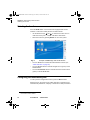
Use the direction keys to move the cursor to the place where you
want to position a marker.
3
Press the key: Set Event.
4
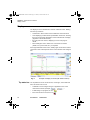
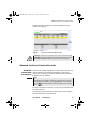
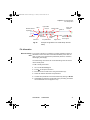
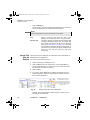
An event marker
is displayed at the position of the cursor and a
measurement is carried out on the event. Measurement of slope
before the marker starts just after the previous event (or at the end
of the dead zone at the beginning of the fiber); measurement of
slope after the marker stops just before the next marker or at the
end of the fiber.
Hints on the – Do not add markers (with the Set Evt key) after a manual measurement, as all the results will be recalculated automatically by the
positioning of
instrument.
markers
–
If two markers are too close together, they will appear on the trace
and the table but no measurement will be carried out on the second
marker: to obtain results for this marker, a manual measurement is
necessary.
–
If you press the Set Evt key when the cursor is very close to a
marker, the latter will be deleted.
Deleting events To delete an event, move the cursor onto the event and press the Set
Event key. The event selected will be deleted and a complete measurement, without this event, will be carried out.
Deletion of events can cause incorrect measurement results.
Manual
measurements
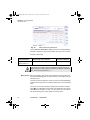
As soon as you have made an acquisition, with or without automatic
measurement, you can make manual measurements on any event on
the trace by means of the cursors A and B, in association with the functions of slope, detection of splice and calculation of ORL.
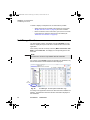
The manual measurements are accessible in the Results page, after
pressing the keys: Advanced, then Manual Measurement.
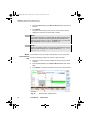
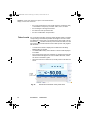
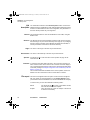
Measurements of To make a manual measurement of slope, press the RESULTS button to
slope call up the trace and then:
–
Place the cursor A at the beginning of the section of the trace where
the slope is to be measured.
–
Place the cursor B at the end of this section.
–
Press the Advanced key, then the Manual key, then select Slope.
User Manual
770000102/01
49