1
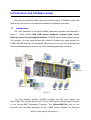
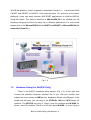
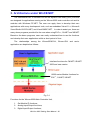
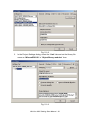
WinCE.Net platform. It can be applied on embedded Visual C++, Visual studio 2003
C#.NET, and VB.NET on WinCE 4.1.Net (refer the figure 1.2), and even on the newer
platforms. Users can easily develop WinCE.NET applications on WinCon-8000 by
using this toolkit. The various functions in WinconSDK_DLL are divided into the
following sub-group functions for easy use in different applications. For more detail
please refer to the WinconSDK.DLL for C#.NET and VB.NET or WinconSDK.lib for
embedded Visual C++
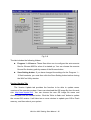
Fig. 1-2
1.2
Hardware Setup( for W-8X3X Only)
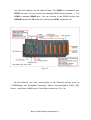
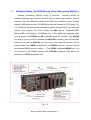
There is the W-8731 hardware setup sample (Fig. 1-3). In the right side
connect the standard computer interface like 15 pin VGA port monitor (can
support the touch screen as HMI device), Keyboard, Mouse, and Ethernet. In the
middle and left area, you can plug in the ICPDAS’s I-8K and I-87K series I/O
modules. The W-87XX can plug in 7(max.) local I/O modules and W-83XX for
3(max.) local I/O modules. There is no I/O slot about W-80XX, so it can’t plug in
WinCon-8000 Getting Start Manual-- 4