1
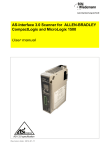
AS-Interface 3.0 Master/Scanner for ALLENBRADLEY
User manual
AS-i 3.0 specification
Revision date: 2009-02-26
Subject to modifications without notice.
Generally, this manual refers to products
without mentioning existing patents,
utility models, or trademarks.
The absence of any such references does
not indicate that a product is patent-free.
© Bihl+Wiedemann GmbH
Flosswoerthstr. 41
D-68199 Mannheim
AS-Interface 3.0 Master/Scanner for ALLEN-BRADLEY
Table of contents
Table of contents
AS-Interface 3.0 Master/Scanner for ALLENBRADLEY
Conformity Statement
1
1.1
2
Abbreviations ................................................................................................... 6
General .................................................................................................. 7
2.1
Product information......................................................................................... 7
2.2
AS-i specification 3.0....................................................................................... 7
2.3
Conformity statement ...................................................................................... 7
2.4
Certification according to DIN EN ISO 9001 : 2000 ....................................... 7
3
Safety..................................................................................................... 8
3.1
Intended use..................................................................................................... 8
3.2
General safety information ............................................................................. 8
3.2.1
4
Disposal ........................................................................................................................... 8
Description ............................................................................................ 9
4.1
LED Indicators.................................................................................................. 9
4.2
Connection of the AS-i Scanner ..................................................................... 9
4.2.1
4.3
4.3.1
4.3.2
5
5.1
5.1.1
5.1.2
5.2
Issue date: 16.4.2010
Symbol catalog ..................................................................................... 6
6
Connection samples for the AS-i power supply: ......................................................... 9
Display and Operating Elements .................................................................... 9
LEDs of the Double Masters .......................................................................................... 9
Push-Buttons................................................................................................................... 9
Configuration ...................................................................................... 11
I/O Data Interpretation ................................................................................... 11
Input Data Array ............................................................................................................ 11
Output Data Array ......................................................................................................... 14
Swap IO ........................................................................................................... 17
Operating the AS-i .............................................................................. 24
6.1
Master Start-Up .............................................................................................. 24
6.2
Configuration Mode ....................................................................................... 24
Subject to technical modififications; no responsibility is accepted for the accuracy of this information
Internet: www.bihl-wiedemann.de • Flosswoerthstr. 41
• D-68199 Mannheim
© Bihl+Wiedemann GmbH
phone: +49 621 33 996-0 • fax: +49 621 3 39 22 399
3
AS-Interface 3.0 Master/Scanner for ALLEN-BRADLEY
Table of contents
6.3.1
6.3.2
6.4
6.4.1
6.4.2
6.5
6.5.1
6.5.2
6.6
7
7.1
8
Protected Operating Mode ............................................................................ 25
Switching to Protected Operating Mode ..................................................................... 25
Configuration Errors in Protected Operating Mode ................................................... 25
Assigning an AS-i Address in Configuration Mode .................................... 25
Assigning a Slave Address .......................................................................................... 25
Erasing the Slave Address ........................................................................................... 26
Programming the Address in Case of Configuration Errors...................... 26
Automatic Address Assignment .................................................................................. 26
Manual Address Assignment ....................................................................................... 27
Error Messages .............................................................................................. 27
Reference List .................................................................................... 28
Manual: “AS-i 3.0 Command Interface“ ....................................................... 28
Commissioning Tools and Accessories .......................................... 29
8.1
Serial Cable..................................................................................................... 29
8.2
Windows Software AS-i Control Tools......................................................... 29
9
Appendix: Codes indicated by the Display...................................... 31
10
Appendix: Installation/Commissioning Instructions ...................... 33
10.1
Front view and connections ........................................................................ 34
10.2
Startup............................................................................................................. 35
10.2.1
Switch to configuration mode ...................................................................................... 35
10.3
Connect AS-i Slaves ...................................................................................... 35
10.4
Store AS-i Configuration ............................................................................... 35
10.5
Error tracking.................................................................................................. 36
10.5.1
10.5.2
10.5.3
10.6
10.6.1
10.6.2
10.7
10.7.1
10.7.2
Incorrect slaves (one error) .......................................................................................... 36
Incorrect Slaves (multiple errors) ................................................................................ 36
Error Display (last error) ...............................................................................................37
Addressing...................................................................................................... 37
Delete Slave Address 5 ................................................................................................. 37
Program Slave 0 to Address 4...................................................................................... 38
Accessories .................................................................................................... 39
Software "AS-i Control Tools" with serial transmission cord
for Allen-Bradley AS-i Master, art. no. BW1563...................................................... 39
Example programs ........................................................................................................ 39
11
Appendix: Putting the AS-Interface Scanner into Operation
with ControlLogix....................................................................... 40
12
Glossary .............................................................................................. 44
13
Your opinion is important to us!....................................................... 49
4
Subject to technical modififications; no responsibility is accepted for the accuracy of this information
Internet: www.bihl-wiedemann.de
• Flosswoerthstr. 41
• D-68199 Mannheim
© Bihl+Wiedemann GmbH
phone: +49 621 33 996-0 • fax: +49 621 3 39 22 399
Issue date: 16.4.2010
6.3
AS-Interface 3.0 Master/Scanner for ALLEN-BRADLEY
Conformity Statement
Conformity Statement
according to 89/336/EEC and 73/23/EEC
Bihl+Wiedemann GmbH, Mannheim, Germany, hereby declares under its sole
responsibility that the products mentioned below are according to the listed harmonized standards or normative documents and (where neccessary) a competent body
has been released.
Item no.
Description
BWU1488
AS-Interface 3.0 Master/Scanner for ALLEN-BRADLEY
EN 50 295
Applied harmonized Standards:
Applied national standards or norma- Prüfungsordnung für AS-i Master
tive documents:
Manufacturer:
Bihl+Wiedemann GmbH
Flosswoerthstrasse 41
68199 Mannheim
Germany
Bernhard Wiedemann
Issue date: 16.4.2010
Date: 15.04.02
Subject to technical modififications; no responsibility is accepted for the accuracy of this information
Internet: www.bihl-wiedemann.de • Flosswoerthstr. 41
• D-68199 Mannheim
© Bihl+Wiedemann GmbH
phone: +49 621 33 996-0 • fax: +49 621 3 39 22 399
5
AS-Interface 3.0 Master/Scanner for ALLEN-BRADLEY
Symbol catalog
1.
Symbol catalog
Information!
This symbol indicates important information.
Attention!
This symbol warns of a potential failure. Non-compliance may lead to interruptions of
the device, the connected peripheral systems, or plant, potentially leading to total malfunctioning.
Warning!
This symbol warns of an imminent danger. Non-compliance may lead to personal injuries that could be fatal or result in material damages and destruction.
1.1
Abbreviations
Information!
Issue date: 16.4.2010
Additional information can be found in section <Glossary>.
6
Subject to technical modififications; no responsibility is accepted for the accuracy of this information
Internet: www.bihl-wiedemann.de
• Flosswoerthstr. 41
• D-68199 Mannheim
© Bihl+Wiedemann GmbH
phone: +49 621 33 996-0 • fax: +49 621 3 39 22 399
AS-Interface 3.0 Master/Scanner for ALLEN-BRADLEY
General
2.
General
2.1
Product information
This system manual applies to the following Bihl+Wiedemann GmbH equipment:
AS-Interface 3.0 Master/Scanner for ALLEN-BRADLEY BWU1488
Tab. 2-1.
2.2
AS-i specification 3.0
The AS-i 3.0 devices already fulfil the AS-i specification 3.0.
The previous specifications (2.1 and 2.0) are supported as well.
Advanced Diagnostics
Diagnostics, which go far beyond the standard diagnostics facilitate the simple
detection of the occasionally occurring configuration errors and further irritations
towards the AS-i communication. So in case of an error the down time of machines can be minimized or you can initiate preventive maintenance.
Commissioning and monitoring
Commissioning, debugging and setting up of the AS-i parameters can also be accomplished with the use of push-buttons on the frontside of the gateway, the display and the LEDs. It is also possible to do the configuration with the software
"AS-i Control Tools".
2.3
Conformity statement
The AS-Interface 3.0 Master/Scanner for ALLEN-BRADLEY has been developed
and manufactured in accordance with the applicable european standards and directives.
Information!
The corresponding conformity statement can be found at the very beginning of
this system manual.
2.4
Certification according to DIN EN ISO 9001 : 2000
The manufacturer of the product possesses a certified quality assurance system
in accordance with ISO 9001.
Information!
Issue date: 16.4.2010
The current certificate can be viewed in internet:
http://www.bihl-wiedemann.de
Subject to technical modififications; no responsibility is accepted for the accuracy of this information
Internet: www.bihl-wiedemann.de • Flosswoerthstr. 41
• D-68199 Mannheim
© Bihl+Wiedemann GmbH
phone: +49 621 33 996-0 • fax: +49 621 3 39 22 399
7
AS-Interface 3.0 Master/Scanner for ALLEN-BRADLEY
Safety
3.
Safety
3.1
Intended use
Warning!
This symbol warns of a possible danger. The protection of operating personnel and the
system against possible danger is not guaranteed if the control interface unit is not
operated in accordance to its intended use.
3.2
General safety information
Warning!
Safety and correct functioning of the device cannot be guaranteed if any operation
other than described in this operation manual is performed. Connecting the equipment
and conducting any maintenance work under power must exclusively be performed by
appropriately qualified personnel. In case a failure cannot be eliminated, the device
must be taken out of operation and inadvertently operation must be prevented. Repair
work must be performed by the manufacturer only. Additions or modifications to the
equipment are not permitted and will void the warranty.
Information!
The operator is responsible for the observation of local safety standards.
3.2.1
Disposal
Information!
Electronic waste is hazardous waste. Please comply with all local ordinances when
disposing this product!
Issue date: 16.4.2010
The device does not contain batteries that need to be removed before disposing it.
8
Subject to technical modififications; no responsibility is accepted for the accuracy of this information
Internet: www.bihl-wiedemann.de
• Flosswoerthstr. 41
• D-68199 Mannheim
© Bihl+Wiedemann GmbH
phone: +49 621 33 996-0 • fax: +49 621 3 39 22 399
AS-Interface 3.0 Master/Scanner for ALLEN-BRADLEY
Description
4.
Description
4.1
LED Indicators
Indicator
Color
Description
PWR
green
AS-i Master power
OK
green/red
PLC mode
SYS
Connection to PLC
AS-i
green/red
Communication and control information
AS-i act.
green
Normal operation active
prg enable
green
Automatic addressing enable
prj mode
yellow
Configuration mode
4.2
Connection of the AS-i Scanner
4.2.1
Connection samples for the AS-i power supply:
AS-i Master
Circuit 1
Circuit 2
- AS-i Slave
+
max. 8 A
AS-i
- power PELV according to EN 50178
+ supply (Protective extra low voltage)
- AS-i Slave
+
max. 8 A
AS-i
- power PELV according to EN 50178
+ supply (Protective extra low voltage)
Attention!
Issue date: 16.4.2010
In the wiring schemes above the current through the connector must not exceed
8 A.
4.3
Display and Operating Elements
4.3.1
LEDs of the Double Masters
4.3.2
Push-Buttons
The detailled operation is described in chap. <Operating the AS-i Scanner>.
Subject to technical modififications; no responsibility is accepted for the accuracy of this information
Internet: www.bihl-wiedemann.de • Flosswoerthstr. 41
• D-68199 Mannheim
© Bihl+Wiedemann GmbH
phone: +49 621 33 996-0 • fax: +49 621 3 39 22 399
9
AS-Interface 3.0 Master/Scanner for ALLEN-BRADLEY
Description
The master's power supply is sufficient.
PWR
OK
red:
flashing red:
green:
flashing green:
green:
off:
SYS
AS-i
internal fault, self test
communication fault
OK, PLC in run mode
OK, PLC in program mode or no PLC
A connection to a PLC exists
No connection to a PLC
Communication and control information
green:
flashing green:
off:
flashing red:
AS-i is OK
AS-i is OK, Config Mode selected
AS-i is not sufficently powered
Peripheral Fault
This LED blinks if there is at least one periphery
fault at one AS-i slave in the AS-i network. If there are configuration errors as well as periphery faults, only configuration error is displayed.
red: Config error
At least one configured slave is missing, or at least one
detected slave is not projected or for at least one projected
and detected slave the actual configuration data does not
match the nominal configuration data.
AS-i act.
prg enable
prj mode
mode
Switching between configuration mode and protected operating mode and
saving the current AS-i configuration as the nominal configuration.
Selecting and assigning the address to a slave.
Issue date: 16.4.2010
set
Normal operation active.
Automatic address programming enabled.
Exactly one slave is missing in protected operating mode. The slave can be
replaced by another slave of the same type with address zero. The master
addresses the new slave to the faulty address and thus eliminates the configuration error.
The AS-i master is in configuration mode.
10
Subject to technical modififications; no responsibility is accepted for the accuracy of this information
Internet: www.bihl-wiedemann.de
• Flosswoerthstr. 41
• D-68199 Mannheim
© Bihl+Wiedemann GmbH
phone: +49 621 33 996-0 • fax: +49 621 3 39 22 399
AS-Interface 3.0 Master/Scanner for ALLEN-BRADLEY
Configuration
5.
Configuration
5.1
I/O Data Interpretation
5.1.1
Input Data Array
The input data array consist of 50 words for scanner revisions prior to 1.3 and 50
or 244 words for revision 1.3 (ID 11607) and up.
These words of data are as follows:
word 215 214 213 212 211 210 29
28
27
26
25
24
23
22
21
20
circuit 1:
0
flags
F3
F2
F1
slave 1/1A
F0
slave 2/2A
slave 3/3A
D3 D2 D1 D0 D3 D2 D1 D0 D3 D2 D1 D0
1
slave 4/4A
slave 5/5A
slave 6/6A
slave 7/7A
2
slave 8/8A
slave 9/9A
slave 10/10A
slave 11/11A
3
slave 12/12A
slave 13/13A
slave 14/14A
slave 15/15A
4
slave 16/16A
slave 17/17A
slave 18/18A
slave 19/19A
5
slave 20/20A
slave 21/21A
slave 22/22A
slave 23/23A
6
slave 24/24A
slave 25/25A
slave 26/26A
slave 27/27A
7
slave 28/28A
slave 29/29A
slave 30/30A
slave 31/31A
8
reserved
slave 1B
slave 2B
slave 3B
9
slave 4B
slave 5B
slave 6B
slave 7B
10
slave 8B
slave 9B
slave 10B
slave 11B
11
slave 12B
slave 13B
slave 14B
slave 15B
12
slave 16B
slave 17B
slave 18B
slave 19B
13
slave 20B
slave 21B
slave 22B
slave 23B
14
slave 24B
slave 25B
slave 26B
slave 27B
15
slave 28B
slave 29B
slave 30B
slave 31B
slave 2/2A
slave 3/3A
circuit 2:
16
flags
Issue date: 16.4.2010
F3
F2
F1
slave 1/1A
F0
D3 D2 D1 D0 D3 D2 D1 D0 D3 D2 D1 D0
17
slave 4/4A
slave 5/5A
slave 6/6A
slave 7/7A
18
slave 8/8A
slave 9/9A
slave 10/10A
slave 11/11A
19
slave 12/12A
slave 13/13A
slave 14/14A
slave 15/15A
20
slave 16/16A
slave 17/17A
slave 18/18A
slave 19/19A
21
slave 20/20A
slave 21/21A
slave 22/22A
slave 23/23A
22
slave 24/24A
slave 25/25A
slave 26/26A
slave 27/27A
23
slave 28/28A
slave 29/29A
slave 30/30A
slave 31/31A
24
reserved
slave 1B
slave 2B
slave 3B
25
slave 4B
slave 5B
slave 6B
slave 7B
26
slave 8B
slave 9B
slave 10B
slave 11B
27
slave 12B
slave 13B
slave 14B
slave 15B
28
slave 16B
slave 17B
slave 18B
slave 19B
29
slave 20B
slave 21B
slave 22B
slave 23B
Subject to technical modififications; no responsibility is accepted for the accuracy of this information
Internet: www.bihl-wiedemann.de • Flosswoerthstr. 41
• D-68199 Mannheim
© Bihl+Wiedemann GmbH
phone: +49 621 33 996-0 • fax: +49 621 3 39 22 399
11
AS-Interface 3.0 Master/Scanner for ALLEN-BRADLEY
Configuration
word 215 214 213 212 211 210 29
28
27
26
25
24
23
22
21
30
slave 24B
slave 25B
slave 26B
slave 27B
31
slave 28B
slave 29B
slave 30B
slave 31B
20
command interface
32
command
33
response parameter byte 1
T
response parameter byte 2
result
34
response parameter byte 3
response parameter byte 4
35
response parameter byte 5
response parameter byte 6
36
response parameter byte 7
response parameter byte 8
37
response parameter byte 9
response parameter byte 10
38
response parameter byte 11
response parameter byte 12
39
response parameter byte 13
response parameter byte 14
40
response parameter byte 15
response parameter byte 16
41
response parameter byte 17
response parameter byte 18
42
response parameter byte 19
response parameter byte 20
43
response parameter byte 21
response parameter byte 22
44
response parameter byte 23
response parameter byte 24
45
response parameter byte 25
response parameter byte 26
46
response parameter byte 27
response parameter byte 28
47
response parameter byte 29
response parameter byte 30
48
response parameter byte 31
response parameter byte 32
49
response parameter byte 33
response parameter byte 34
For revision 1.3 (ID11607) and up, the input data array may be extended by additional 194 words:
word 215 214 213 212 211 210 29
28
27
26
25
24
23
22
21
20
second command interface
12
command (mirrored)
51
response parameter byte 1
T
response parameter byte 2
result
52
response parameter byte 3
response parameter byte 4
53
response parameter byte 5
response parameter byte 6
54
response parameter byte 7
response parameter byte 8
55
response parameter byte 9
response parameter byte 10
56
response parameter byte 11
response parameter byte 12
57
response parameter byte 13
response parameter byte 14
58
response parameter byte 15
response parameter byte 16
59
response parameter byte 17
response parameter byte 18
60
response parameter byte 19
response parameter byte 20
61
response parameter byte 21
response parameter byte 22
62
response parameter byte 23
response parameter byte 24
63
response parameter byte 25
response parameter byte 26
64
response parameter byte 27
response parameter byte 28
Subject to technical modififications; no responsibility is accepted for the accuracy of this information
Internet: www.bihl-wiedemann.de
• Flosswoerthstr. 41
• D-68199 Mannheim
© Bihl+Wiedemann GmbH
phone: +49 621 33 996-0 • fax: +49 621 3 39 22 399
Issue date: 16.4.2010
50
AS-Interface 3.0 Master/Scanner for ALLEN-BRADLEY
Configuration
word 215 214 213 212 211 210 29
28
27
26
25
24
23
22
21
65
response parameter byte 29
response parameter byte 30
66
response parameter byte 31
response parameter byte 32
67
response parameter byte 33
response parameter byte 34
20
analog input data circuit 1, slaves 10 … 31
68
slave 10, channel 1
69
slave 10, channel 2
70
slave 10, channel 3
71
slave 10, channel 4
72
slave 11, channel 1
73
slave 11, channel 2
…
…
150
slave 30, channel 3
151
slave 30, channel 4
152
slave 31, channel 1
153
slave 31, channel 2
154
slave 31, channel 3
155
slave 31, channel 4
analog input data circuit 2, slaves 10 … 31
156
slave 10, channel 1
157
slave 10, channel 2
158
slave 10, channel 3
159
slave 10, channel 4
160
slave 11, channel 1
161
slave 11, channel 2
…
…
238
slave 30, channel 3
239
slave 30, channel 4
240
slave 31, channel 1
241
slave 31, channel 2
242
slave 31, channel 3
243
slave 31, channel 4
Issue date: 16.4.2010
Flags
F0
ConfigError
F1
APF
F2
PeripheryFault
F3
ConfigurationActive
ConfigError:
APF:
0 = ConfigOK, 1 = ConfigError
0 = AS-i-Power OK, 1 = AS-i-Power Fail
Subject to technical modififications; no responsibility is accepted for the accuracy of this information
Internet: www.bihl-wiedemann.de • Flosswoerthstr. 41
• D-68199 Mannheim
© Bihl+Wiedemann GmbH
phone: +49 621 33 996-0 • fax: +49 621 3 39 22 399
13
AS-Interface 3.0 Master/Scanner for ALLEN-BRADLEY
Configuration
PeripheryFault:
0 = PeripheryOK, 1 = PeripheryFault
ConfigurationActive: 0 = ConfigurationActive, 1 = ConfigurationInactive
5.1.2
Output Data Array
The output data array consist of 50 words for scanner revisions prior to 1.3 and
50 or 244 words for revision 1.3 (ID 11607) and up.
These words of data are as follows:
word 215 214 213 212 211 210 29
0
flags
F3
F2
F1
28
27
slave 1/1A
F0
26
25
24
slave 2/2A
23
22
21
20
slave 3/3A
D3 D2 D1 D0 D3 D2 D1 D0 D3 D2 D1 D0
circuit 1:
1
slave 4/4A
slave 5/5A
slave 6/6A
slave 7/7A
2
slave 8/8A
slave 9/9A
slave 10/10A
slave 11/11A
3
slave 12/12A
slave 13/13A
slave 14/14A
slave 15/15A
4
slave 16/16A
slave 17/17A
slave 18/18A
slave 19/19A
5
slave 20/20A
slave 21/21A
slave 22/22A
slave 23/23A
6
slave 24/24A
slave 25/25A
slave 26/26A
slave 27/27A
7
slave 28/28A
slave 29/29A
slave 30/30A
slave 31/31A
8
reserved
slave 1B
slave 2B
slave 3B
9
slave 4B
slave 5B
slave 6B
slave 7B
10
slave 8B
slave 9B
slave 10B
slave 11B
11
slave 12B
slave 13B
slave 14B
slave 15B
12
slave 16B
slave 17B
slave 18B
slave 19B
13
slave 20B
slave 21B
slave 22B
slave 23B
14
slave 24B
slave 25B
slave 26B
slave 27B
15
slave 28B
slave 29B
slave 30B
slave 31B
slave 2/2A
slave 3/3A
circuit 2:
flags
F3
14
F2
F1
slave 1/1A
F0
D3 D2 D1 D0 D3 D2 D1 D0 D3 D2 D1 D0
17
slave 4/4A
slave 5/5A
slave 6/6A
slave 7/7A
18
slave 8/8A
slave 9/9A
slave 10/10A
slave 11/11A
19
slave 12/12A
slave 13/13A
slave 14/14A
slave 15/15A
20
slave 16/16A
slave 17/17A
slave 18/18A
slave 19/19A
21
slave 20/20A
slave 21/21A
slave 22/22A
slave 23/23A
22
slave 24/24A
slave 25/25A
slave 26/26A
slave 27/27A
23
slave 28/28A
slave 29/29A
slave 30/30A
slave 31/31A
24
reserved
slave 1B
slave 2B
slave 3B
25
slave 4B
slave 5B
slave 6B
slave 7B
26
slave 8B
slave 9B
slave 10B
slave 11B
27
slave 12B
slave 13B
slave 14B
slave 15B
28
slave 16B
slave 17B
slave 18B
slave 19B
29
slave 20B
slave 21B
slave 22B
slave 23B
Subject to technical modififications; no responsibility is accepted for the accuracy of this information
Internet: www.bihl-wiedemann.de
• Flosswoerthstr. 41
• D-68199 Mannheim
© Bihl+Wiedemann GmbH
phone: +49 621 33 996-0 • fax: +49 621 3 39 22 399
Issue date: 16.4.2010
16
AS-Interface 3.0 Master/Scanner for ALLEN-BRADLEY
Configuration
word 215 214 213 212 211 210 29
28
27
26
25
24
23
22
21
30
slave 24B
slave 25B
slave 26B
slave 27B
31
slave 28B
slave 29B
slave 30B
slave 31B
20
command interface
32
command
33
request parameter byte 1
T
–
request parameter byte 2
circuit
34
request parameter byte 3
request parameter byte 4
35
request parameter byte 5
request parameter byte 6
36
request parameter byte 7
request parameter byte 8
37
request parameter byte 9
request parameter byte 10
38
request parameter byte 11
request parameter byte 12
39
request parameter byte 13
request parameter byte 14
40
request parameter byte 15
request parameter byte 16
41
request parameter byte 17
request parameter byte 18
42
request parameter byte 19
request parameter byte 20
43
request parameter byte 21
request parameter byte 22
44
request parameter byte 23
request parameter byte 24
45
request parameter byte 25
request parameter byte 26
46
request parameter byte 27
request parameter byte 28
47
request parameter byte 29
request parameter byte 30
48
request parameter byte 31
request parameter byte 32
49
request parameter byte 33
request parameter byte 34
For revision 1.3 (ID11607) and up, the input data array may be extended by additional 194 words:
word 215 214 213 212 211 210 29
28
27
26
25
24
23
22
21
20
Issue date: 16.4.2010
second command interface
50
command (mirrored)
51
response parameter byte 1
T
response parameter byte 2
result
52
response parameter byte 3
response parameter byte 4
53
response parameter byte 5
response parameter byte 6
54
response parameter byte 7
response parameter byte 8
55
response parameter byte 9
response parameter byte 10
56
response parameter byte 11
response parameter byte 12
57
response parameter byte 13
response parameter byte 14
58
response parameter byte 15
response parameter byte 16
59
response parameter byte 17
response parameter byte 18
60
response parameter byte 19
response parameter byte 20
61
response parameter byte 21
response parameter byte 22
62
response parameter byte 23
response parameter byte 24
63
response parameter byte 25
response parameter byte 26
64
response parameter byte 27
response parameter byte 28
Subject to technical modififications; no responsibility is accepted for the accuracy of this information
Internet: www.bihl-wiedemann.de • Flosswoerthstr. 41
• D-68199 Mannheim
© Bihl+Wiedemann GmbH
phone: +49 621 33 996-0 • fax: +49 621 3 39 22 399
15
AS-Interface 3.0 Master/Scanner for ALLEN-BRADLEY
Configuration
word 215 214 213 212 211 210 29
28
27
26
25
24
23
22
21
65
response parameter byte 29
response parameter byte 30
66
response parameter byte 31
response parameter byte 32
67
response parameter byte 33
response parameter byte 34
20
analog output data circuit 1, slaves 10 … 31
68
slave 10, channel 1
69
slave 10, channel 2
70
slave 10, channel 3
71
slave 10, channel 4
72
slave 11, channel 1
73
slave 11, channel 2
…
…
150
slave 30, channel 3
151
slave 30, channel 4
152
slave 31, channel 1
153
slave 31, channel 2
154
slave 31, channel 3
155
slave 31, channel 4
analog output data circuit 2, slaves 10 … 31
156
slave 10, channel 1
157
slave 10, channel 2
158
slave 10, channel 3
159
slave 10, channel 4
160
slave 11, channel 1
161
slave 11, channel 2
…
…
238
slave 30, channel 3
239
slave 30, channel 4
240
slave 31, channel 1
241
slave 31, channel 2
242
slave 31, channel 3
243
slave 31, channel 4
Off-line
F1
LOS-master-bit
F2
→ ConfigurationMode
F3
→ ProtectedMode
Off-Line:
LOS-master-bit
16
0 = OnLine, 1 = Off-Line
0 = Off-Line by ConfigError deactivated
1 = Off-Line by ConfigError activated
Subject to technical modififications; no responsibility is accepted for the accuracy of this information
Internet: www.bihl-wiedemann.de
• Flosswoerthstr. 41
• D-68199 Mannheim
© Bihl+Wiedemann GmbH
phone: +49 621 33 996-0 • fax: +49 621 3 39 22 399
Issue date: 16.4.2010
Flags
F0
AS-Interface 3.0 Master/Scanner for ALLEN-BRADLEY
Configuration
A rising edge of the "LOS master bit" effects that all bits in the LOS are set. A falling edge effects that all bits are reset.
A rising edge of F2 and F3 switch the master to the desired mode.
5.2
Swap IO
Swap IO is another way to organise IO data in the backplane of the AB-Scanner.
This will change the high and low byte postion and should help AB users to get
the informations in the common way.
Issue date: 16.4.2010
To switch the „Swapped byte - first configure the „configuration: Assembly Interface 4 “ size „70“.
Subject to technical modififications; no responsibility is accepted for the accuracy of this information
Internet: www.bihl-wiedemann.de • Flosswoerthstr. 41
• D-68199 Mannheim
© Bihl+Wiedemann GmbH
phone: +49 621 33 996-0 • fax: +49 621 3 39 22 399
17
AS-Interface 3.0 Master/Scanner for ALLEN-BRADLEY
Configuration
Depending on, whether we want to swap data or not, we make the following setting:
In order to swap data: Refer to the output word with Index 68 (Word Number
69!) in the following screenshot.
Information!
Issue date: 16.4.2010
If it is „1“ the swapping is ACTIVE!
18
Subject to technical modififications; no responsibility is accepted for the accuracy of this information
Internet: www.bihl-wiedemann.de
• Flosswoerthstr. 41
• D-68199 Mannheim
© Bihl+Wiedemann GmbH
phone: +49 621 33 996-0 • fax: +49 621 3 39 22 399
AS-Interface 3.0 Master/Scanner for ALLEN-BRADLEY
Configuration
The configuration without swapping:
Issue date: 16.4.2010
Subject to technical modififications; no responsibility is accepted for the accuracy of this information
Internet: www.bihl-wiedemann.de • Flosswoerthstr. 41
• D-68199 Mannheim
© Bihl+Wiedemann GmbH
phone: +49 621 33 996-0 • fax: +49 621 3 39 22 399
19
AS-Interface 3.0 Master/Scanner for ALLEN-BRADLEY
Configuration
View in the configuration data field without swapping:
Issue date: 16.4.2010
20
Subject to technical modififications; no responsibility is accepted for the accuracy of this information
Internet: www.bihl-wiedemann.de
• Flosswoerthstr. 41
• D-68199 Mannheim
© Bihl+Wiedemann GmbH
phone: +49 621 33 996-0 • fax: +49 621 3 39 22 399
AS-Interface 3.0 Master/Scanner for ALLEN-BRADLEY
Configuration
Setting the length of the configuration data field in case that one only want to
swap without sending of configuration data:
Issue date: 16.4.2010
Subject to technical modififications; no responsibility is accepted for the accuracy of this information
Internet: www.bihl-wiedemann.de • Flosswoerthstr. 41
• D-68199 Mannheim
© Bihl+Wiedemann GmbH
phone: +49 621 33 996-0 • fax: +49 621 3 39 22 399
21
AS-Interface 3.0 Master/Scanner for ALLEN-BRADLEY
Configuration
Setting of the swapping bit, when we don't need configuration data (in the
configuration data field):
Issue date: 16.4.2010
22
Subject to technical modififications; no responsibility is accepted for the accuracy of this information
Internet: www.bihl-wiedemann.de
• Flosswoerthstr. 41
• D-68199 Mannheim
© Bihl+Wiedemann GmbH
phone: +49 621 33 996-0 • fax: +49 621 3 39 22 399
AS-Interface 3.0 Master/Scanner for ALLEN-BRADLEY
Configuration
Position of the saved input data after the swapping bit in Byte 5 (Index 4) has
been activated:
Issue date: 16.4.2010
Subject to technical modififications; no responsibility is accepted for the accuracy of this information
Internet: www.bihl-wiedemann.de • Flosswoerthstr. 41
• D-68199 Mannheim
© Bihl+Wiedemann GmbH
phone: +49 621 33 996-0 • fax: +49 621 3 39 22 399
23
AS-Interface 3.0 Master/Scanner for ALLEN-BRADLEY
Operating the AS-i
6.
Operating the AS-i
6.1
Master Start-Up
After starting up, all segments of the figure display and all LEDs light up for approximately one second (self-test). Afterwards, the LC display the condition of
their respective flags. The LC display shows the state of the master:
40: Offline Phase
The AS-i master initializes - there is no data communication happening on
theAS-i.
Attention!
If the AS-i circuit is insufficiently powered (“U AS-i” does not light up).
41: Detection Phase
Start-up phase, in which the system looks for slaves located on the AS-i.
The master remains in the detection phase until it finds at least one slave.
421: Activation Phase
End of the start-up operation when the parameters are transmitted to all
connected and recognized slaves. This enables access to the AS-i slaves’
data connections.
432: Start of Normal Operation
The AS-i master can exchange data with all active slaves. It transmits management messages and looks for and activates newly connected slaves.
During normal operation, the system keeps the maximum cycle time of 5
milliseconds.
6.2
Configuration Mode
The configuration mode serves to configure the AS-i circuit.
Attention!
In the configuration mode, all recognized slaves are activated even when the
desired and actual configurations do not match.
Pressing the "" button for at least five seconds switches to configuration mode.
While in configuration mode, the yellow "" LED lights up.
If the display is empty, no slaves have been connected to the AS-i circuit.In configuration mode, all recognized slaves are activated except for slave zero. The
AS-i master is in normal operation. Data exchange between the AS-i master and
all AS-i slaves has been detected by the master, regardless of whether the detected AS-i slaves have been projected before.
Attention!
1. Activation phase and the start of normal operation maybe so short that the numbers can not be seen in the display.
2. Activation phase and the start of normal operation maybe so short that the numbers can not be seen in the display.
24
Subject to technical modififications; no responsibility is accepted for the accuracy of this information
Internet: www.bihl-wiedemann.de
• Flosswoerthstr. 41
• D-68199 Mannheim
© Bihl+Wiedemann GmbH
phone: +49 621 33 996-0 • fax: +49 621 3 39 22 399
Issue date: 16.4.2010
When delivered the device is in configuration mode.
AS-Interface 3.0 Master/Scanner for ALLEN-BRADLEY
Operating the AS-i
6.3
Protected Operating Mode
Information!
Unlike the configuration mode, the protected mode allows data exchange between the
AS-i master and the projected AS-i slaves only.
Attention!
If there is no communication between the host and the AS-I master, the AS-i
master clears the output data of all slaves.
6.3.1
Switching to Protected Operating Mode
The configuration mode can be left by pressing the "" button.
Pressing the button shortly:
Exits the configuration mode without saving the current AS-i configuration.
Pressing the button for more than five seconds:
Exits the configuration mode and projects the actual AS-i configuration. Simultaneously the actual AS-i configuration is stored as nominal configuration in the
EEPROM.
Information!
If the system detects an AS-i slave with address zero on the AS-i, it can not leave the
configuration mode.
In the protected operating mode, only AS-i slaves which are projected and whose
actual configurations match the nominal configurations will be activated.
6.3.2
Configuration Errors in Protected Operating Mode
As long as there is no configuration error, the numeric display is turned off while in
protected operating mode. Otherwise, the address with the faulty assignment is
displayed. A faulty assignment occurs when a slave has been recognized or projected but cannot be activated.
If there are more than one faulty assignments the one that was first detected is
displayed. Pressing the "" button shortly displays the next higher faulty address.
Shortly appearing configuration errors are stored in the device (advanced AS-i diagnosis). The last error that occurred can be displayed by pressing the "" button.
If a short AS-i power failure is responsible for the configuration error the display
will show a "39".
6.4
Assigning an AS-i Address in Configuration Mode
To assign a slave with an address unequal zero to a different address unequel zero, please follow the following instructions in reverse order:
6.4.1
Assigning a Slave Address
Issue date: 16.4.2010
(assigning an available address to a slave with address zero)
In configuration mode, the addresses of all detected slaves are displayed in succession. To display the next higher available operating address, press the "" button shortly. Each time you press the "" button, the next available address is displayed.
Subject to technical modififications; no responsibility is accepted for the accuracy of this information
Internet: www.bihl-wiedemann.de • Flosswoerthstr. 41
• D-68199 Mannheim
© Bihl+Wiedemann GmbH
phone: +49 621 33 996-0 • fax: +49 621 3 39 22 399
25
AS-Interface 3.0 Master/Scanner for ALLEN-BRADLEY
Operating the AS-i
Choose the displayed address as your target address by pressing the "" button
for more than five seconds. The address display flashes. The master is ready for
programming; pressing the "" button again addresses the connected slave with
address zero to the target (flashing address).
Any errors will be displayed by their error codes according to chap. <Appendix:
Codes indicated by the Display>. Otherwise, the detected slaves are displayed
again as described in chap. <Configuration Mode>.
Information!
Only slaves with address 0 can get a new address by the master.
Attention!
There must not be two AS-i slaves with the same adrress on the AS-i circuit,
since this would cause malfunctions.
6.4.2
Erasing the Slave Address
(assigning address zero to a detected slave)
In configuration mode, the addresses of all recognized slaves are displayed in
succession. By pressing the "" button repeatedly, the master will display the next
available address. Pressing the button more than five seconds while the address
of a detected slave is displayed, this slave will get the address zero and the display will show "0".
When you release the button, the display continues to display the detected
slaves.
6.5
Programming the Address in Case of Configuration Errors
6.5.1
Automatic Address Assignment
Information!
One of AS-i’s major advantages is the automatic address assignment. If a slave fails, it
can be replaced by another one of the same type with the address zero. The master
will detect the replacement and automatically address the new slave with the address
of the faulty one.
For automatic programming, the following requirements must be met:
1.
The AS-i master must be in the protected operating mode.
Information!
Only slaves with address 0 can get a new address by the master, since this would
cause malfunctions.
1.
26
By deleting the flag "Auto_Address_Assign", the user can deactivate "automatic addressing".
Subject to technical modififications; no responsibility is accepted for the accuracy of this information
Internet: www.bihl-wiedemann.de
• Flosswoerthstr. 41
• D-68199 Mannheim
© Bihl+Wiedemann GmbH
phone: +49 621 33 996-0 • fax: +49 621 3 39 22 399
Issue date: 16.4.2010
2.
The "Auto_Address_Assign"1 release flag must be set.
3.
Only one of the projected slaves may not be detected.
If these requirements are met, the AS-i master’s "" LED lights up and a slave with
address zero will be automatically be assigned to the operating address of the
missing slave. The "Automatic Address Assignment" can be activated and deactivated with the software "AS-i Control Tools".
AS-Interface 3.0 Master/Scanner for ALLEN-BRADLEY
Operating the AS-i
Attention!
If the two slaves have different configuration data, i.e. are not of the same type as
far as AS-i is concerned, the automatic address assignment will not be carried
out.
6.5.2
Manual Address Assignment
Information!
If several slaves fail, they cannot be replaced automatically by the AS-i master. These
addresses have to be set manually. If this should not be done with the host interface or
with a handheld addressing device, the slave addresses can also be changed by using
the push-buttons and the LC display of the device.
In protected operating mode, wrong assignments are displayed as errors (see
chap. <Protected Operating Mode>). By pressing the "" button all faulty assignments will be displayed in succession. By pressing the "" button for more than five
seconds the currently displayed address will be selected as a potential target address, and the display starts to flash.
If the faulty slave was previously replaced by a slave with address zero, the new
slave can now be programmed for the blinking address by pressing the "" key
again. As a requirement, the new slave’s configuration data must match the configuration data for the flashing address.
After the address has been successfully set, the next faulty assignment is displayed and the address assignment can be carried out again. Otherwise, the system displays an error code (see also chap. <Appendix: Codes indicated by the
Display>). When all faulty assignments are eliminated, the display will be empty.
6.6
Error Messages
Attention!
Issue date: 16.4.2010
The system displays error codes for error messages that do not point to faulty
assignments on the AS-i circuit. The code numbers are larger than 50 and therefore outside the slave address range. These codes are described in the appendix
(see chap. <Appendix: Codes indicated by the Display>).
Subject to technical modififications; no responsibility is accepted for the accuracy of this information
Internet: www.bihl-wiedemann.de • Flosswoerthstr. 41
• D-68199 Mannheim
© Bihl+Wiedemann GmbH
phone: +49 621 33 996-0 • fax: +49 621 3 39 22 399
27
AS-Interface 3.0 Master/Scanner for ALLEN-BRADLEY
Reference List
7.
Reference List
7.1
Manual: “AS-i 3.0 Command Interface“
Issue date: 16.4.2010
This Manual contains a detailed description of the AS-i 3.0 Command Interface.
28
Subject to technical modififications; no responsibility is accepted for the accuracy of this information
Internet: www.bihl-wiedemann.de
• Flosswoerthstr. 41
• D-68199 Mannheim
© Bihl+Wiedemann GmbH
phone: +49 621 33 996-0 • fax: +49 621 3 39 22 399
AS-Interface 3.0 Master/Scanner for ALLEN-BRADLEY
Commissioning Tools and Accessories
8.
Commissioning Tools and Accessories
The AS-i circuit on the AS-i master can be put into operation with the comfortable
Windows software "AS-i Control Tools" (art. no. BW1203).
8.1
Serial Cable
The software package communicates with the AS-i master via a serial cable (art.
no. BW1417).
Issue date: 16.4.2010
8.2
Windows Software AS-i Control Tools
4.
5.
6.
7.
8.
Start the AS-i Control Tools.
Call the command Master | New.
Choose Rockwell as protocol.
Do the appropriate settings.
Call the command Master | AS-i configuration.
The AS-i configuration editor will be started. All detected and projected AS-i
slaves are displayed in this window.
9.
Click on a slave entry to open the dialog box slave configuration.
Changing a slave address, setting AS-i parameters or AS-i configuration
data is possible here. Additionally, inputs and outputs can be tested.
Subject to technical modififications; no responsibility is accepted for the accuracy of this information
Internet: www.bihl-wiedemann.de • Flosswoerthstr. 41
• D-68199 Mannheim
© Bihl+Wiedemann GmbH
phone: +49 621 33 996-0 • fax: +49 621 3 39 22 399
29
AS-Interface 3.0 Master/Scanner for ALLEN-BRADLEY
Commissioning Tools and Accessories
A very easy approach to configure the AS-i circuit is connecting each AS-i slave
to the line and setting the AS-i slave address one after the other. After that press
the button “Store configuration” to adopt the detected AS-i circuit to the AS-i master as projected data.
Furthermore you can use the AS-i Address Assistant. This tool automatically
changes the address of an AS-i slave to the desired address after connecting the
slave to the AS-i line. The desired AS-i configuration can be created ooffline before and then be stored to a file. When building up the plant you only have to connect the AS-i slaves to the AS-i line one after the other.
Issue date: 16.4.2010
Further descriptions to all features of the software can be obtained from the integrated help.
30
Subject to technical modififications; no responsibility is accepted for the accuracy of this information
Internet: www.bihl-wiedemann.de
• Flosswoerthstr. 41
• D-68199 Mannheim
© Bihl+Wiedemann GmbH
phone: +49 621 33 996-0 • fax: +49 621 3 39 22 399
AS-Interface 3.0 Master/Scanner for ALLEN-BRADLEY
Appendix: Codes indicated by the Display
9.
Appendix: Codes indicated by the Display
In the basic state of the configuration mode, the display shows the addresses of
all detected slaves at a rate of two per second one after the other. A blank display
indicates that the LDS is empty, no slaves were detected.
In the basic state of the protected operating mode, the display is either blank or
displays the address of a faulty assignment (see chap. <Configuration Errors in
Protected Operating Mode>).
During manual address programming, the slave address display has a different
meaning (see chap. <Assigning an AS-i Address in Configuration Mode> and
chap. <Programming the Address in Case of Configuration Errors>).
Issue date: 16.4.2010
All displayed numbers bigger than 31 which can not be interpreted as a slave address are status or error messages of the master. They have the following meanings:
39
Advanced AS-i diagnostics: After pressing the ’set’-button a short-time AS-i
power failure occured.
40
The AS-i master is in offline phase.
41
The AS-i master is in detection phase.
42
The AS-i master is in activation phase.
43
The AS-i master starts the normal operating mode.
70
Hardware error: The AS-i master’s EEPROM cannot be written.
72
Hardware error: The PIC processor does not respond.
73
Hardware error: The PIC processor does not respond.
74
Checksum error in the EEPROM.
80
Error while attempting to exit the configuration mode: A slave with address zero
exists.
81
General error while changing a slave address.
82
The front panel operation is blocked. Until repowering-up the device can only be
accessed from the host via the interface or if the key switch is set to run turn it to
program.
90
Error while changing a slave address in protected operating mode: No slave
with address 0 existing.
91
Error while changing slave address: Target address is already used.
92
Error while changing slave address: New address could not be set.
93
Error while changing slave address: New address could only be stored volatilely
in the slave.
94
Error while changing the slave address in protected operating mode: Slave has
wrong configuration data.
95
Error while changing slave address in protected operating mode: The configuration error was caused by a superfluous slave (instead of a missing slave).
Subject to technical modififications; no responsibility is accepted for the accuracy of this information
Internet: www.bihl-wiedemann.de • Flosswoerthstr. 41
• D-68199 Mannheim
© Bihl+Wiedemann GmbH
phone: +49 621 33 996-0 • fax: +49 621 3 39 22 399
31
AS-Interface 3.0 Master/Scanner for ALLEN-BRADLEY
Issue date: 16.4.2010
Appendix: Codes indicated by the Display
32
Subject to technical modififications; no responsibility is accepted for the accuracy of this information
Internet: www.bihl-wiedemann.de
• Flosswoerthstr. 41
• D-68199 Mannheim
© Bihl+Wiedemann GmbH
phone: +49 621 33 996-0 • fax: +49 621 3 39 22 399
AS-Interface 3.0 Master/Scanner for ALLEN-BRADLEY
Appendix: Installation/Commissioning Instructions
10.
Appendix: Installation/Commissioning Instructions
AS-i-Master/Scanner Art.-No. BWU1488
Dokumentation AS-i-Master/Scanner (deutsch):
1556
Issue date: 16.4.2010
Zubehör Art.-Nr. BW1563/Accessories art. no. BW1563/
Accessoires no. d'art. BW1563/Accessori no. di art. BW1563/
Accesorios no. del art. BW1563
Subject to technical modififications; no responsibility is accepted for the accuracy of this information
Internet: www.bihl-wiedemann.de • Flosswoerthstr. 41
• D-68199 Mannheim
© Bihl+Wiedemann GmbH
phone: +49 621 33 996-0 • fax: +49 621 3 39 22 399
33
AS-Interface 3.0 Master/Scanner for ALLEN-BRADLEY
Appendix: Installation/Commissioning Instructions
10.1
Front view and connections
Bihl+Wiedemann
AS-Interface
Master
Bihl+Wiedemann
1
{
3
AS-i
AS-i act
PWR
prg enable
6
RS232
2
OK
{
SYS
prj mode
mode
1
set
AS-Interface
4
{
5
4
{
Art. no. 1488
www.bihl-wiedemann.com
1
2
3
4
5
6
LED-Statusanzeige
Tasten für Handbedienung
LED-Anzeige
1
2
3
4
5
6
LED status display
Buttons for hand operation
LED display
1
2
3
4
5
6
Afficheur d’état DEL
Boutons pour commande manuelle
Afficheur LED
34
AS-Interface®-Anschluss
Erde
RS232-Anschluss
AS-interface® connection
Earth
RS232 connection
1
2
3
4
5
6
Visualizzazione a LED
Pulsanti per le impostazioni manuali
Indicazione LED
1
2
3
4
5
6
LED visualización
Teclas para accionamiento manual
Indicación LED
Collegamento interfaccia AS-Interface®
Terra
Collegamento RS232
Conexión AS-Interface®
Tierra
Conexión RS232
Issue date: 16.4.2010
Connexion AS-Interface®
Terre
Raccordement RS232
Subject to technical modififications; no responsibility is accepted for the accuracy of this information
Internet: www.bihl-wiedemann.de
• Flosswoerthstr. 41
• D-68199 Mannheim
© Bihl+Wiedemann GmbH
phone: +49 621 33 996-0 • fax: +49 621 3 39 22 399
AS-Interface 3.0 Master/Scanner for ALLEN-BRADLEY
Appendix: Installation/Commissioning Instructions
10.2
Startup
10.2.1
Switch to configuration mode
> 5s
prj mode
U AS-i AS-i act Fault
OK
prg enable prj mode
PWR
U AS-i AS-i act Fault
OK
AS-i
prg enable prj mode
AS-i Master
PWR
prj mode
Connect AS-i Slaves
AS-i Master
10.3
mode
AS-i
AS-i
Slave 1
LCD
1 LCD
0.5s
AS-i
Slave 1
AS-i
Slave 5
5
0.5s
AS-i
Slave 5
AS-i
Slave 24
24
0.5s
AS-i
Slave 24
10.4
Store AS-i Configuration
prj mode
> 5s
mode
Fault
prj mode
Fault
LCD
Issue date: 16.4.2010
Konfiguration O.K.
Configuration O.K.
Configuration O.K.
Configurazione O.K.
Configuración O.K.
Subject to technical modififications; no responsibility is accepted for the accuracy of this information
Internet: www.bihl-wiedemann.de • Flosswoerthstr. 41
• D-68199 Mannheim
© Bihl+Wiedemann GmbH
phone: +49 621 33 996-0 • fax: +49 621 3 39 22 399
35
AS-Interface 3.0 Master/Scanner for ALLEN-BRADLEY
Appendix: Installation/Commissioning Instructions
Error tracking
10.5.1
Incorrect slaves (one error)
PWR
U AS-i AS-i act Fault
OK
prg enable prj mode
AS-i Master
10.5
AS-i
AS-i
Slave 1
AS-i
Slave 5
5 LCD
AS-i
Slave 24
PWR
Incorrect Slaves (multiple errors)
U AS-i AS-i act Fault
OK
prg enable prj mode
AS-i Master
10.5.2
AS-i
AS-i
Slave 1
AS-i
Slave 5
LCD
1
set
24
set
Issue date: 16.4.2010
AS-i
Slave 24
36
Subject to technical modififications; no responsibility is accepted for the accuracy of this information
Internet: www.bihl-wiedemann.de
• Flosswoerthstr. 41
• D-68199 Mannheim
© Bihl+Wiedemann GmbH
phone: +49 621 33 996-0 • fax: +49 621 3 39 22 399
AS-Interface 3.0 Master/Scanner for ALLEN-BRADLEY
Appendix: Installation/Commissioning Instructions
U AS-i AS-i act Fault
OK
prg enable prj mode
PWR
U AS-i AS-i act Fault
OK
prg enable prj mode
AS-i
AS-i
Slave 1
AS-i
Slave 1
AS-i
Slave 5
AS-i
Slave 5
AS-i
Slave 24
AS-i
Slave 24
Addressing
10.6.1
Delete Slave Address 5
PWR
U AS-i AS-i act Fault
OK
prg enable prj mode
AS-i Master
10.6
Projektierungsmodus!
Configuration mode!
Mode de configuration!
Modo di configurazione!
Modo de configuración!
AS-i
AS-i
Slave 3
3 LCD
0.5s
AS-i
Slave 5
5
PWR
set
U AS-i AS-i act Fault
OK
prg enable prj mode
AS-i
> 5s
set
0.5s
AS-i
Slave 12
LCD
AS-i
Slave 3
3
AS-i
Slave 0
0.5s
12
0.5s
0
24
AS-i Master
AS-i
AS-i Master
PWR
Error Display (last error)
AS-i Master
10.5.3
0.5s
12
Issue date: 16.4.2010
0.5s
AS-i
Slave 12
Subject to technical modififications; no responsibility is accepted for the accuracy of this information
Internet: www.bihl-wiedemann.de • Flosswoerthstr. 41
• D-68199 Mannheim
© Bihl+Wiedemann GmbH
phone: +49 621 33 996-0 • fax: +49 621 3 39 22 399
37
38
Internet: www.bihl-wiedemann.de
• Flosswoerthstr. 41
• D-68199 Mannheim
Subject to technical modififications; no responsibility is accepted for the accuracy of this information
Issue date: 16.4.2010
nur mit Slave 0 möglich!
only possible with slave 0!
seulement possible avec
esclave 0!
solo possibile con schiavo 0!
sólo posible con esclavo 0!
AS-i
Slave 12
AS-i
Slave 0
AS-i
Slave 3
AS-i
prg enable prj mode
U AS-i AS-i act Fault
0.5s
12
0.5s
3
0.5s
0 LCD
set
31
set
4
set
2
set
1
set
set
> 5s
4
4
0.5s
0.5s
3
12
0.5s
LCD
set
AS-i
Slave 12
AS-i
Slave 4
prg enable prj mode
U AS-i AS-i act Fault
AS-i
Slave 3
AS-i
OK
PWR
10.6.2
OK
PWR
Projektierungsmodus!
Configuration mode!
Mode de configuration!
Modo di configurazione!
Modo de configuración!
AS-Interface 3.0 Master/Scanner for ALLEN-BRADLEY
Appendix: Installation/Commissioning Instructions
Program Slave 0 to Address 4
phone: +49 621 33 996-0 • fax: +49 621 3 39 22 399
© Bihl+Wiedemann GmbH
AS-i Master
AS-i Master
AS-Interface 3.0 Master/Scanner for ALLEN-BRADLEY
Appendix: Installation/Commissioning Instructions
10.7
Accessories
10.7.1
Software "AS-i Control Tools" with serial transmission cord
for Allen-Bradley AS-i Master, art. no. BW1563
10.7.2
Example programs
Download:
http://www.bihl-wiedemann.de/deutsch/download.htm
Download:
http://www.bihl-wiedemann.de/englisch/download.htm
Téléchargement:
http://www.bihl-wiedemann.de/englisch/download.htm
Trasferimento diretta:
http://www.bihl-wiedemann.de/englisch/download.htm
Issue date: 16.4.2010
Transferencia directa: http://www.bihl-wiedemann.de/englisch/download.htm
Subject to technical modififications; no responsibility is accepted for the accuracy of this information
Internet: www.bihl-wiedemann.de • Flosswoerthstr. 41
• D-68199 Mannheim
© Bihl+Wiedemann GmbH
phone: +49 621 33 996-0 • fax: +49 621 3 39 22 399
39
AS-Interface 3.0 Master/Scanner for ALLEN-BRADLEY
Appendix: Putting the AS-Interface Scanner into Operation with ControlLogix
11.
Appendix: Putting the AS-Interface Scanner into Operation
with ControlLogix
This chapter shows examplarily the putting into operation of the AS-Interface
Master/Scanner BWU1488 for Allen Bradley ControlLogix with the software
RSLogix 5000 version 11.11.00 and the 1769-L20 1756-L55 ControlLogix5555
Controller.
1.
Download the example "AS-Interface-Scanner for Allen-Bradley ControlLogix" from the download area of the Bihl+Wiedemann website and unzip
the files.
This example can be found in the download area of http://www.bihl-wiedemann.com under Software - Examples: AS-Interface Master/Gateway/Link/
Scanner - AS-Interface-Scanner for Allen-Bradley ControlLogix.
2.
3.
Start the software RSLogix 5000.
Open the file Module.acd. This sample file contains a program that shows
how to use the 2 mailboxes.
Look at the description of the controller tags, where you find the tags
mailbox1/2. Here you can edit Mailbox commands. How is written in the
Mbx0Main routine of the program mailbox.
4.
5.
You find some other examples:
•
A02_RD_WR.ACD, A03_Get_LAS.ACD, A04_READ_IDI.ACD,
A05_GET_DELTA.ACD, A06_GET_TECA.ACD,
A07_SET_LOS.ACD, A08_GET_LOS.ACD, A09_GET_LCS.ACD,
A10_GET_LPF.ACD.
Issue date: 16.4.2010
•
The task MainProgram of these examples, show you, how to use
some commands of the mailbox with help of the task Mbx0Main.
DataExchange.ACD.
This sample file contains a very simple program, that shows how to
read and write digital AS-Interface inputs and outputs.
40
Subject to technical modififications; no responsibility is accepted for the accuracy of this information
Internet: www.bihl-wiedemann.de
• Flosswoerthstr. 41
• D-68199 Mannheim
© Bihl+Wiedemann GmbH
phone: +49 621 33 996-0 • fax: +49 621 3 39 22 399
AS-Interface 3.0 Master/Scanner for ALLEN-BRADLEY
Appendix: Putting the AS-Interface Scanner into Operation with ControlLogix
6.
If your AS-Interface Scanner is not mounted in slot 2, you can change this
setting.
Click with the right mouse-button in the Controller Organizer window on [2]
1756 MODULE ASi_Generic_1756_Module and choose Properties.
Issue date: 16.4.2010
Properties window for scanner revisions prior to 1.3
Subject to technical modififications; no responsibility is accepted for the accuracy of this information
Internet: www.bihl-wiedemann.de • Flosswoerthstr. 41
• D-68199 Mannheim
© Bihl+Wiedemann GmbH
phone: +49 621 33 996-0 • fax: +49 621 3 39 22 399
41
AS-Interface 3.0 Master/Scanner for ALLEN-BRADLEY
Appendix: Putting the AS-Interface Scanner into Operation with ControlLogix
Properties window for scanner revisions higher as 1.3:
if you use another controller type than the 1756-L55 ControlLogix5555 Controller, you can change the controller type. Execute the command Edit |
Controller Properties then press Change Type.
Issue date: 16.4.2010
7.
42
Subject to technical modififications; no responsibility is accepted for the accuracy of this information
Internet: www.bihl-wiedemann.de
• Flosswoerthstr. 41
• D-68199 Mannheim
© Bihl+Wiedemann GmbH
phone: +49 621 33 996-0 • fax: +49 621 3 39 22 399
AS-Interface 3.0 Master/Scanner for ALLEN-BRADLEY
Appendix: Putting the AS-Interface Scanner into Operation with ControlLogix
Adjust the communication settings by using the program RSLinx:
Issue date: 16.4.2010
8.
Subject to technical modififications; no responsibility is accepted for the accuracy of this information
Internet: www.bihl-wiedemann.de • Flosswoerthstr. 41
• D-68199 Mannheim
© Bihl+Wiedemann GmbH
phone: +49 621 33 996-0 • fax: +49 621 3 39 22 399
43
AS-Interface 3.0 Master/Scanner for ALLEN-BRADLEY
Glossary
12.
Glossary
A/B slave
An AS-i slave with extended addressing. The address range of an A/B slave extends from 1A to 31A and 1B to 31B. As the master needs the fourth output data
bit for switching between A and B address, A/B slaves only have three output
data bits maximum.
Activation phase
In the activation phase the detected slaves are activated by sending the parameter. This is indicated by a "42" on the Master's Display. This phase takes only 10
ms, tops, to short to be displayed.
AS-i Power Fail
Voltage drop on the AS-i line; If the voltage drops below a specific value, the master changes to the ⇒ Offline phase.
Initiation phase
After the initial data exchange with all AS-i slaves the master is looking for new
slaves. For this purpose an inquiring call is sent to one AS-i address. If a reply is
received, the master tries to read the ⇒ current configuration of the slave. Depending on the mode (⇒ protected mode or ⇒ configuration mode) and on the
current configuration, the detected slave will be activated.
After each data exchange with all AS-i slaves exactly one inquiring call is sent to
one slave address. Hence, the AS-i cycle always includes one more telegram
than the number of activated slaves (⇒ LAS).
Autoprog flags
Auto Address Enable; flag from the operating system to the AS-i Master.
With this flag, automatic addressing can be enabled or disabled. This flag is
saved in non-volatile memory in the Master.
Auto Address Available, flag from the AS-i Master to the operating system. Exactly one AS-i slave is missing and the automatic single node replacement is not disabled.
If at this point a slave with the address 0 and the profile of the missing slave
is connected, it automatically receives the address of the missing slave.
44
Subject to technical modififications; no responsibility is accepted for the accuracy of this information
Internet: www.bihl-wiedemann.de
• Flosswoerthstr. 41
• D-68199 Mannheim
© Bihl+Wiedemann GmbH
phone: +49 621 33 996-0 • fax: +49 621 3 39 22 399
Issue date: 16.4.2010
Auto Address Assign, Auto Address Possible; flag from the AS-i Master to the operating system.
Automatic programming is not disabled and no configuration error was
found.
If a slave fails, it could be addressed automatically.
AS-Interface 3.0 Master/Scanner for ALLEN-BRADLEY
Glossary
I/O code
The first digit of the slave profile, which indicates how many in- and outputs the
slave has. A 4I/4O slave has for example a “7”, and a slave with 4 digital inputs a
"0".
Detection phase
In the detection phase, after the startup the master is scanning for AS-i slaves.
The master remains in this phase until at least one slave was detected. If the
master remains in the detection phase no slave was found. Most of the time, the
reason for this is a wrong power supply or a wiring error.
The detection phase is indicated by code "41".
Protected mode
In protected operating mode only those slaves that are registered in the ⇒ LPS
and whose current configuration matches the target configuration are activated.
Also see ⇒ configuration mode. This mode is intended for normal operation,
since all AS-i protective measures are activated.
ID code
The ID code is set by the slave manufacturer and cannot be changed. The AS-i
Association determines the ID codes which are assigned for a particular class of
slaves. For example, all ⇒ A/B slaves have ID code “A“.
ID1 Code, extended ID1 code
The ID1 code is set by the slave manufacturer. In contrast to the other codes,
which determine the profile, it can be changed from the master or using an addressing device. The user should however only use this feature in exceptional circumstances, since otherwise configuration errors may occur.
In the case of A/B slaves, the MSB of the ID1 code is used for distinguishing between the A and the B address. Therefore, only the lowest 3 bits are relevant for
these slaves.
Issue date: 16.4.2010
Since this code was not introduced until AS-i Specification 2.1, it is also referred
to as extended ID1 code.
Subject to technical modififications; no responsibility is accepted for the accuracy of this information
Internet: www.bihl-wiedemann.de • Flosswoerthstr. 41
• D-68199 Mannheim
© Bihl+Wiedemann GmbH
phone: +49 621 33 996-0 • fax: +49 621 3 39 22 399
45
AS-Interface 3.0 Master/Scanner for ALLEN-BRADLEY
Glossary
ID2 Code, extended ID2 code
The ID2 code is set by the slave manufacturer and cannot be changed. The AS-i
Association determines the ID2 codes, which are assigned for a particular class
of slaves. For example, all 2-channel 16 bit input slaves having an S-7-3 bit code
use ID2 code “D”. Since this code was not introduced until AS-i Specification 2.1,
it is also referred to as extended ID2 code.
Current configuration
The configuration data of all slaves detected by the master. The configuration
data of a slave, the ⇒ slave profile, consists of:
⇒ IO code, ⇒ ID code, ⇒ extended ID1code , ⇒ extended ID2 code.
Current parameter
The AS-i parameter that have most recently been sent to the AS-i slave, as opposed to ⇒ permanent parameters.
Configuration Error/Config Error
An configuration error is displayed if the target and the current configuration of
the connected slaves do not match. A configuration error could be due to the following:
Missing slave:A slave entered in the ⇒ LPS is not available
Wrong type of slave:The ⇒ slave profile of the connected slave does not comply
with the configuration.
Unknown slave: A connected slave is not entered in the ⇒ LPS.
LAS - List of Activated Slaves
The master exchanges I/O data with the slaves entered in the LAS. In protected
mode only the detected slaves (⇒ LDS) that are expected by the master and are
entered in the ⇒ LPS are activated. In configuration mode all slaves entered in
the ⇒ LDS are activated.
LDS - List of Detected Slaves
If the master was able to read the ⇒ slave profile, the slave is entered in the LDS.
LPF - List of Peripheral Faults
The list of peripheral faults was introduced with specification 2.1. This list includes
an entry for each slave that signals a ⇒ peripheral fault.
The list of projected slaves includes all slaves expected by the master. When saving the current configuration all entries in the ⇒ LDS are stored in the LPS (except for a slave with address 0).
46
Subject to technical modififications; no responsibility is accepted for the accuracy of this information
Internet: www.bihl-wiedemann.de
• Flosswoerthstr. 41
• D-68199 Mannheim
© Bihl+Wiedemann GmbH
phone: +49 621 33 996-0 • fax: +49 621 3 39 22 399
Issue date: 16.4.2010
LPS - List of Projected Slaves
AS-Interface 3.0 Master/Scanner for ALLEN-BRADLEY
Glossary
Offline phase
In the offline phase all input and output data is reset. This phase is entered after
the startup of the master, after a ⇒ AS-i power fail, and during the transition from
the ⇒ configuration mode to the ⇒ protected mode.
Furthermore, the master can actively be transfered into the offline phase by setting the offline flag.
During the offline phase, masters with a LED display show code "40".
Peripheral fault
A peripheral fault is indicated by a red flashing LED on the master and on the
slave.
Depending on the slave type this indicates an overflow, an overload of the sensor's power supply, or another fault regarding the periphery of the slave.
Permanent configuration
The configuration data of all expected slaves stored in the master (⇒ slave profile). If the ⇒ permanent configuration differs from the ⇒ actual configuration, a
configuration error exists.
Permanent parameter
The parameters saved in the master and sent to the slave after startup of the
master during the ⇒ activation phase.
Configuration mode
During the configuration mode the master exchanges data with all connected
slaves, no matter which of the slaves were configured. Thus, in this mode it is
possible to operate a system without the necessity to configure it before.
See also ⇒ protected mode.
Single Slave
A single slave can in contrast to a ⇒ A/B slave only be addressed from range 1 to
31; the fourth output data bit can be used. All slaves as defined by the older AS-i
Specification 2.0 are single slaves.
There are however also single slaves as defined by Specification 2.1, for example
the new 16 bit slaves.
Slave profile
Configuration data for a slave, consisting of:
Issue date: 16.4.2010
⇒ I/O configuration and ⇒ ID-Code, as well as ⇒ extended ID1-Code and ⇒ extended ID2-Code.
The slave profile is used to distinguish between various slave classes. It is specified by the AS-i Association and set by the slave manufacturer.
Subject to technical modififications; no responsibility is accepted for the accuracy of this information
Internet: www.bihl-wiedemann.de • Flosswoerthstr. 41
• D-68199 Mannheim
© Bihl+Wiedemann GmbH
phone: +49 621 33 996-0 • fax: +49 621 3 39 22 399
47
AS-Interface 3.0 Master/Scanner for ALLEN-BRADLEY
Glossary
Issue date: 16.4.2010
AS-i 2.0 slaves do not have extended ID1 and ID2 codes. A 2.1 or 3.0 AS-interface master enters in this case an “F” for each of the extended ID1 and ID2
codes.
48
Subject to technical modififications; no responsibility is accepted for the accuracy of this information
Internet: www.bihl-wiedemann.de
• Flosswoerthstr. 41
• D-68199 Mannheim
© Bihl+Wiedemann GmbH
phone: +49 621 33 996-0 • fax: +49 621 3 39 22 399
AS-Interface 3.0 Master/Scanner for ALLEN-BRADLEY
Your opinion is important to us!
13.
Your opinion is important to us!
Please give us an opportunity to hear your suggestions, wishes and criticisms regarding this Manual.
We read every note or comment, no matter how small, and incorporate them into
the documentation whenever possible.
Fill out the form on the following page and fax it to us or send your remarks, suggestions for improvement etc. to the following address:
Bihl+Wiedemann GmbH
Technical Support
Floßwörthstr. 41
D - 68199 Mannheim
Germany
Phone: +49 (0) 621-33 99 6-0
Fax: +49 (0) 621-33 9 22 39
eMail: [email protected]
Fax reply
Bihl+Wiedemann GmbH
Date:
Technical Support
Fax No.
+49 (0) 621-33 9 22 39
eMail:
[email protected]
From:
Firm
Name:
Street
Position:
City
Tel.:
Dept.
Fax:
eMail:
Which manual are you using?
Title
Publication date:
My opinion of the manual
Design
Yes
Partly
No
Is the table of contents clearly laid out?
Are the illustrations/graphics comprehensible/meaningful?
Are the text explanations for the illustrations sufficient?
Issue date: 16.4.2010
Does the quality of the images meet your expectations?
Does the pagination encourage rapid finding of information?
Subject to technical modififications; no responsibility is accepted for the accuracy of this information
Internet: www.bihl-wiedemann.de • Flosswoerthstr. 41
• D-68199 Mannheim
© Bihl+Wiedemann GmbH
phone: +49 621 33 996-0 • fax: +49 621 3 39 22 399
49
AS-Interface 3.0 Master/Scanner for ALLEN-BRADLEY
Your opinion is important to us!
Yes
Content
Partly
No
Are the formulations/technical terms understandable?
Are the examples relevant?
Is the Manual easy to handle?
Is there important information missing? If yes, explain.
Issue date: 16.4.2010
Comments:
50
Subject to technical modififications; no responsibility is accepted for the accuracy of this information
Internet: www.bihl-wiedemann.de
• Flosswoerthstr. 41
• D-68199 Mannheim
© Bihl+Wiedemann GmbH
phone: +49 621 33 996-0 • fax: +49 621 3 39 22 399