1
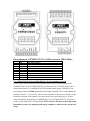
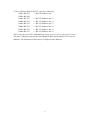
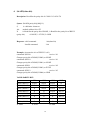
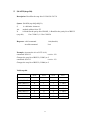
Pin assignment of EX9521/22/23’s COM1 connector (DB-9 Male):
Pin
1
2
3
4
5
6
7
8
9
Name
DCD
RXD
TXD
DTR
GND
DSR
RTS
CTS
RI
Description
Data Carrier Detect
Receive Data
Transmit Data
Data Terminal Ready
Signal ground
Data Set Ready
Request To Send
Clear To Send
Ring Indicator
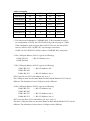
Use COM4(EX9521/22/23)/COM1(EX9527) for downloading program
Power on the system when EX952N module’s INIT* pin is wired to ground and
COM4(EX9521/22/23)/COM1(EX9527) is connected to PC. The disk image can be
downloaded from PC to flash ROM of 952N module under Hyper-Terminal (Com
port setting: baudrate 57600, Databit 8, Parity None, Stopbit1, Flow control None) by
clicking “transfer”, “receive file”, then choose Xmodem as the protocol and key in the
file name and path. If the update is not successful, then repeat the process. If users
want to debug the system from COM4(EX9521/22/23)/COM1(EX9527), just power
on the system with INIT* floating. Note: INIT* must be disconnected from ground
immediately before the updating disk image completes, otherwise the system will
hang.
2