1
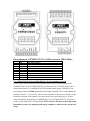
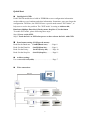
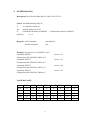
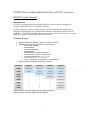
Quick Start Initial pin & GND: Each EX952N module has a build-in EEPROM to store configuration information such as address, type, baudrate and other information. Sometimes, user may forget the configuration. Therefore, the EX952N have a special mode named "INIT mode" , to help user to resolve the problem. The "INIT mode" is setting as Address=00, Baudrate=9600bps, Data bit=8, Parity=none, Stop bit=1, No checksum To enable INIT mode, please following these steps: Step1. Power on the 952N. Step2. Touch the Init* to GND after power on then release the Init* with GND Data format setting (COM port & status): Read/Set the Baud rate: Read /Set the Data-bit: Read /Set the Parity: Read /Set the Stop-bit: $AABN(Baud rate)…..….Page 8 $AADN(Data-bit).………Page 9 $AAPN(Parity-bit).……..Page 10 $AAON(Stop-bit).……….Page 11 Address setting: Use command $AAA(addr)………………………….Page 7 Wire connection: RS-232 R S- 485 Network EX9520 EX9522 R S 232 Device R S 232 Device EX9522 R S 232 Device R S 232 Device 3