1
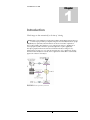
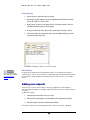
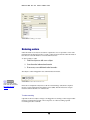
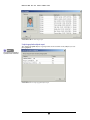
I N T R O D U C T I O N Who uses CapturePost? CapturePost is used by any photographer wishing to automatically link images to data at the time of photography. This data can be nothing more than a unique identifier such as an ID number or it can be a complete set of data held in user defined fields. As such CapturePost is particularly suited to: School photographers Sports photographers Event photographers Catalogue and product photographers Key features and functions of CapturePost The primary purpose of CapturePost is to capture images from a tethered digital camera and match these images to subject data and, optionally, order information. In doing so CapturePost provides the following features and functions. Simple one screen interface CapturePost has been deliberately designed to be as simple as possible in order to avoid unnecessary complications during photography. To this end CapturePost interfaces with the user via a single uncluttered screen. Images named with subject ID as part of the filename All images are saved with the subject ID as part of the image's filename. In this way images can always be linked back to data. For easy reference, images are saved in a folder relative to job file. This folder is created automatically by CapturePost. Ability to add new subjects "on the fly" Should a subject not be present in the job file, they can be added to the database at the time of photography. Furthermore CapturePost gives the user the ability to allocate this new subject to a specific folder Ability to edit subject details "on the fly" CapturePost provides the ability to edit the subject's data at the time of photography. This is useful if for example names had been misspelled in the original data. Print ID Cards and small items (option) CapturePost Version 2.4.0 introduced the option of "Instant-ID" printing, allowing the user to print ID cards and other small items at the time of shooting. Aspect ratio guides CapturePost allows the user to define aspect ratio guidelines. These guides can be displayed on the preview image to give the photographer a cropping guide. On Screen reports CapturePost provides the user two on-screen reports. 7