1
Xtags_Ch04
70
11/27/06
6:33 PM
Page 70
Xtags Maximized
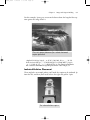
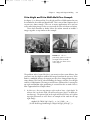
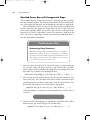
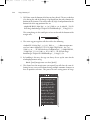
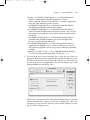
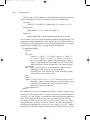
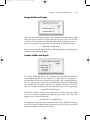
In this instance the code would look like this.
<&tbu2(12 BL1,10.5,(28p,R,-2p,1") ...
The reason I need –2p in the 3rd field is that I’ve already pulled the text over
p12 BL1 when the caption started.
Vertical Relative Placement
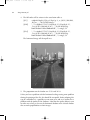
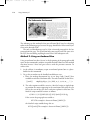
Vertical Relative Placement works great when you have a photo that needs the
caption next to it to be the same depth. This usually happens with shading or
with a rule around the caption. The positioning on this is used with the TL1
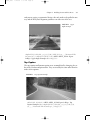
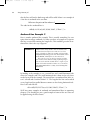
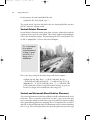
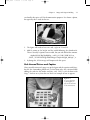
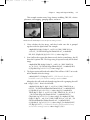
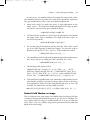
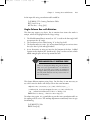
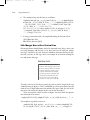
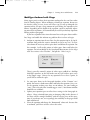
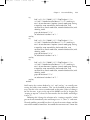
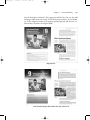
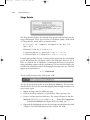
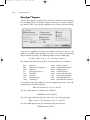
or TR1 as (46p4,R,0,1"). Here is how this will import:
This is the caption
for a relative
vertical placement
in Xtags. A great
use for this is a
design with a
shaded box.
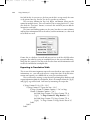
Here is the Xtags string for the above image and relative caption:
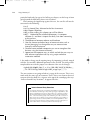
<&pbu2(14p B,0,30p?,46p4?,,,,n,,(K,W),(100,100),,K,0,,m,,,,,
,,"56GB Disk:AP_Book:Art:beach.tif", ,"")><&tbu2(-13p TL1,0, 9p,
(46p4,R,0,1"), ,,,n,,(K,W),(100,100),,K,10,,,,9,,,c,,,)>@Label1:This
is the caption for a relative vertical placement in Xtags. A great use
for this is a design with a shaded box.<&te><&g(1,2)>
Vertical and Horizontal Mixed Relative Placement
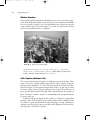
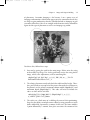
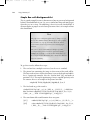
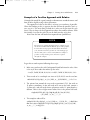
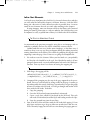
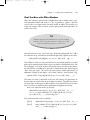
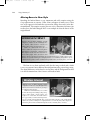
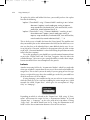
The relative placement can also be used both vertically and horizontally at the
same time. This is extremely useful when you have a piece of art that may
have a decorative border or some other type of attached art element needing
to be ignored during placement. Autopage has a C=O option in the art, tables,
and side art that will position only the information in the text box containing
the C=O tag. This can be placed over the top of the photo to ensure this type