1
Installation Instructions - Unix & Linux
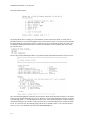
You will be prompted to specify the full path and filename of your NCR license server log file after which
the license server will be started. We recommend saving the log file as pointwise_ncr.log in the
gridgen_home_path/licenses directory.
You may mount the CD and run the Install Script at any time to run any one task such as extracting a second
hardware brand of Gridgen from the CD or generating host information for a new license file with the
license utility.
1.3
License Control
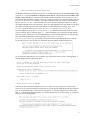
During the installation process, a license control script is extracted to your gridgen_home_path directory as
LICENSE_CONTROL.SH. We recommend that this script be used after a first time installation (Section
1.2) any time you need to obtain host information, import a new license file, control the status of the license
server, or change license server settings. Execute the following commands to run the script.
If installed on an SGI Prism workstation, the following alternative commands should be used to run the
script:
The license control script options and their uses are outlined in Section 1.2 and Section 3.
1.4
Concurrent V14 and V15 Processes
If you are interested in continuing to use V14 after upgrading to V15, please be aware that V14 can be run
with a V15 license. However, V15 will not run under a V14 license.
1.5
Downloading A Maintenance Release
Periodically new, minor Gridgen versions are released. These minor releases are called maintenance
releases. Usually a maintenance release consists solely of defect corrections to the software. You can determine your current Gridgen version by looking in the Version window in the upper left corner of the Gridgen
screen. Maintenance releases are announced at the Pointwise web site and via the Gridgen e-mail list.
You can obtain a maintenance release by downloading a new Gridgen executable file from the Maintenance
Release Download site in the Pointwise Support area of our website (http://www.pointwise.com/support/
dload.shtml).
Note: Users upgrading from Gridgen V15.10 to V15.11 will need a new Gridgen license file. New license
files can be requested online at http://www.pointwise.com/licenses/.
1.6
Maintenance Release Installation
Once you have downloaded a Gridgen maintenance release executable you may install it by following these
steps. Note that in the following steps the string hw should be replaced with the appropriate string for your
hardware type (e.g. sgi65 for SGI workstations running IRIX 6.5). Furthermore, the examples below refer
to the directory Gridgen was originally installed in as gridgen_home_path.
1.
1-6
Copy to tape, disk, or to a compressed tar file all files contained within gridgen_home_path. This needs
to be done in case a problem is encountered while installing the maintenance release.