1
Gigaset C610/610AIP / MEA EN / A31008-M2312-A601-1-UZ43 / configuration_10pg.fm / 4/20/11
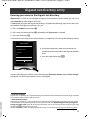
Configuring the VoIP connection
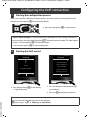
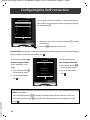
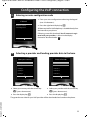
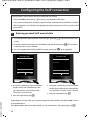
Instead of using the following procedure, you can also enter the VoIP access data and the assignment of the VoIP connection as send and receive connection using your PC (steps 7 to 12 ):
> Launch the web browser on your PC.
> Enter the URL www.gigaset-config.com in the address field of the web browser and press the
return key.
You are connected to your base's Web configurator. To log in to the Web configurator you will
need the system PIN for the telephone (default setting: 0000).
A description of the Web configurator can be found in the long user guide (see enclosed CD) and
in the Web configurator online help document.
Prerequisite for the following steps:
Before you can use VoIP to phone any other subscribers on the Internet, the fixed line network or
the mobile phone network, you need a VoIP account.
> Set up a VoIP account with a VoIP provider.
> Have your VoIP account data you received from your VoIP provider to hand.
You will need:
> Your registration name (login ID), your password and, if applicable (provider-dependent), a user
name (often this is your VoIP phone number).
Or
> Your personal auto-configuration code (activation code), if your provider supports "automatic
Version 5, 23.09.2008
configuration".
8