1
Gigaset C610/610AIP / MEA EN / A31008-M2312-A601-1-UZ43 / configuration_10pg.fm / 4/20/11
Configuring the VoIP connection
Select IP Account
´
IP 1
´
IP 2
´
IP 3
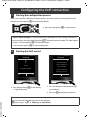
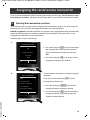
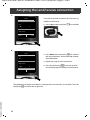
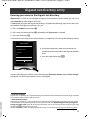
A list of all possible IP connections is shown in the display
(IP 1 to IP 6). VoIP connections that are already configured
are marked with ³.
´
IP 4
IP 5
V
Back
´
OK
> If necessary, press down on the control key s to select
a connection.
> Press the §OK§ display key to continue.
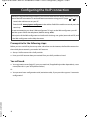
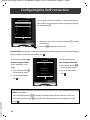
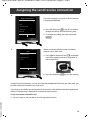
Provided that your phone is set for auto-configuration (default setting), you will see the following
display. Otherwise, for more information, see 10 .
If you have received a registration name/password
and, if applicable, a user
name:
> Press the key below §No§
on the display screen.
> For more information,
see
10
.
If you have received an
auto-configuration code:
IP Wizard
?
> Press the key below §Yes§
Do you have a
on the display screen.
code for auto
> For more information,
see
configuration?
No
9
.
Yes
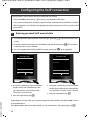
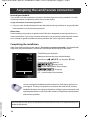
If your phone cannot establish a connection to the Internet, the message Internet connection not
available is displayed.
> Press the left display key §Info§ to display information about the possible causes of errors.
> Press the right display key §OK§ to end the VoIP wizard and start the connection assistant
Version 5, 23.09.2008
(step
10
12
).