1
Table of Contents
4. Convenient Features ...................................................................... 28
� Turning Off the Image and Sound ............................................................................... 28
� Freezing a Picture....................................................................................................... 28
� Changing Lamp Mode ................................................................................................ 28
� Preventing the Unauthorized Use of the Projector ..................................................... 28
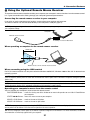
� Using the Optional Remote Mouse Receiver ............................................................. 31
5. Using On-Screen Menu ................................................................. 32
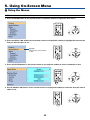
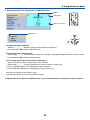
� Using the Menus ......................................................................................................... 32
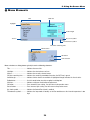
� Menu Elements ........................................................................................................... 34
� List of Menu Items ...................................................................................................... 35
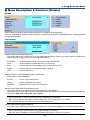
� Menu Descriptions & Functions [Picture].................................................................... 37
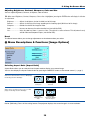
� Menu Descriptions & Functions [Image Options] ....................................................... 38
� Menu Descriptions & Functions [Setup] ..................................................................... 40
[Setup - General] ................................................................................................... 40
[Setup - Installation] .............................................................................................. 41
[Setup - Options] ................................................................................................... 43
� Menu Descriptions & Functions [Information] ............................................................. 44
� Menu Descriptions & Functions [Reset] ..................................................................... 45
6. Maintenance .................................................................................... 46
� Cleaning the Lens and the Focus Sensor ................................................................. 46
� Cleaning the Cabinet ................................................................................................. 46
� Replacing the Lamp ................................................................................................... 47
7. Appendix ........................................................................................... 50
�
�
�
�
�
�
�
�
Troubleshooting ......................................................................................................... 50
Specifications ............................................................................................................ 53
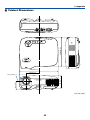
Cabinet Dimensions .................................................................................................. 55
Pin Assignments of D-Sub COMPUTER Input Connector ........................................ 56
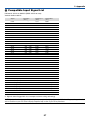
Compatible Input Signal List ...................................................................................... 57
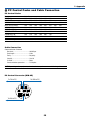
PC Control Codes and Cable Connection ................................................................. 58
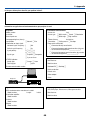
Troubleshooting Check List ........................................................................................ 59
TravelCare Guide ....................................................................................................... 61
vi