1
TEW-731BR
TRENDnet User’s Guide
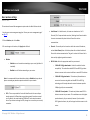
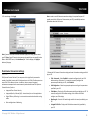
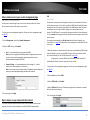
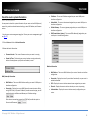
Selecting WEP:
password of 12345, then the client must select: Key 2 (entering Key 1,
3, or 4 will block the ability to connect) and enter password 12345)
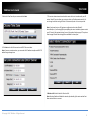
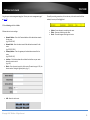
If selecting WEP (Wired Equivalent Privacy), please review the WEP settings to configure
and click Apply to save the changes.
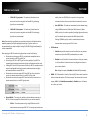
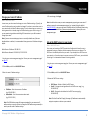
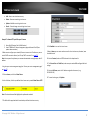
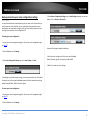
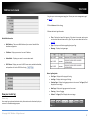
Selecting WPA, WPA-Auto, or WPA2 (WPA2 recommended):
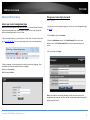
First, from the Authentication Type row, select WPA, WPA-Auto, or WPA2.
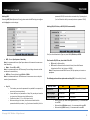
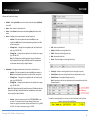
• WEP– Choose Open System or Shared Key.
Note: It is recommended to use Open System because it is known to be more secure
than Shared Key.
• Mode – Choose HEX or ASCII.
Note: It is recommended to use ASCII because of the much larger character set that
can be used to create the key.
• WEP Key – Choose the key length 64-bit or 128-bit.
Note: It is recommended to use 128-bit because it is more secure to use a key that
consists of more characters.
•
Key 1-4
o This is where you enter the password or key needed for a computer to
connect to the router wirelessly
o You can define up to 4 passwords or 4 keys. Only one key can be active
at a given time. Most users simply define one key.
o Choose a key index 1, 2, 3, or 4 and enter the key.
o When connecting to the router, the client must match both the
password and the Key number. (e.g. if you have activated Key 2 with a
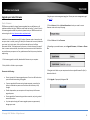
Then from the PSK/EAP row, select either PSK or EAP
•
•
PSK stands for Preshared Key
EAP stands for Extensive Authentication Protocol, also called Remote
Authentication Dial-In User Service or RADIUS).
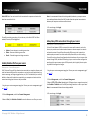
Note: EAP requires an external RADIUS server, PSK only requires you to create a
passphrase.
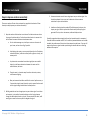
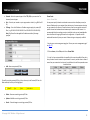
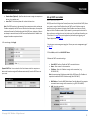
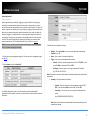
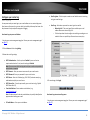
The following section outlines options when selecting PSK (Preshared Key Protocol),
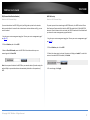
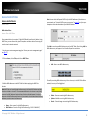
WEP Key Format
HEX
ASCII
Character set
0-9 & A-F, a-f only
Alphanumeric (a,b,C,?,*, /,1,2, etc.)
64-bit key length
10 characters
5 characters
128-bit key length
26 characters
13 characters
o
o
o
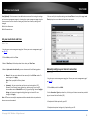
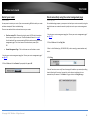
Select a Cipher Type. When selecting WPA security, it is recommended
to use TKIP.
When selecting WPA-Auto security, it is recommended to use AES.
When selecting WPA2 security, it is recommended to use AES.
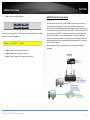
© Copyright 2013 TRENDnet. All Rights Reserved.
14