1
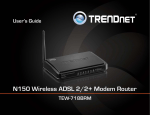
TRENDnet User’s Guide
Contents
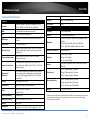
Product Overview ...........................................................................1
Package Contents .......................................................................................................... 1
Features ......................................................................................................................... 1
Product Hardware Features........................................................................................... 2
Application Diagram ...................................................................................................... 4
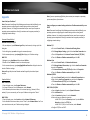
Basic Router Setup ..........................................................................5
Creating a Home Network ............................................................................................. 5
Router Installation ......................................................................................................... 6
Connect additional wired devices to your network..................................................... 11
Wireless Networking and Security ................................................. 12
Table of Contents
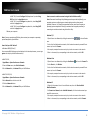
Access your router management page ........................................................................ 27
Change your router login password ............................................................................ 27
Set your router date and time ..................................................................................... 28
Manually configure your Internet connection ............................................................ 28
IPv6 Internet Connection Settings ............................................................................... 29
Clone a MAC address ................................................................................................... 30
Change your router IP address .................................................................................... 31
Set up the DHCP server on your router ....................................................................... 31
Set up DHCP reservation ............................................................................................. 32
Enable/disable UPnP on your router ........................................................................... 33
Allow/deny VPN connections through your router ..................................................... 33
Allow/deny multicast streaming.................................................................................. 34
Identify your network on the Internet ........................................................................ 34
How to choose the type of security for your wireless network .................................. 12
Allow remote access to your router management page ............................................. 35
Secure your wireless network ..................................................................................... 13
Open a device on your network to the Internet.......................................................... 35
Connect wireless devices to your router ..................................................................... 15
DMZ ......................................................................................................................... 35
Connect wireless devices using WPS ........................................................................... 16
Virtual Server .......................................................................................................... 36
Basic wireless settings ................................................................................................. 18
Special Applications ................................................................................................ 38
Steps to improve wireless connectivity ....................................................................... 20
Add static routes to your router .................................................................................. 39
Advanced wireless settings.......................................................................................... 21
Enable dynamic routing on your router ...................................................................... 41
Access Control Filters .................................................................... 22
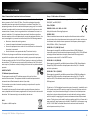
Router Maintenance & Monitoring ............................................... 42
Access control basics ................................................................................................... 22
Reset your router to factory defaults .......................................................................... 42
MAC address filters ................................................................................................. 22
Router Default Settings ............................................................................................... 42
Domain/URL Filters ................................................................................................. 23
Backup and restore your router configuration settings .............................................. 43
Protocol/IP filters .................................................................................................... 24
Restart your router ...................................................................................................... 45
Firewall rules ........................................................................................................... 25
Check connectivity using the router management page ............................................. 45
Advanced Router Setup ................................................................. 27
Check the router system information ......................................................................... 46
© Copyright 2013 TRENDnet. All Rights Reserved.
i