1
Enterprise Manual
remove them immediately? Campaign Enterprise makes it easy to mark your
unsubscribe requests, and filter them from any, or selected future email
campaigns.
Stop Delivering to Dead Email Addresses
It is a waste of processing time to continually send emails to dead addresses. A
good bounce email policy must be adhered to. Not only will this help you keep
your lists clean, it can help you deliver email. Some remote mailers can detect
how many dead emails you are attempting, and will cut you off if you have too
many, assuming that you are spamming. Campaign Enterprise can also process
both hard and soft bounce emails, and allow you to filter those out, or better yet,
determine which are truly dead, and delete them forever from your database.
Main Menu
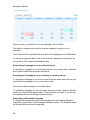
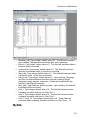
When you first log into Campaign Enterprise you will be taken to the Main Menu.
From here you can create new campaigns, edit existing campaigns, view
reports, set a schedule, test a campaign or run a campaign. By default the
campaigns are listed in the order in which they were created. The campaigns
can also be sorted by owner, schedule date, date last run, campaign id, or
campaign name. A total of twenty campaigns appear on a page. There are no
limits on the number of campaigns you can create. Search tools are available for
when you have too many campaigns to find at a glance.
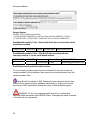
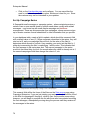
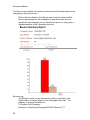
After a campaign is started, the progress will also show on the main menu with a
small graphic that is updated every minute or so.
A note can be appended to each campaign as well. In the note section you can
leave instructions, or indicate what remains to be completed on a campaign if
you are working corroboratively.
Main Menu Components
The program edition and version number is displayed at the top of the
page.
The user account you are using is also displayed at the top of the page.
Click Logout to logout as one user and back in as another or before closing the
window to free up a user session.
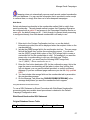
Click Campaigns to return to the Main Menu from any other page in the program.
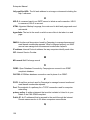
Click Subscriber Lists to import and manage email addresses in the built-in
database.
Click Admin Settings to manage global campaign connection settings and
monitor the server manager, and manage users and groups.
26