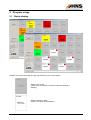
1
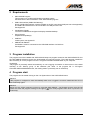
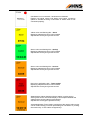
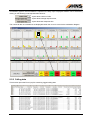
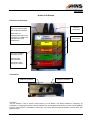
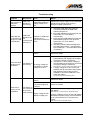
Call Station is not connected – hardware error detected.
Flashing red signal means Call Station has broken connection
(station is handled as being in last status of station when it was
connected properly).
Yellow colour and flashing title – Store!
Displaying elapsed time since call is started.
Elapsed time format [hour:]minute:second.
Green colour and flashing title – Quality!
Displaying elapsed time since call is started.
Elapsed time format [hour:]minute:second.
Green colour and flashing title – Service!
Displaying elapsed time since call is started.
Elapsed time format [hour:]minute:second.
Red colour and flashing title – Team Leader!
Displaying elapsed time since call is started.
Elapsed time format [hour:]minute:second.
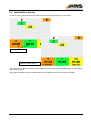
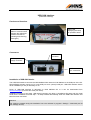
Status display without flashing while the station is under serving.
Serving time can be read under display of time elapsed between the
calling and the serving starts (in parenthesis).
Elapsed time format ([hour:]minute:second).
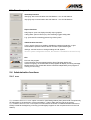
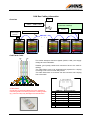
Acknowledgement (Team Leader is taking back the station) after serving
can be started clicking on frame representing the Call Station or pushing
the marked key <CTRL+station assigned key>.
HNS ANDON
User’s Manual
6