1
Mbox and MIDI
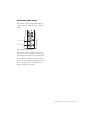
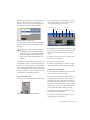
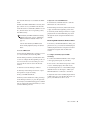
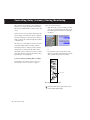
3 In the Mix window, click the track’s MIDI In-
What is MIDI?
MIDI (Musical Instrument Digital Interface) is
not audio, and has no sound. MIDI is a way for
musical devices to communicate. MIDI is data
that can trigger a MIDI device (such as a keyboard or software synthesizer).
put Selector and assign the device and channel
that will be recorded.
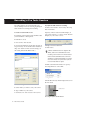
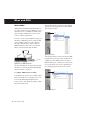
In order to create or play a MIDI recording, you
must have a MIDI keyboard or sound module
(real or virtual) connected to the computer
through a MIDI interface. Audio from your
MIDI instrument can be sent to an external
mixer or monitored through the Mbox.
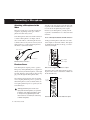
MIDI sound module
MIDI
MIDI Input Selector
Audio
To amplifier
MIDI keyboard (controller)
Mixer
Signal paths for MIDI instruments
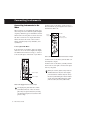
For more information on monitoring through
the Mbox, see “Monitoring MIDI Instruments
Without a Mixer” on page 15.
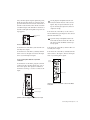
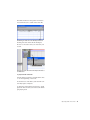
4 In the Mix window, click on the track’s MIDI
Output Selector and choose the destination (assignment) for that MIDI track by choosing a
MIDI interface port, a channel, or a device from
the pop-up menu (choices vary depending on
the operating system and Pro Tools version).
To configure a MIDI track for recording:
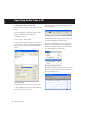
1 On Macintosh systems, choose MIDI > Input
Devices and make sure your input device is selected in the MIDI Input Enable window.
2 Choose File > New Track and specify 1 MIDI
Track, then click Create.
MIDI Output Selector
14
Mbox Basics Guide