1
SpectraLink Corporation
Configuration and Administration—NetLink e340/h340/i640 Wireless Telephone
with SIP
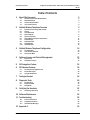
Table of Contents
1. About This Document
1.1
1.2
1.3
1.4
SpectraLink Corporation Model Numbers
Related Documents
Customer Support Hotline
Icons and Conventions
2. NetLink Wireless Telephone Overview
2.1
2.2
2.3
2.4
2.5
2.6
2.7
2.8
2.9
2.10
SpectraLink Voice Priority (SVP) and QoS
Security
Quick Start Guide
System Diagram
System Components
NetLink Wireless Telephone Specifications
Handset Display
Startup Sequence
Handset Modes
Handset Displays
3. NetLink Wireless Telephone Configuration
3.1
3.2
3.3
The Admin Menu
User-defined Preferences
The Favorites Menu
4. Software License and Protocol Management
4.1
4.2
4
4
4
4
5
6
6
6
7
8
9
11
12
13
14
15
16
16
24
31
32
Requirements
Configuration Process
32
32
5. SIP Integration Factors
34
6. SIP Handset Features
35
6.1
6.2
6.3
SIP TFTP Server Configuration Files
The Handset Display
Using the SIP Handset
35
38
38
7. Testing a Handset
44
8. Diagnostic Tools
45
8.1
8.2
8.3
Run Site Survey
Diagnostics Mode
Syslog Mode
9. Certifying the Handsets
9.1
Conducting a Site Survey
45
47
50
52
52
10. Software Maintenance
53
11. Troubleshooting
55
11.1
11.2
11.3
Access Point Problems
Configuration Problems
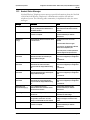
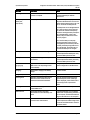
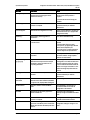
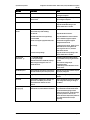
Handset Status Messages
12. Appendix A
PN: 72-1089-02-E.doc
55
55
56
63
Page 3