1
SpectraLink Corporation
2.3
Configuration and Administration—NetLink e340/h340/i640 Wireless Telephone
with SIP
Quick Start Guide
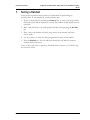
1. A wireless LAN must be properly configured and operational through the use of
802.11 wireless APs.
2. A TFTP server must be available on the network in order to load the appropriate
software into the handsets. See Section 4 Software License and Protocol
Management for detailed instructions for loading software on handsets.
3. The supported SIP system components must be connected to your network and
completely operational.
4. The NetLink SVP Server, which facilitates the QoS on the wireless LAN for the
handsets, must be on the same subnet as the handsets and have the proper
versions of software.
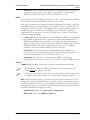
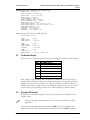
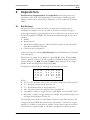
Ensure you have the following versions for the NetLink SVP Server:
173 svp100.toc
174 zvmlinux
175 flashfs
5. Visit http://www.polycom.com/usa/en/support/voice/wifi/spectralink_8000_svp_server.html to download the latest handset software
and any updates to the NetLink SVP Server software.
6. Install the correct handset software and any updates to the NetLink SVP Server
software per Section 4.2 Configuration Process for the handsets and per
SpectraLink 8000 SVP Server: Administration Guide for SIP Section 6.1 Software
Updates for the NetLink SVP Server. Ensure the software is properly loaded on
the TFTP server.
7. Configure your handset to ensure that it is associated with the wireless LAN, has
the appropriate software, and has the correct IP address for the supported proxy
server. See Section 4 Software License and Protocol Management and Section 3
NetLink Wireless Telephone Configuration for detailed instructions for loading
software onto and configuring handsets.
8. Create configuration files on the SIP TFTP server to define parameters for the
SIP application. See Section 6.1 SIP TFTP Server Configuration Files.
PN: 72-1089-02-E.doc
Page 7