1
Step-by-step Guide
5.1.2. Menu Link - Service access - Services
•
•
•
•
•
•
•
•
•
IPv4 address – enter a valid IP address to access the drive. The default IP address has to be replaced
with a valid address. Keeping the default address will probably lead to future problems in the network.
Netmask – enter the network mask.
Gateway – if necessary, enter a gateway, otherwise leave blank
Enable access protocols that you are going to need. For security reasons, do not enable more than
is necessary.
HTTP(S) – allow access to the web interface.
Telnet – enabling access to the CLI interface using telnet protocol.
SSH – enabling access to the CLI interface using SSH protocol.
Management VLAN – Enabling 802.1Q VLAN tag for separation of user and service operations.
Management VLAN id – Defining 802.1Q VLAN tag for service operations.
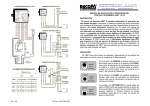
Fig. 5.3: Configuration menu Link settings – Service access – Services
© RACOM s.r.o. – RAy2 Microwave Link
39